Support Eva smart whole-household energy meter

Hello!

I am using the Eva smart HAN meter. It works, and connects to Homey, however Homey does not accept it as a «whole-house meter», but rather lists it as a consumer…

Any chance it could be supported in Homey, or is there anything I can do to make it work?

Cheers

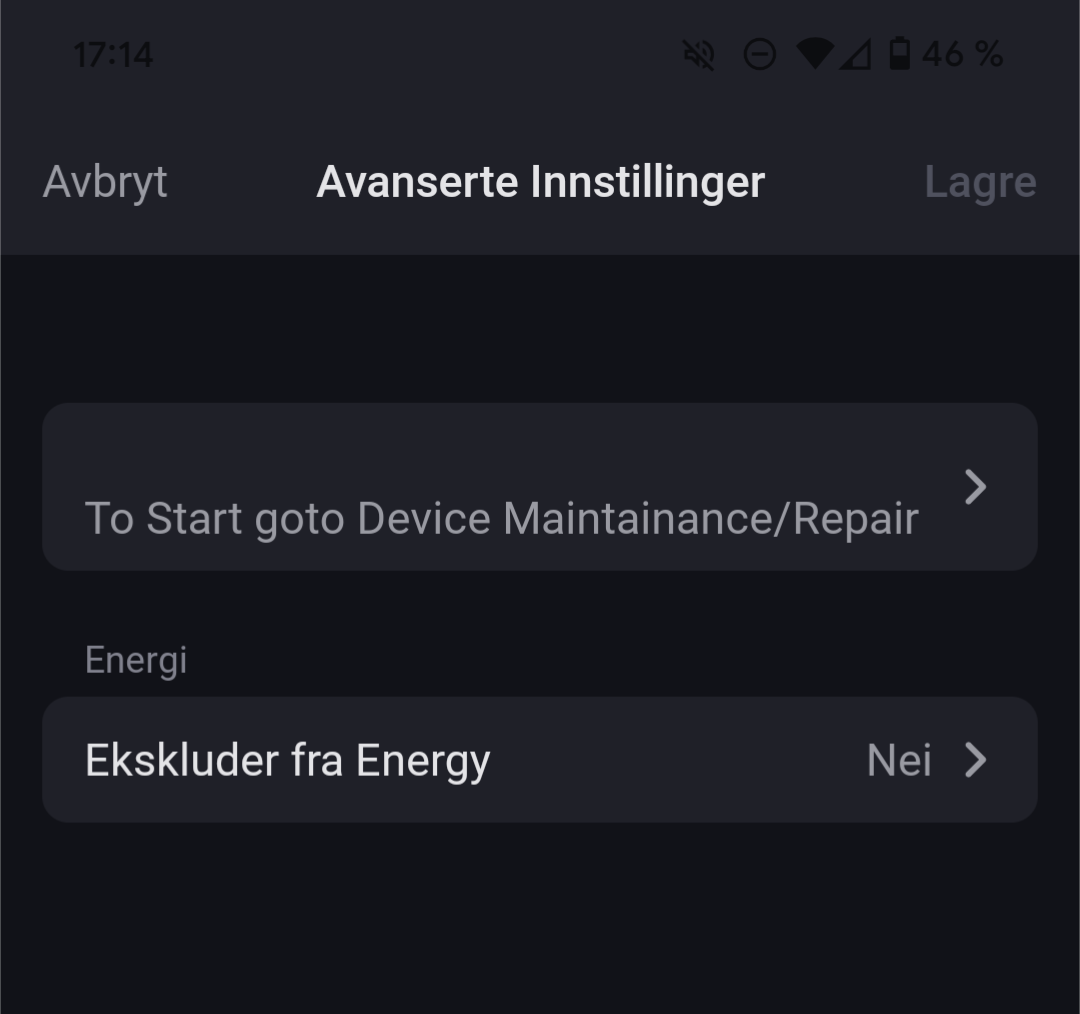
If you go the device settings → advanced settings there could be these:

Thanks for the reply!

They could. However, unfortunately, only the exclude option is present. :frowning:

You can create a virtual energy meter that shows the power usage from Eva, and have it appear in the Homey Energy tab :wink:

Just follow these steps:

  1. Install the app “Device Capabilities
  2. Add a new device and select “Devices Capabilities” then the Advanced Virtual Device (AVD).
  3. Choose “Create an empty AVD”.
  4. Give it a name and select an icon.
  5. Go to the virtual device’s settings:
    Settings > Maintenance > Repair
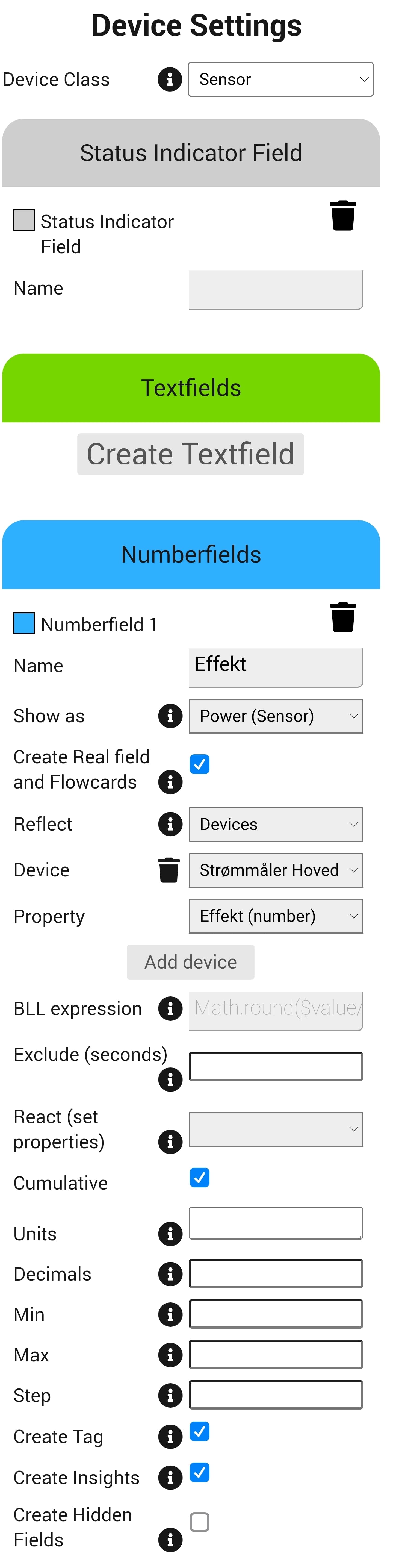
  6. Set the Device Class to: Sensor
  7. Create a new Number field.
  8. Give the field a name (this will be the label for your virtual energy meter).
  9. Under “Shown as”, select: Power (sensor)
  10. Under “Reflect”, choose: Devices
  11. Under “Device”, select your Eva energy meter
  12. Under “Property”, choose: Power (number)
  13. Make sure to check the box “Cumulative”

After that’s done go into the device settings and enable:

Tracks total home energy consumption > Yes

Your virtual meter will now appear in the Homey Energy tab and reflect real-time usage from the Eva meter :electric_plug::high_voltage:

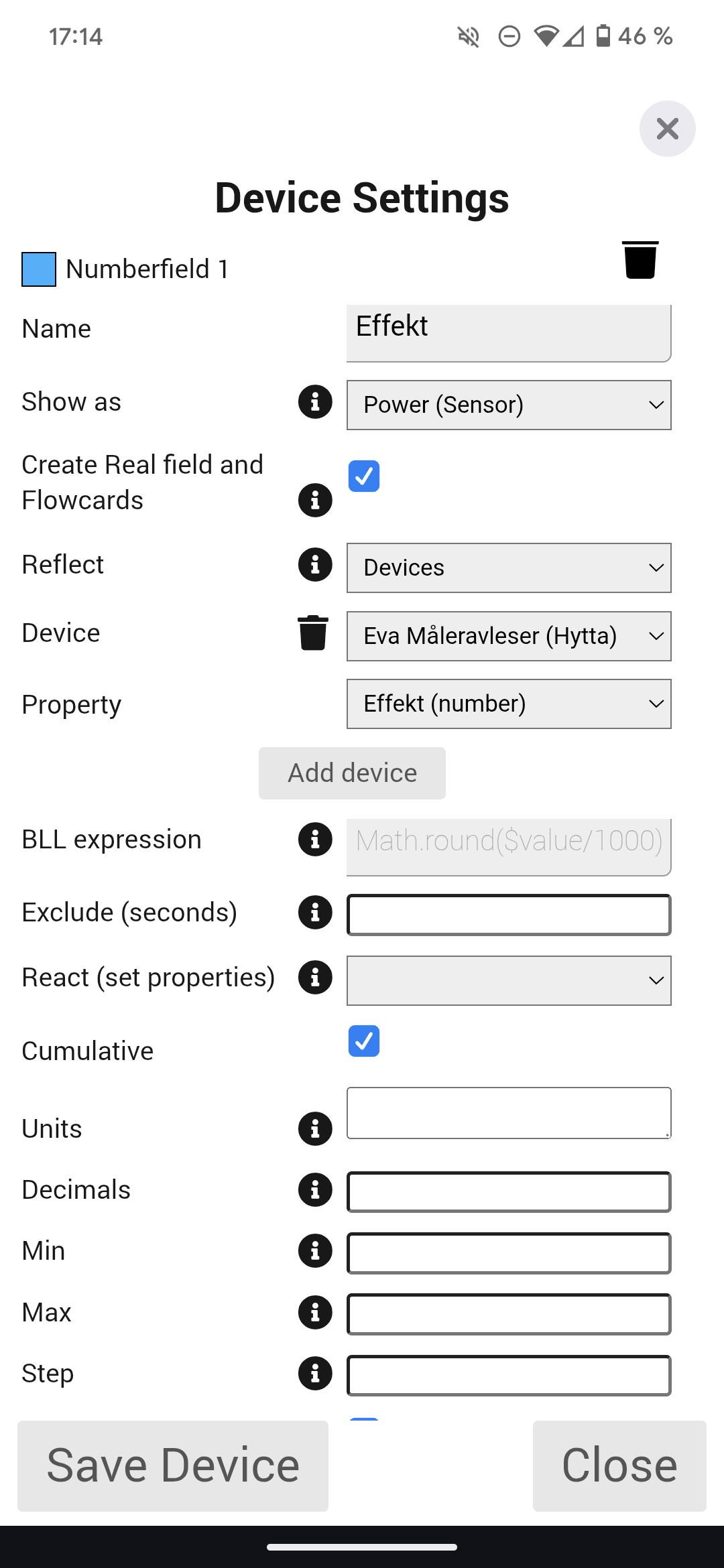
Device settings (Device Capabilities) should look something like this:

1 Like

Thank you! This method works perfectly for me.

1 Like

After trying this app, the watt appeared in Homey Energy as a smart sensor. But i cant find the “Tracks total home energy consumption > Yes” in the device settings. Any i

deas?

Could you double-check if the Device Class is set to Sensor?
image

If it is, you could also try adding a new Number Field for the Imported Energy from the Eva Meter. It should look something like this:

Thanks!

Now it works in the energy chart as well.

1 Like

Is there anything to do with the total Energy consumption in the chart? It monitored the kWh, but not the total kW of the day

It’s the same for me, this is the last missing piece for having my energy meter fully supported in Homey Energy. At least you still get the daily graph, and you can scroll back to see energy consumption for a specific time.

From what I’ve seen, the issue seems to be related to which capabilities are reported to Homey and how they’re defined. In other words, the correct capabilities for the energy meter need to be added/configured in the Eva Smart Home app to achieve full Homey Energy support. Unfortunately this has to be done by the developers and as far as I know, it won’t work with my current “workaround” method.

I’ll post an update in this thread if I discover a possible solution!

It does in fact seem like EVA just added this capability to their meter reader. Anyone else having success?

Update:
It’s now possible to use a virtual energy meter and still get full support in Homey Energy, just like with a real “supported” energy meter!

Just remember to update your settings in the Devices Capabilities app, and ensure that the following options are individually checked under their respective number fields:

  • Cumulative :check_mark:
  • Cumulative Imported :check_mark:
  • Cumulative Exported :check_mark:

The issue that was reported here should have been resolved in the last app update; no need to create a virtual meter for it…