Hello everyone,
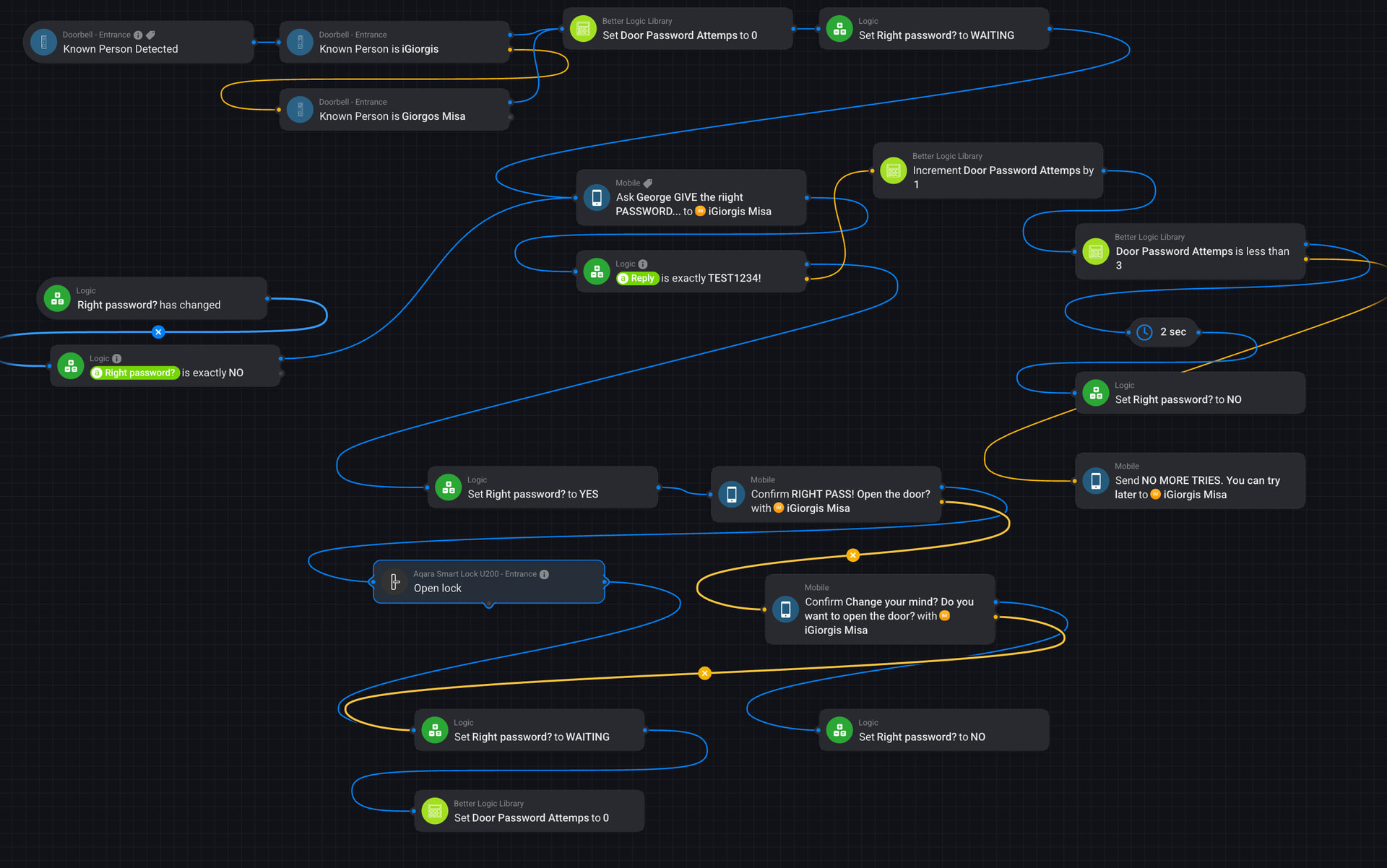
I just created a new Advanced Flow using the new Mobile “ASK” card and wanted to share it with the community. The idea was to build a small secure door access system using face recognition together with a password verification before unlocking the door.
The flow is triggered when the doorbell detects a known person, then the system asks for a password through the ASK card. If the password is correct, it asks for confirmation and unlocks the door. If it’s wrong, the user can retry up to three times before the system stops.
Features:
 Face recognition
Password authentication
Retry system
Max attempts protection
Reset logic for the next attempt
Confirmation before opening the door
The flow uses Better Logic Library to count password attempts and prevent unlimited retries. When the maximum attempts are reached, a notification is sent and the process stops.
I’m sharing this in case it helps someone experimenting with the new ASK card and Advanced Flows. Feedback or improvements are always welcome!
Thanks! 
Flow overview:
Update / Improvement
I added an extra improvement to make the flow behave more naturally in real-life use.
Sometimes the door can already be unlocked using another method such as fingerprint, NFC tag, keypad or the Homey app . In those cases, it would not make sense for the system to still ask for a password after face recognition.
To solve this, I implemented a “Recent Door Unlock” logic using Better Logic variables.
When the door is unlocked, the flow sets a variable:
RECENT_UNLOCK = true
This variable stays active for about 30 seconds . During this time, if face recognition detects a known person, the flow will skip the password request .
After the delay, the variable automatically resets:
RECENT_UNLOCK = false
This ensures the password flow will work normally again the next time someone approaches the door.
This small addition prevents unnecessary password prompts when the door has already been opened using another access method, making the system behave much more naturally.
The screenshots below show the additional flows used to implement this logic.


