Will be the number one new feature to add.
Hopefully tonight.
Although I understand it is not the purpose of creating this app: would it also be possible to edit normal flows (non-advanced) with this app?
I have multiple advanced flows working together with (older) normal flows. Now I have to switch back and forth. Would be great if I could edit them all on the same website…
Ah I seez well its definitely possible. But uhm it indeed just be an exact copy of how you can edit them in the regular Homey app. Unless you have ideas on improvements?
Not really.
The way you can edit them now via my.homey.app would.already be great.
Perhaps some improvements could come along the way when we’re using it…
@SunBeech
Connecting cards and adding system cards are both in now in version 1.6


With System Cards?
Thanks for all your efforts!
Similar like @Adr1 indicates: I am not able to set or change the field/argument in some cards. I made the following flow using using logic, mobile push notification and timeline notification cards. I haven’t tested all cards, but this seems to be a more general issue.

When editing the logic or notification cards, MAFE does not show the text/tag argument:

I thought that I maybe have to save the flow first , but that results in an error due to the missing argument.

Some other suggestions / questions:
-
In Homey’s advanced flow editor, some cards have additional options in its context (right click) menu. For example to invert a card, which you need to e.g. invert the Logic card 'tag is equal to ‘yes’ to 'tag is not equal to ‘yes’). But also an option to add a dimming duration. I am not sure whether other options exist. Would you be able to add that?
-
When tapping on a card, you may want to add an option to duplicate (or copy/paste) it.
-
How you you create a new flow?


Nice job. Keep it up.
Wish you could present your selection lists in a bit more condensed way.
On connecting to existing cards I came across a problem. My flow does have a few identical cards and I have difficulties chosing the right one to connect to.
Oh, how to remove an existing connection?
 .
.
Tried that. Didn‘t manage to select a connector at least when using my browser on iPad.
Maybe try moving one of the connected cards temporarily to create a bit more space for the interface elements to show up. I am able to use the X on my iPad using Chrome.
Yes, system cards
Will look into that and aim to deliver a fix today
V1.7 Is out! @Henk_Renting with support for normal flows please let me know if you run into any issues there.
This version focuses mostly on making card editing clearer and more usable, especially for system cards and mobile/tablet layouts.
What’s new:
- System cards with arguments can now be edited properly.
- User, alarm, flow, app, and logic-variable arguments now use dropdown-style selection where possible.
- Missing required card values are now shown in red, so it is clear when a card still needs attention.
- Added support for editing regular, non-Advanced Flows in the familiar When / And / Then layout.
- Added duplicate card support.
- Improved the selected-card action buttons.
- Improved the flow/folder sidebar layout on tablet and desktop.
- Added a button to create a new Advanced Flow directly from MAFE.
Quick and great update. The map argument is now working correctly. If I come across anything else, I’ll let you know.
Thanks again! 
Some observations on v1.7:
The Edit flowcard dialog has two buttons on the bottom side. When holding my iPad in landscape mode (first screenshot) these buttons are not displayed (or are outside the visible area). As such I cannot save changes made. When in portrait mode (second screenshot) de buttons are displayed:

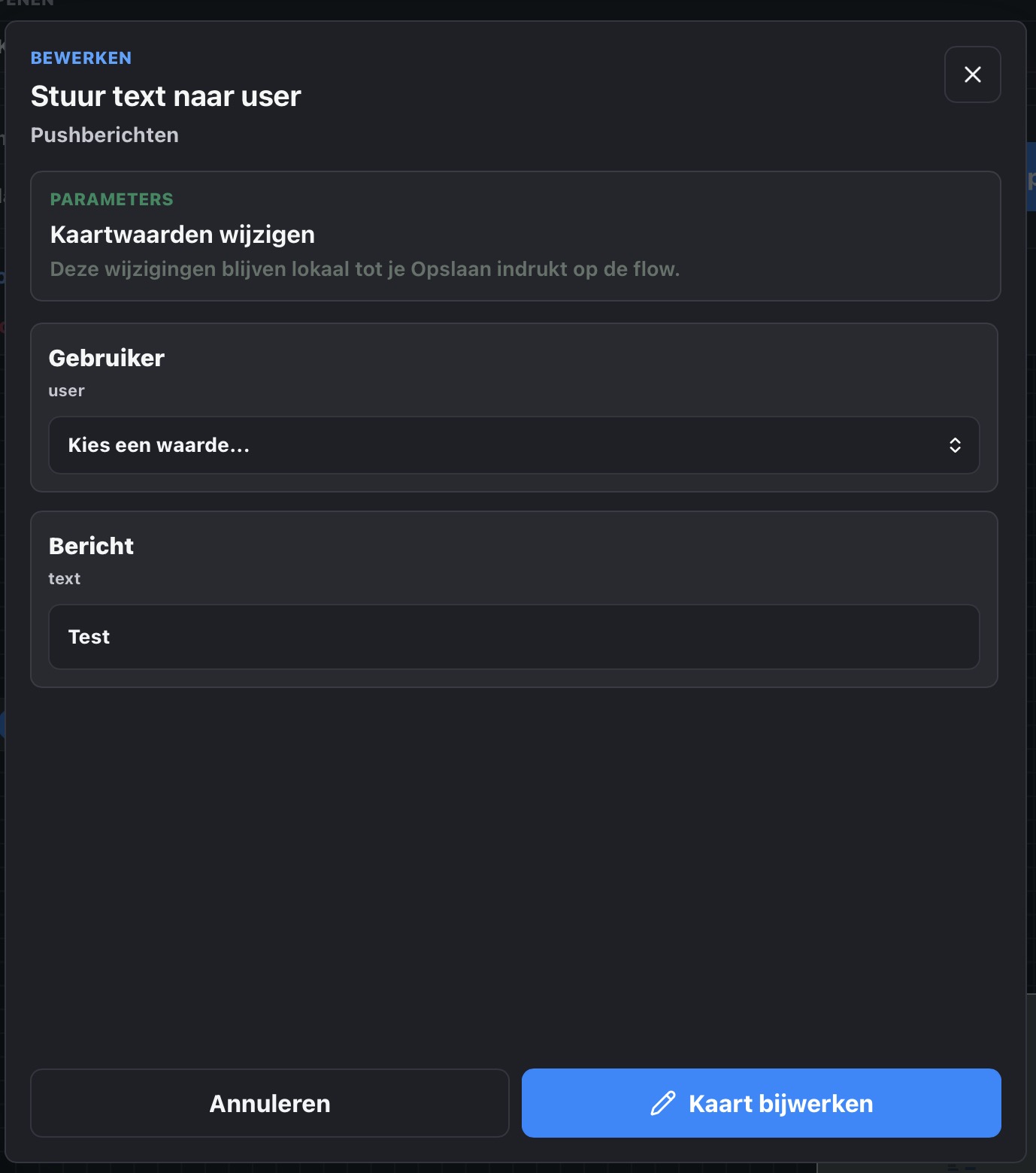
When editing a logic card that requires a tag, the Edit flowcard dialog does not provide a field to select/provide the tag. The only available option is the inverse option.


When I am editing a flow that has not yet been saved and I (accidentally) navigate to another flow, there is no warning of unsaved changes. When I navigate back to the original flow, the changes are still there, but MAFE does not allow me to save them, as the save button is grayed out. I first need to make another change before I can also save the prior changes.
Lastly: you can now create a new flow, but not delete an existing one. Maybe that is also something to add.
Great, thanks!
Looks good.
Selection of card connections on iPad still doesn‘t work for me. Tried with Safari and another browser, no luck.
What if you try tapping the other (of the two connected) card? Does the X appear then?
