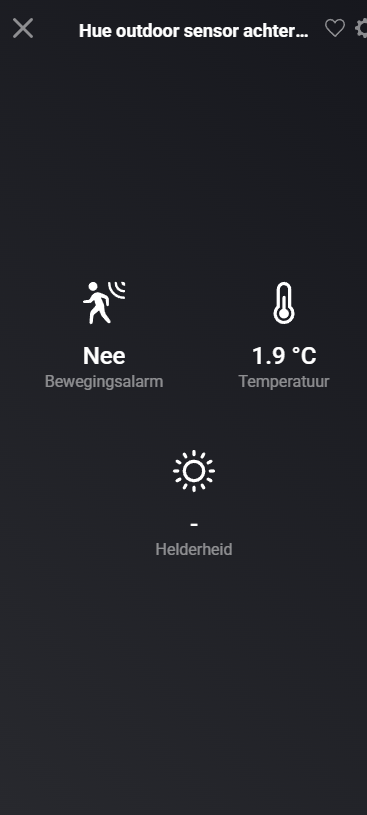
Hi, I just started with Homey Cloud Premium and added some Philips Hue motion sensor to start testing. I notice that motion is working, but Homey Cloud can’t read the temperature somehow. Is this a limitation of Homey Cloud en does it work in Homey Pro? Or should it work in Homey Cloud?
Kr,
Mario
Hi Mario,
As I‘m not using the cloud version I cannot compare directly. My setup is s Homey Pro 2023 and the two Hue outdoor sensors both show the temperature. So I assume it is a missing feature on the cloud version.
Are you using the Hue bridge?
It works fine on my Homey Pro:
I just added it to a Homey Cloud instance and there it doesn’t show the temperature:
This can happen if you have just added it before the temperature was changed (motion alarm and brightness also only appeared when a change happened)
Hi,
thanks for testing, in the end I will go for a Homey Pro i think, so it’s not a big deal it doesn’t work. Good to hear it’s working on a Homey Pro.
Kr,
Mario
Somehow it just started to work, I now can see the temperature of my Hue motion sensors in Homey Cloud
I see it’'s working in Homey Cloud here as well. But in this case the brightness is missing:
Also, it shows “14 hours ago“ for the last temperature change. I think it is because Homey Cloud polls the Hue Bridge less often (to save cloud bandwidth). On my Homey Pro 2019 it works fine
Anyone knows if it possible to increase the refresh rates? Both temperature and luminance for me are often >1 day old, even after recent motion detection.
I have Homey Cloud + Bridge, or am I only gonna get it better once moving to the Homey Pro?
I have a flow attached to it that lights go on when the lx is under a certain value, however that’s now not working because its updating the values not frequently…
It’s likely to save bandwidth and API calls, as this is expensive for Homey Cloud. That’s the reason it doesn’t get updated often.
The Homey Pro connects to your Hue bridge locally, so there you shouldn’t have these issues.
It’s like the want you to use the Pro vs Cloud/bridge with Premium 
I will give it a shot with Athom directly but I’m not that positive that it can be fixed in any way.
I don’t think Athom will fix this, this is likely done on purpose. The reason is because cloud bandwidth is expensive for providers, which means that they throttle API requests to Philips Hue.