Hey folks,
I had a sudden urge to control my Homey devices from my macOS menu bar, so I started building an app for it.
I features:
- A list of all your devices, grouped by floor and room - every device, floor and room can be toggled to be hidden in the settings to remove clutter
- Quick access to common actions such as toggling off, setting temperatures, brightness, …
- More detailed settings and state info just one click away.
- A list of your flows and the ability to start them.
- Homey Energy info
It’s feeling pretty complete at the moment, and I don’t really plan for any new features for v1.0 - but I’m looking for beta testers: Join the HomeBar for Homey Pro beta - TestFlight - Apple
Hello.
I started testing today. For a first glance it looks awesome! Great work!
Best regards
EDIT:
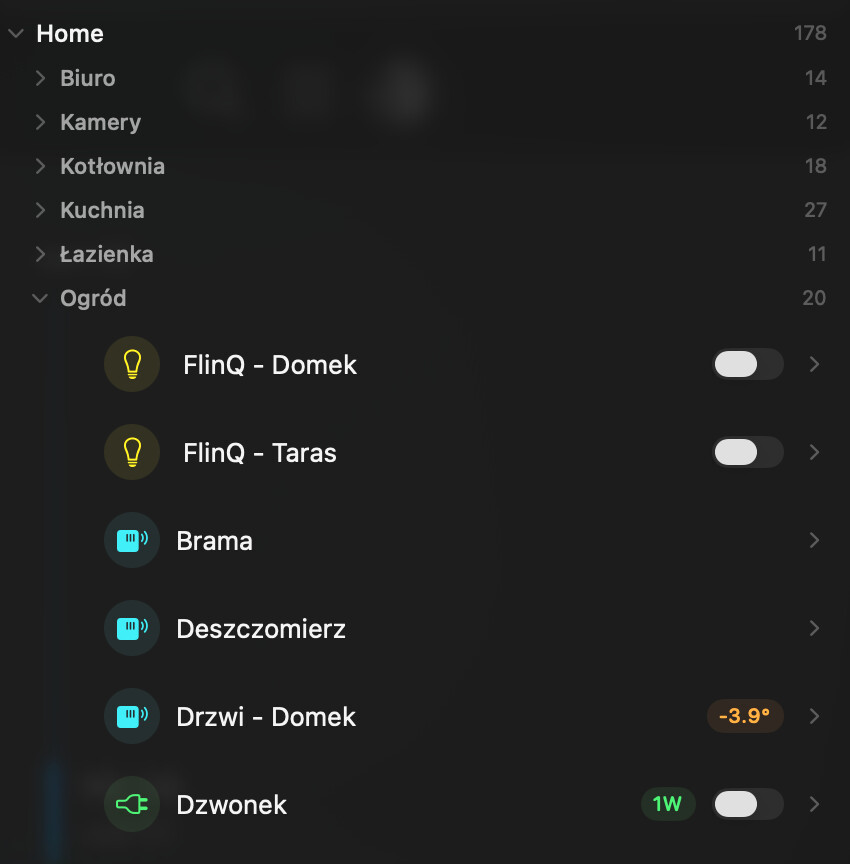
At this time only thing I don’t like is that Lights with brightness control have this bracket > in left side of their names. It is messing up visually and I don’t need it. You still have to click on it to open brightness control and I can do the same when I click on name of light and there is this option also.
Maybe consider to change it or give user an option.
One more thing… I think it will be super to have option to extend the window vertically to accommodate more sensors. I know there is option to Expand View but it extends window horizontally and only a little vertically.
Thanks for the feedback! In the newest build I made the alignment a little bit better:
It looks a lot better but from my perspective there is really no need to make brightness as a strip below the sensor.
It is only one advantage of that solution. You can expand this and next time you open Your program it will be visible.
Maybe for someone…
I am really impressed with your work!
PS: Can I download latest version?
EDIT: I am trying to install it but nothing happens when I click Install button 
I think you can update from the Testflight app!
I added the quick controls for things I often change, such as the position of my window shades  I want to add some more quick actions to lights as well.
For some reason it can’t be update from Test Flight app I click install and see version 1.0 (4) but nothing happens. Maybe I need to wait for apple to verify this…I don’t know.
Something weird happened. App stopped to work at all. I uninstalled it and try to install it for second time but I can’t. I click install but nothing happens
I try later but at this moment I can’t use it
I was able to install version 4. It looks better but for me (I am a little bit weird:) this brackets > spoil the whole aesthetics Sensor names are too far from left side under room names. For this reason the sensor names do not fit in the line. But it is only my opinion and my aesthetics.
Anyway, great job
I’ll make quick actions an option you can turn off 
Thank You 
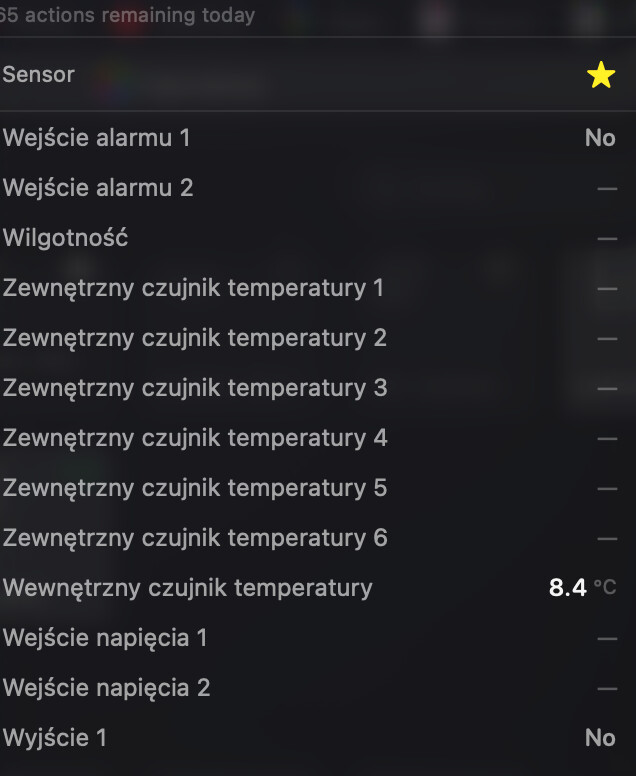
I have question… I have Yale Linus door lock and also use Fibaro Smart Implant (to open my gate). In both cases I can’t control these switches.
Do You think it is possible to do something with this issue?
For me those are one of the most used.
I really like Your app and I consider to buy premium for lifetime but checking what else can be fixed
Fibaro:
Door lock (Yale Linus L2)
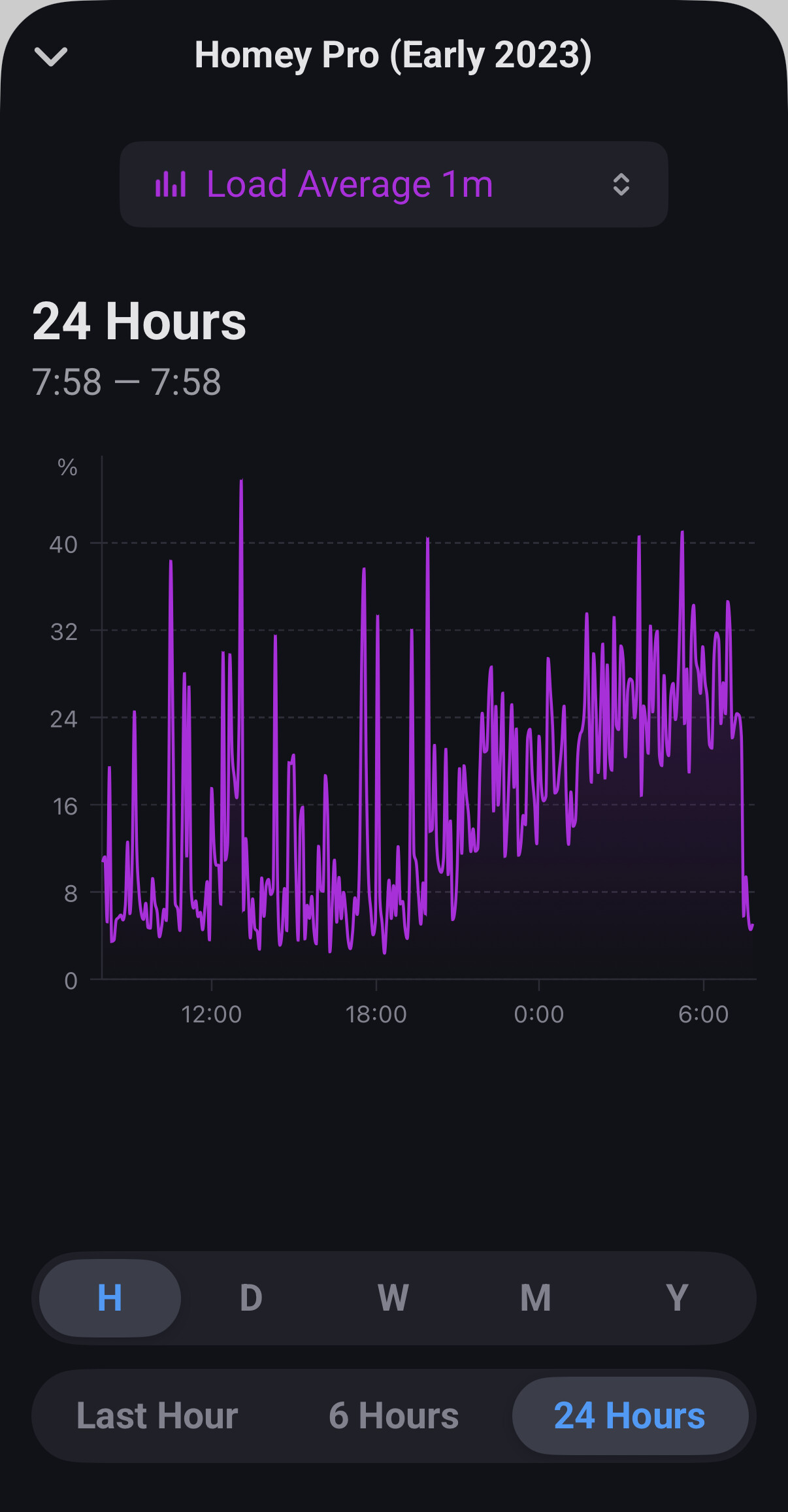
Hi there. I started testing this last night but had to disable it this morning because it has a significant load on the CPU of the Homey Pro. Not sure whether that’s something you can change in your app’s behaviour.
The notable gradual rise in average load starts at the same time as I installed HomeyBar about 7.15pm last night and then drops back suddenly the moment I uninstalled it this morning. Nothing else changed and the system was otherwise very quiet overnight.
This shows the impact on system temp when I uninstalled HomeyBar this morning.
Oh wow, thanks for discovering this! Investigating this.
No problem. Let me know when you want me to re-test. I happened to be monitoring my CPU and temp recently as I had some weird restarts last week but it’s been stable for a few days and this was a very different shape of change than I’d seen before.
I pushed a new beta to TestFlight (build 5) with these changes:
- Less aggressive polling by default. Also possible to configure polling.
- The ability to hide the quick actions (the chevron down).
- Support for locks. Since I don’t have a smartlock myself, I implemented this by reading the docs, so

@Jonathan_Draper regarding the performance issues:
I couldn’t find a correlation between having the app running and my Homey CPU/RAM/temperature in my own setup.
-
Could you share how many devices and flows you have?
-
Do you have Homey Energy enabled?
-
Could you check the settings and share the average number of websocket messages per second?
Essentially, the app is doing the same things as the official Homey app, so it might take a while for me to get to the bottom of this bug. Thanks for the help! 
Installed the latest build and running now. Looks like realtime updates (web socket) was disabled by default (not sure how this was set in previous version). Should I enable it?
I have 222 devices and 104 flows and yes I have Homey Energy enabled (not with the Homey dongle as I’m in the UK so I have made my own MQTT energy devices for my gas and electric smart meter and then I have also a home battery and solar panels).
Messages/s looks to spend most of its time in the 0-10 range with spikes at ~20 so far. I have web socket enabled now so maybe that’s not a fair comparison with before?
Thanks! Let me know if it works better with Websocket enabled. I’ll make it the default in the next build.
“I couldn’t find a correlation between having the app running and my Homey CPU/RAM/temperature in my own setup” - Same for me.
Thx for version (5) and ability to hide the quick actions but this is not I was hoping for
I was hoping You will reduce free space from left side (red line on my screenshot). When I hide quick actions nothing changes with this distance. This free space in compact view is a problem with longer sensor names.
Big thanks for Door Lock - it is working great!
Do You think it is possible to do the same with Fibaro Implant ?(https://www.fibaro.com/pl/products/smart-implant/)
One more think. In Expand view font of Room names is smaller than font of sensors…it looks weird (minor issue but…
Last thing:
It is possible to make an option to make bigger window. something like this. You know what I mean
Thx for Your hard work. Can I buy premium at this state or should I wait when it will be ready and available in Apple App Store?
Best regards
Don’t buy yet please The prices are just placeholders and the app store isn’t wired up yet 
Just posted a new beta build (6), addressing a lot of small issues that came in:
- Speakers now have quick actions, artist, track, and controls!
- We no longer reserve space for chevron when quick actions are disabled
- In Expanded View mode: use bigger font size for room and floor names
- Hide non-triggerable flows and empty flow folders (option)
- Remember scroll position in the list
- Added height presets for the window
- Added tooltips for long device names
- Show sockets that control lights as lights
- Make websocket communication the default
- Added the groundwork for moods (but for now the API doesn’t give the app the permission to read/set them).
Thanks for testing y’all!
What type of device does this show up as in Homey?