There seems to be issues with Insights data, Emile.
homey-shs | RRD Error updating RRD logId: homey:device:1a9ba844-5e06-4e83-80b6-a8eb49ae11bb:meter_power.daily - file: /homey/user/rrd/eeebd477c13116d40831d8dbcc408f0c - value: 12.416 - timestamp: 1766266200: rrdcached@unix:/var/run/rrdcached.sock: illegal attempt to update using time 1766266200.000000 when last update time is 1766266200.000000 (minimum one second step)
homey-shs | Homey [err][ManagerInsightsLocal] Error Updating Number Log homey:device:1a9ba844-5e06-4e83-80b6-a8eb49ae11bb:meter_power.daily: rrdcached@unix:/var/run/rrdcached.sock: illegal attempt to update using time 1766266200.000000 when last update time is 1766266200.000000 (minimum one second step)
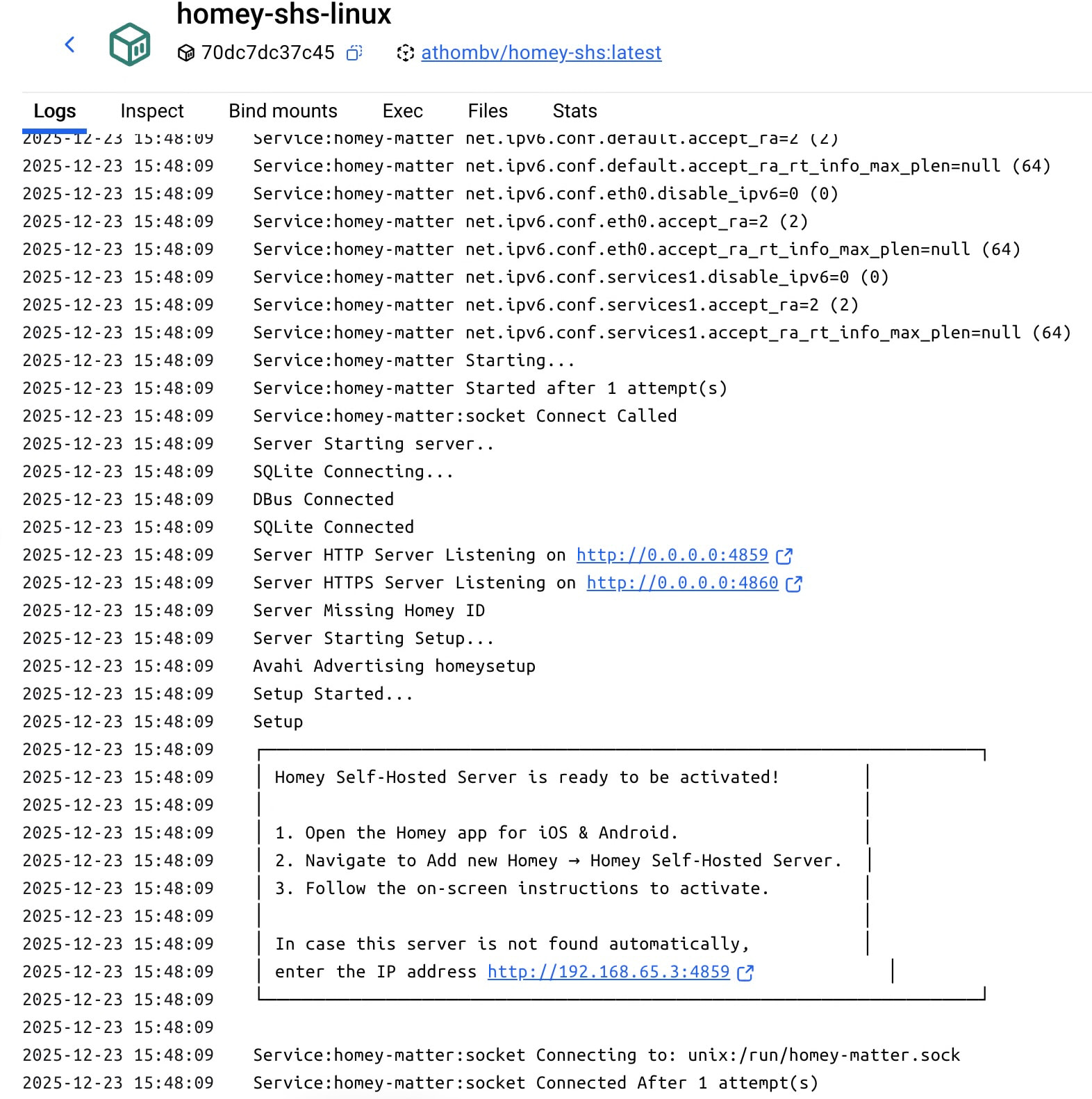
Hi there I am stucked in getting SHS activated from a Mac mini m4 running docker desktop. I have successfully get the image and container in place and everything seams to be ok. ( first time with docker ).
When trying to activate the SHS with Athom I can’t get the docker to get a local lan IP adress.
Instead the docker is using some closed ip range i.e 192.168.65.3:4859.
How can I get the docker to connect to my lan and get a DHCP IP adress i.e 192.168.20.xxx ?
I’m fairly sure that’s not possible, a Docker container will either get an internal (to the Docker bridge network) IP address, or (when using host networking) use the hosts’s IP address.
The only thing you can do is run an HTTP proxy on 192.168.20.xxx that proxies data to/from your Mac’s IP-address and SHS’s port.
I am running it host networking and its using the hosts ip adress ? who is the host then giving me a random xxx.xxx.65.x IP. I did a SHS server on the Qnap and when running in bridge mode the container get a IP number from my Lan DHCP. If I run this in bridge mode I get a random IP starting with if I remember correctly 178.xxx.xxx.xxx.
178.* are Docker-internal addresses. Your QNAP probably supports macvlan (which is required to give a container its own IP address on your LAN), but Docker on macOS most likely doesn’t support that (also because Docker on macOS runs inside a virtual machine).
If you use network host, your Docker container gets the ip of the host, being your Mac. The 65-address is not random. Do you have 192.168.65 setup for wifi maybe? Dan 192.168.20 for physical ethernet lan? I think the way to go is give your Mac a fixed address, use network host for the container which then gets that fixed address and be reachable there. Why do you want it to have a LAN .20.x address?
The 65 was a docker internal ip nr. I changed to use OrbStack and made a port forwarding part and now I can reach the container that have a internal container IP of 192.168.215.2 by using my Mac m4 IP number and with the ex 192.168.21.xx:4859. And so when I used the 21 ip when activating SHS it worked.
But to add a bridge to this server doesn’t work yet.
This is the script I used to create the container.
I’m using SHS (trial) on a Rpi 5 (Debian 12) with docker compose and Dockge.
It seems that inside the container there is no network available. Using Homesh with Controller and Satellite on the same SHS doesn’t work, the same with Net Scan to another host or to Localhost.
Both Homesh and Net Scan with the same parameters do work on a Pro 2019.
Could this be a limitation of Docker, or the SHS image? Or is it a limitation in my skills?
How did you add it to the Homey app? When that works, there’s a network connection.
I can reach Pro 23 with NetScan, and the other way round I can reach SHS with a NetScan port device, on shs.ip.address:portnumber (default port = 4859)
Backup Subscription
For Homey 2016 I had the set it and forget, Athom Backup Subscription.
I would like to have this for Homey-SHS too. Since this is not an option, how do you backup your Homey-SHS?
With the rest of the server that the Docker container runs on? For instance, I make periodic snapshots of all my Docker data using ZFS snapshots, and a daily backup to another server.
Ok. Thanks. Just wondering wat would be the best
Could I use Duplicati or something while Dockers are running? Or do you take them down during a backup?
I’m using filesystem snapshots so no need to take anything down. I think that for Homey SHS it’s acceptable to take live backups, so Duplicati should be fine.