Find the “config” or “edit” button on the Mac I’d say:
.
I just found a possible howto:
You can do this via the command line. For example, to change the machine to 2cpu/6144MB RAM run:
docker-machine stop
VBoxManage modifyvm default --cpus 2
VBoxManage modifyvm default --memory 6144
docker-machine start
You can then check your settings:
VBoxManage showvminfo default | grep Memory
VBoxManage showvminfo default | grep CPU
And for docker-machine inspect to report the correct state of things, edit ~/.docker/machine/machines/default/config.json to reflect your changes.
.
or by GUI, something similar to:
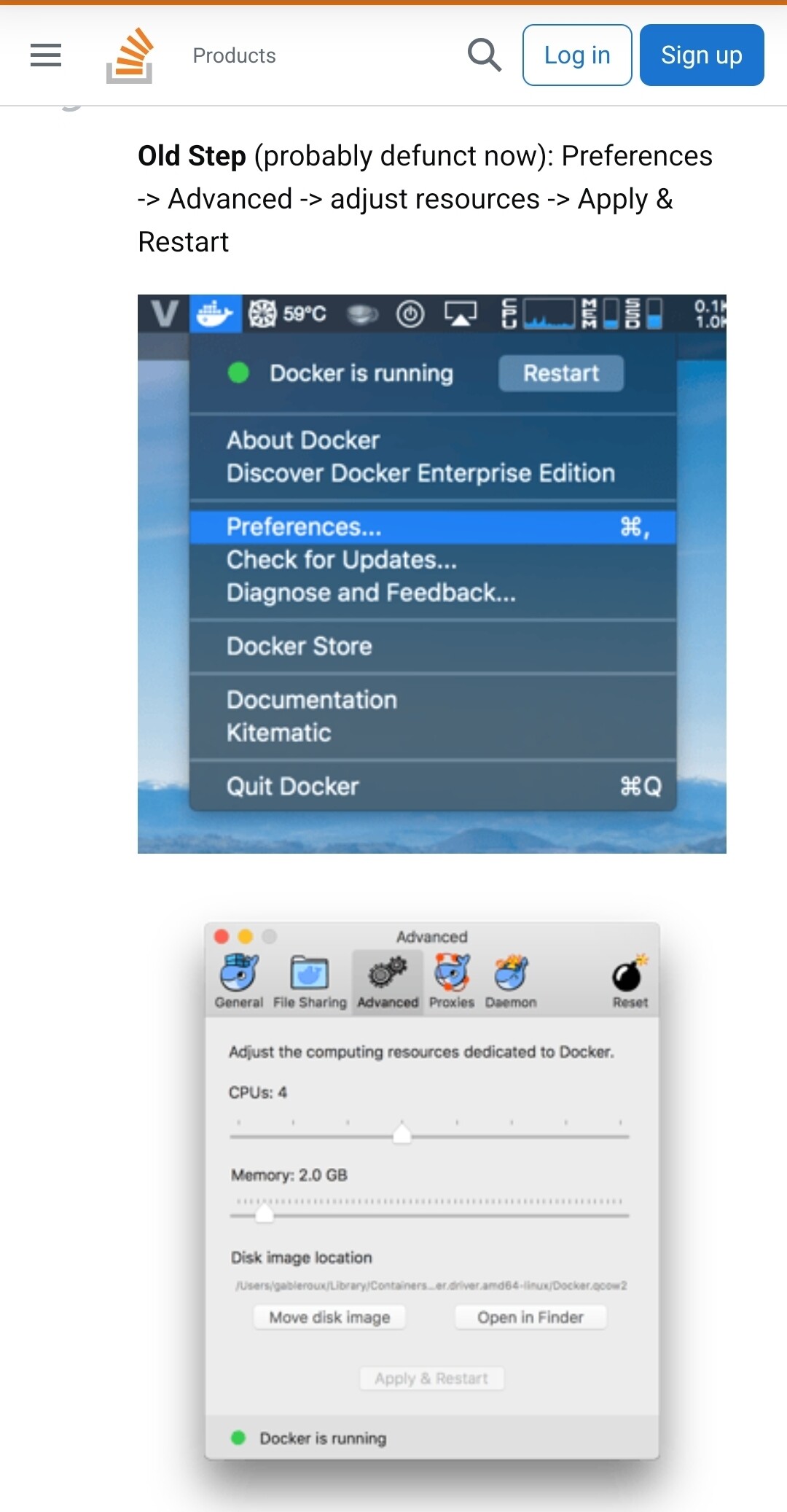
Source:
https://stackoverflow.com/questions/32834082/how-to-increase-docker-machine-memory-mac
