The device should have the “Cumulative energy measuring” flag a available, and have it enabled. This is a generic setting for energy, gas and water meters:

But I can’t find such setting anywhere in ESPhome.
But,
When it’s already present in H.A., you can easily add it to Homey with the Home Assistant community app.
- add a device type ‘Custom device’ sensor:
- after it’s added, go to device settings > Maintenance and select “Try to Repair”
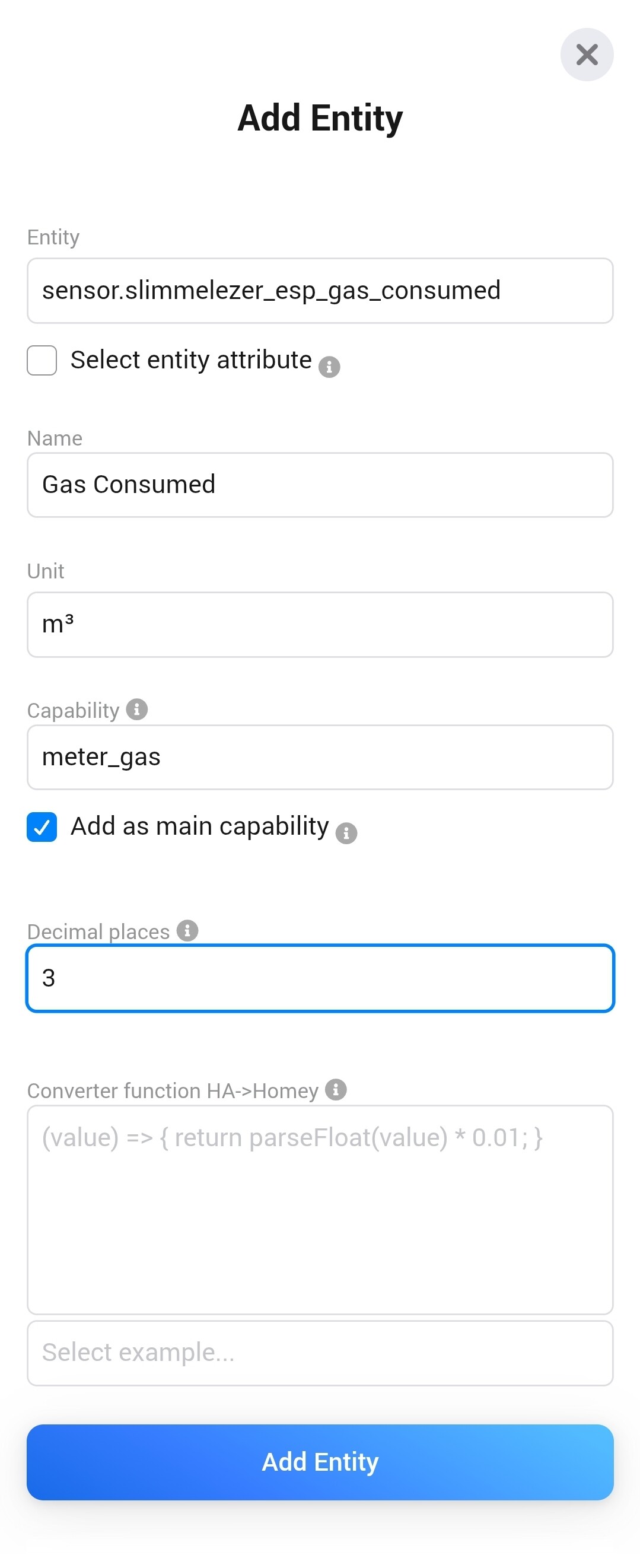
- pick “Add entity”, and in the following screen, select the ESP gas meter entity
- change the capability to solely
meter_gas
- enter the desired value’s decimals
- press “Add entity”


Next, enter the devices’ advanced settings, and enable the cumulative flag:

I hope this makes sense?
