Hi @Robin
Could you please reply on my earlier post, is this something for Athom to fix, the app developer or should I look for another solution?
Thanks!
Hi @Robin
Could you please reply on my earlier post, is this something for Athom to fix, the app developer or should I look for another solution?
Thanks!
I second this. The amsleser is great and it also features energy prices. It should be possible to select the data from this device as input for the energy meater function. And please do NOT remove the insights when the energy tab is finished. I am using insights frequently
Hi all,
I have a home battery and ev-charger. In the start post (and also some posts here) I see that those devices should show up in a kind of summary. With my Home battery it doesn’t do that. So it is shown in the picture, but I don’t get a summary, it only shows up in usage (but also has redelivery). I can’t find anything in the docs with regards to what settings to set in the energy properties to show the usage and redelivery values (the homeBattery property is set to true). Any ideas?
need guidance from homey for that. it is 1 device with inverter , meters and batteries. I don’t want to make dummy devices.
Good morning,
Many thanks again to Edwin for the great work.
@Emile: Can you check that out? The integration is so powerful 
Greetings Kevin
With regard to the energy dongle…where will all the data being stored? Can we edit this data? It is not possible to hook up my solar panel installation, which only supports bluetooth, to the homey, but i’m able to extract the data from the inverter. Will it be possible to add that data to the homey energy dongle data, so i can see the full picture?
I have a remark for Athom about the inconsistency in the UX between Homey Dashboards and Homey Energy.
Why can’t we swipe left to right to see previous days in the Homey Energy Overview? We can swipe between columns on the dashboard and if would feel natural to be able to do that too on Homey Energy instead of having to open a combobox and select a day.
And in dashboards, why do we have to navigate away from a particular dashboard by using a close X in the upper right corner to get he navigation bar in the bottom part where else in the Homey app the navigation bar is always available in the bottom part of the screen. Why not have the ability (perhaps even after swiping up to make the navigation bar available) to switch to another part of the app and when going back to dashboards to have the previous selected dashboard shown?
It seems to me these new additions (which I do like very much btw) were developed in parallel but there wasn’t really someone who oversaw both projects and let the teams learn from each other and keep them consistent in UX.
I’d like to suggest to at least provide for a link to what “that” means in this context.
I’ve no clue, and Emile is likely not gonna search the topic to find out?
Does anyone know if there is like an official place to reach Athom with bugs around the new energy feature or is this the place?
This is the place when in beta I guess.
To contact Athom support:
Open https://homey.app and enter support in the search bar.
Or just scroll down until you see support in the footer / or use browser search tool.
Or goto https://support.homey.app and enter support in the search bar.
Or just search the interwebs for ‘homey support’:
https://duckduckgo.com/?q=homey+support
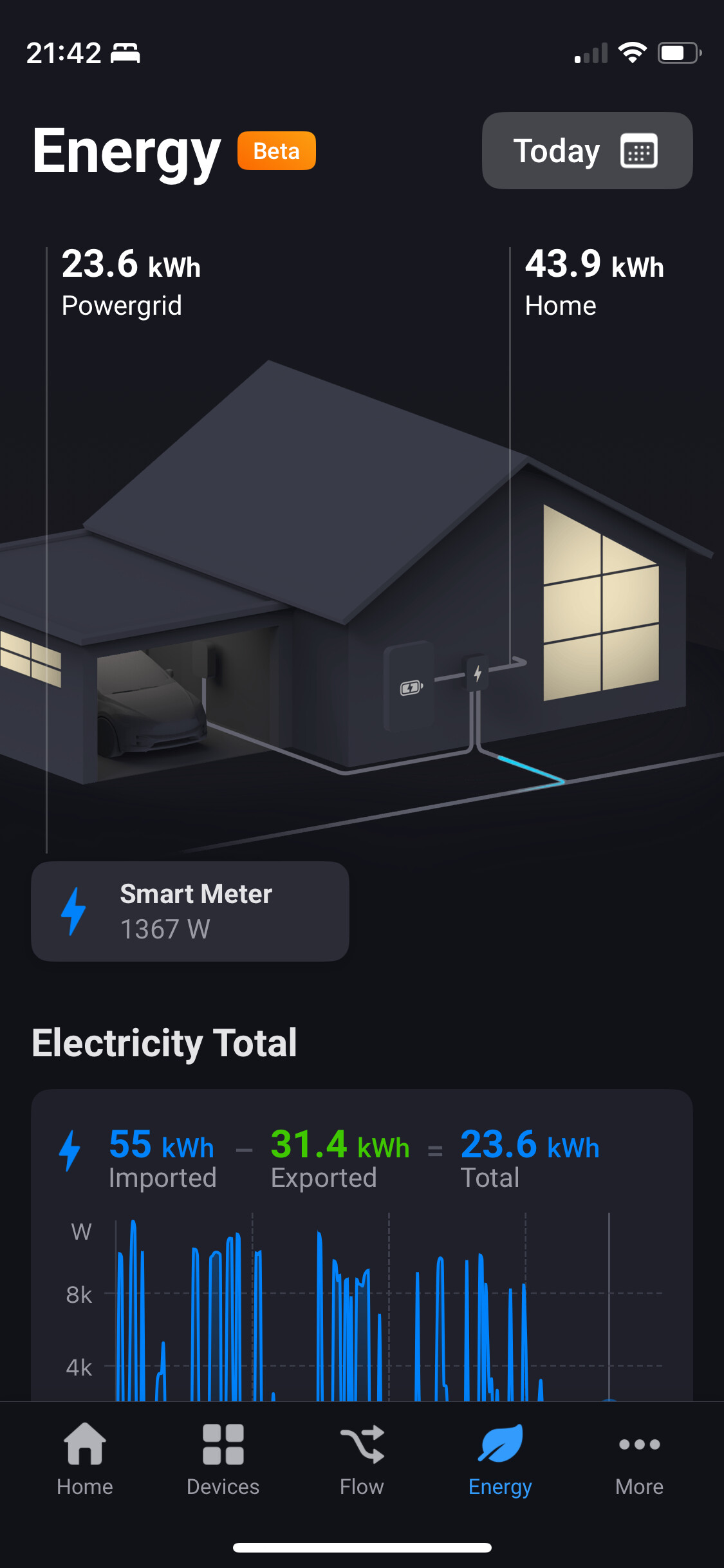
How should a house battery report current usage?
Currently, the battery reports a negative amount for measure_power while it’s charging.
But the graphic is showing a blue flow from battery to meter/house.
Hi everyone,
Thank you all once again for your valuable feedback!
We’ve just released a new beta build (1648) for the Energy 9.1.0 beta. Alongside several bug fixes, this update introduces a new feature that lets you delete all previous energy data or selectively manage it—for example, by removing data from specific top consumers. This should be especially helpful for devices that might have recorded incorrect data on certain days.
You can access this feature by scrolling down and tapping the “Customize” button.
Thanks. But…
Still not right
Once I open energy I do not see an animation.
After pressing on the right button I get an animation from the converter to the house.
After pressing on the left button I get an animation from the panels to the converter to the grid.
I’m using a Android phone and tablet. Same issue on both
@bouke Great news, thanks!
@bouke
It’s worse after the update to 9.1.0.1649 than before
Qubino 3 Phase meter
Has anyone the same with a Qubino?
Found the solution myself: I disabled the Plugwise app (but kept it installed). Insights remain available, while the device does not appear in the Energy dashboard.
(I will keep this topic here for users with the same question)
@DGalama There is a specific solution for this. Go to device settings and there should be an option to exclude the device from Energy.