If you close the app completely and start it up again. Do you see the animation then? I see the same in iOS, after a while the animation stops until restart of the app.


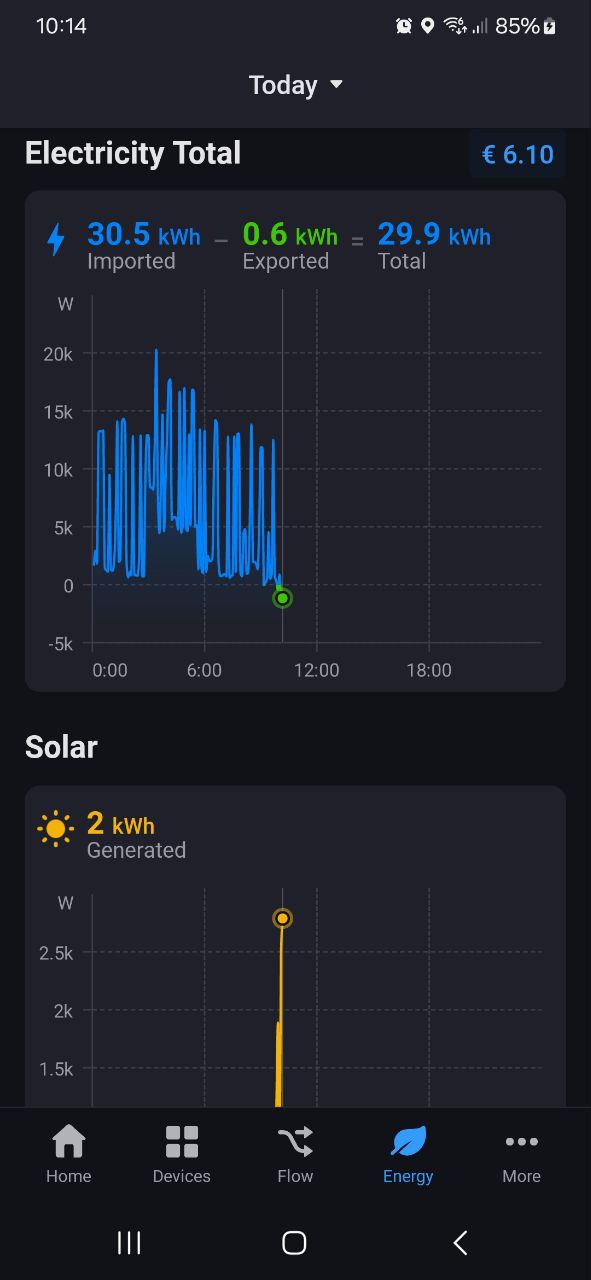

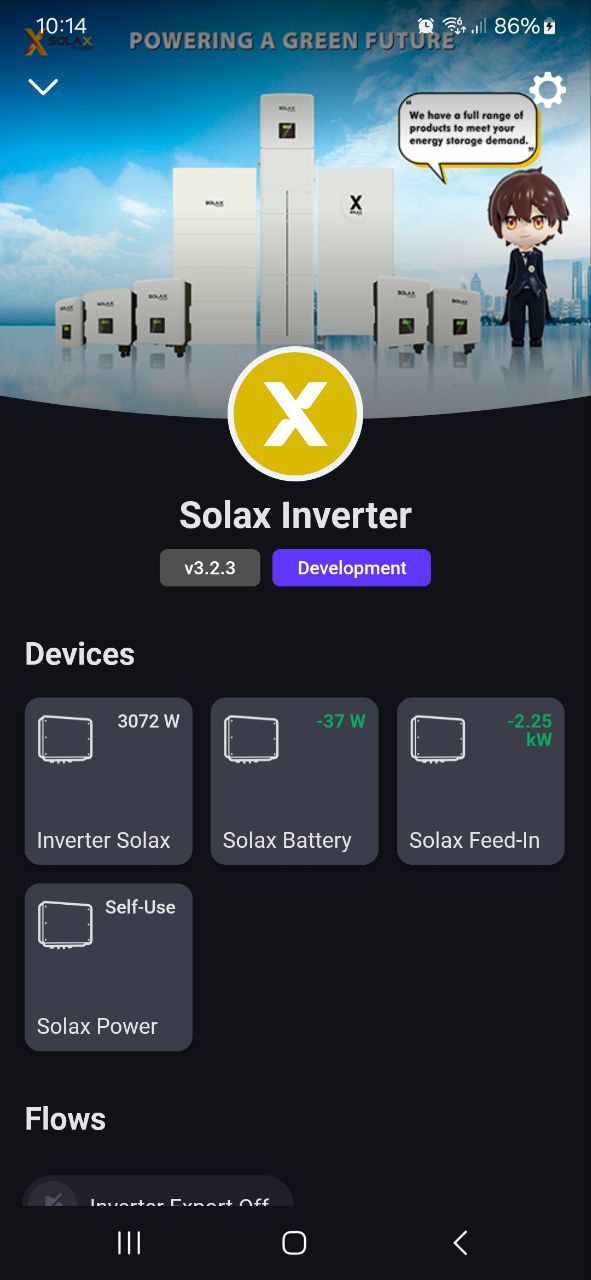
extra device for battery is not how it works for modbus inverters, it is basically 1 system with meters and battery.
Homey should be able to define which capability can be used for smart meters and battery, no need for dummy P1 or batteries devices.
also on most systems, measure power = PV -charging batt + discharging , curious how they will show that else you get some mismatch. Can you show me pics of charging and discharging your batt. Plus don’t think we will see soon some PV production.
thanks

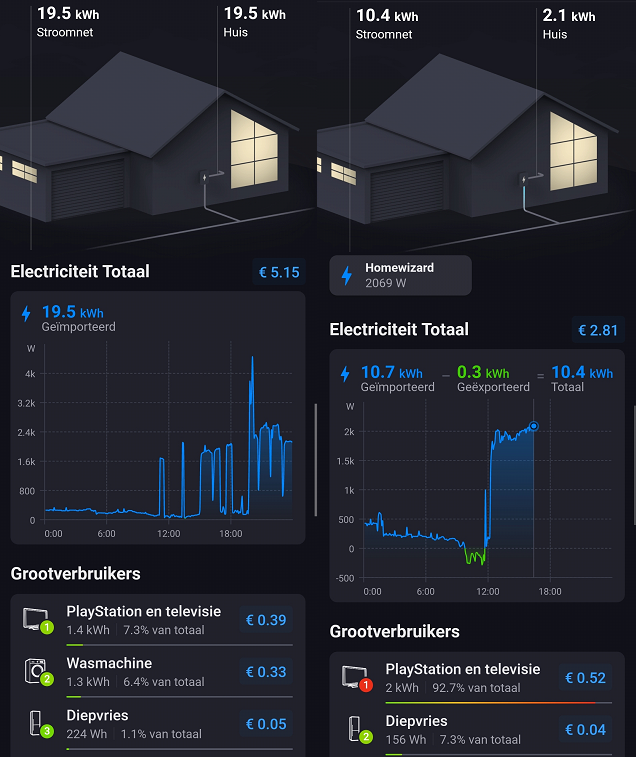
@Doekse Can you look at this? The total Home usage does not seem to be correct. When I supply power back (measured by the P1 meter) the total usage of the Topconsumers shown up as Home usage. When I do not supply anything back the Powergrid is shown. (btw I can’t connect my solar panels so I have to do everything with the P1 meter.)
yeah this does not work really well with solar and grid meter , it use measure_power also for grid.
@RonnyW do you know with your HA app when your smart socket will show up as top consumers? don’t see my oven or dryer.
On pictures you can see how battery is being discharged. I believe that there is no text, because there is value instead.
I would like to avoid dummy devices, but it is defined on device level, not capability, therefore I have to split it this way (for now).
I don’t see prices at the energy dashboard. Only the euro sign. Did you connect price information to show up? I use PBTH and Tibber.
I don’t see prices at the energy dashboard. Only the euro sign. Did you connect price information to show up? I use PBTH and Tibber.
If you go to the Energy page and scroll all the way down, there is a button to enter the prices.
On my sangsung phone rhe animation works. On my galaxy tab not
Crazy that this kind of feature is not free and implemented on the original Homey. That from a backer
What exactly do you mean?
For the “old” energy dashboard, I experimented with meter devices (grid in/out, battery, pv house…) to show all values in positive/negative values.
For the new dashboard, I removed all these devices (removed cumulative option) and removed them from top consumers (exclude from Energy). The Tibber Pulse (Homey device) shows up for grid in/out.
The only HA device I still use is the internal usage from my PV (the household). This is defined as normal device (class socket) that’s displayed as top consumer. That’s a workaround to see this usage in current dashboard.

Personally I don’t need other (small) devices in this view - but I don’t have so many metering devices.

Thank you for putting Homey Energy on steroids.
I have a feature request. My house has Enphase micro-inverters mounted to the solar panels which I am unable to add to Homey Pro. I also have 1 Sessy battery to which I have wired the 220V output from my Enphase PV system as it has for this a build-in P1 meter. Would it be possible to extend the Sessy app for Homey Pro that the information captured by this P1 meter can be used for the solar panel energy measurement in Homey Energy?
I got no detail insight how the top consumer list is working.
But only some devices were displayed. I think this is based on meter_power and the top consumer list is displaying the usage based on the meter_power, not on measure_power. Like HAs energy dashboard.
If you want to these devices in the list, you need meter_power capability (I think).
If this is available in HA (second sensor or attibute), you can add these values to your HA device in repair view.
For details, we can discuss in HA app thread or via Slack.
added them as meter_power in kwh with 2 decimals. will check it out.
yes meter power did the trick. 1.2 MWH for now hahah.
Yeah, had this also for my devices. It uses the whole meter if the device is added 
Tomorrow it will look much better.

