Ahhh, thanks so much.
Nice to hear you fixed it now!
Not sure if someone allready mentionde this one :
As-easy-as wake-up screen app for Android tablets. just install, let it auto start and it will wake up your screen if you get near your screen.
- it can start any app on boot of the tablet, including Homey
- You can also have a videostream from your camera (not tested, but hop eit wil work work with the stream-function of the ONVIF camera app
Ok, got my clock-replacing-dashboard :
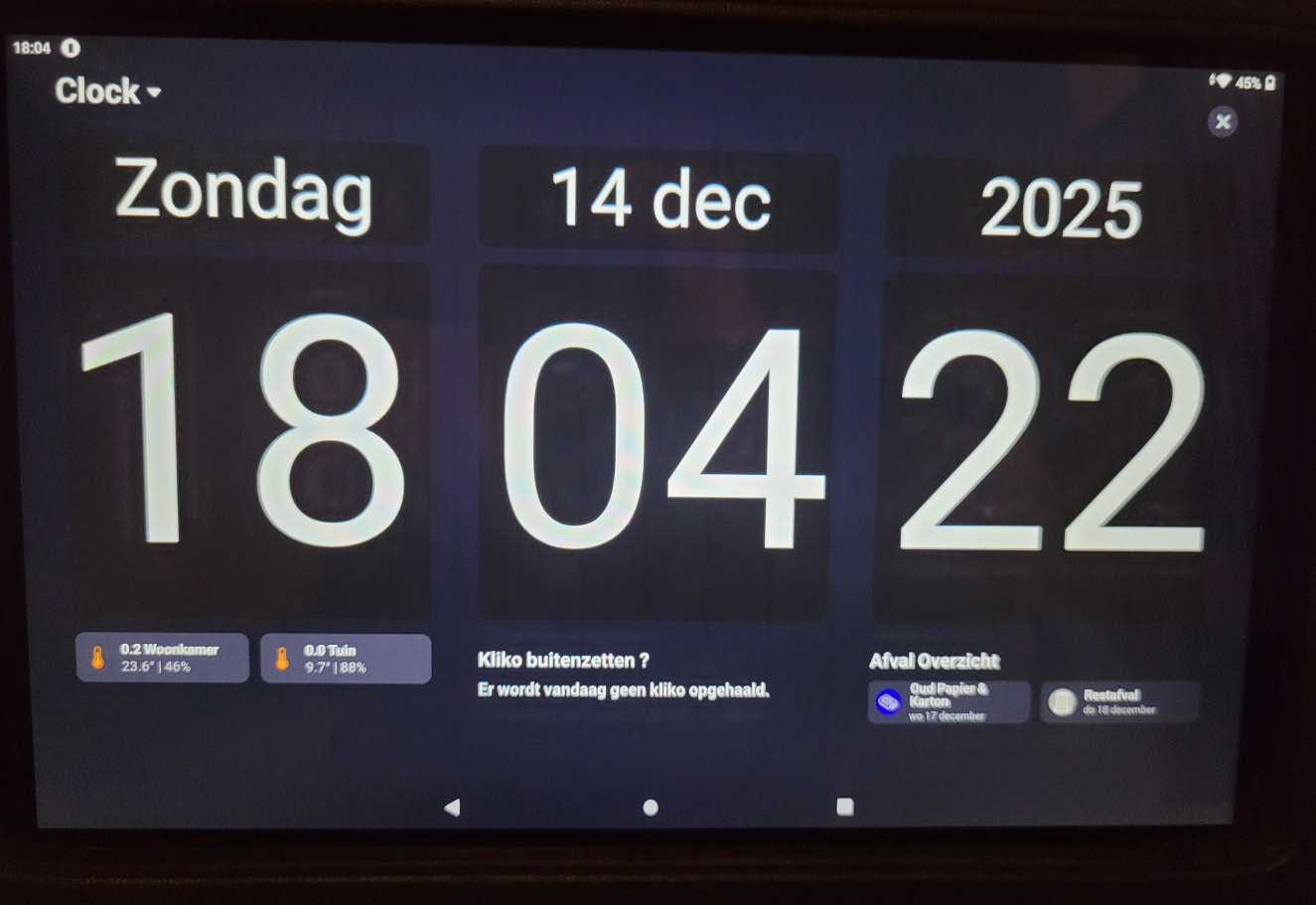
And, yes, they are ‘just’ 6 html-files on my HTT/FTP serverapp on the Homey, shown in a Webframe widget..
Now my next step is to get Inside and outside temperature isn a bigger and better readable font than 2-on-just-one column… I’ll probably ditch the Trashcan widget for it…
Hurting my feelings 
 JK
JK
How did you create the center trash widget?
Sorry  , but still use/need the Thrashcan App. I also send Notifcations with it. All by all it beats appointments in my Google agenda by miles !
It used to be a DataVista label with a variable. Now it’s a Enhanced Device Widget.
I also replaced the Climate widgets with Enhanced Device Widgets.
Good thing i’m not as promiscue in my lovelife as with Homey apps. 

Hi, i did read allot in this thread but maybe someone can help me with a quick fix. How can i directly control a device for example a doorlock (loqed) or a gateopener (Meross) without first holding it to open? Thank you guys!
I guess their additional longpress step is on purpose, to not accidentally open a lock or gate.
But, maybe you can workaround that by adding an adv. virtual device as in-between. You can “program” it as you please.
I’ll explain, because I didn’t refer to a virtual device, but to an advanced virtual device of the Device Capabilities app.
You can turn a gate or lock into a light like this (no flows needed):

Add a button, and copy the settings but Device & Property
(these should be reflecting your lock)
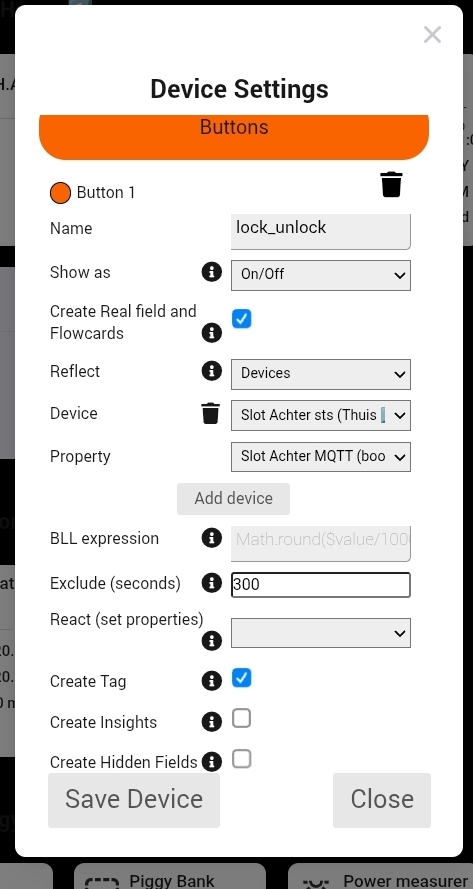
The trick is in the Reflect - Device - Property entries;
Here you select to read and command a device;
As device, select the lock
As property, select the boolean capability which operates the lock
demo:

"Thanks for the explanation! I managed to get it working with a ‘standard’ virtual device. It’s grey when closed and lights up when open. It would be even better if the tile had a lock icon (open/closed) as an indicator. Is that possible with the app you suggested?
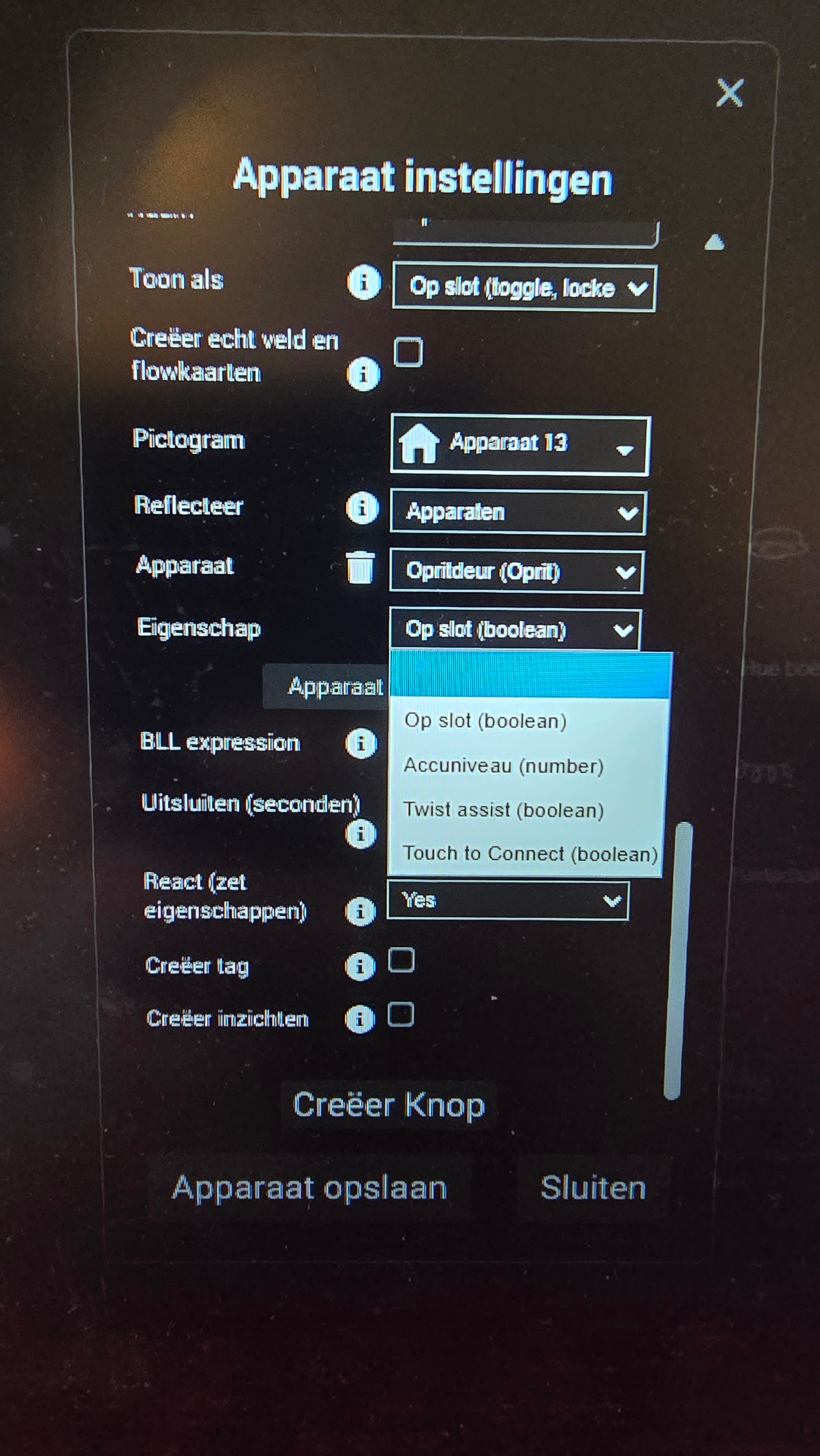
I’ve been experimenting with your method, but I’m stuck: the boolean only gives me the options shown in the photo, and not ‘opening the door’. Also, if this route works, could I use a lock as the indicator instead of the typical light bulb icon?"
Is it possible to use conditions to determine if a device/variable should be shown or not?
Example, only show the entity “Laundry running” if the status is “yes”
My bottom left widget is a ‘general’ widget called ‘notification’.
With a flow I put in anything that’s worth mentioning at that moment.
You’ll need the boolean “Op slot”
Did that and tried it. I can lock it but not open it. 
Picture?
I think we misunderstand eachother;
You wanted to open a lock or gate, without needing to longpress a tile.
A lock can be locked and unlocked.
A gate can be closed and opened.
The opening a door function from a lock is something different, called unlatch, and seems not integrated in the app for your lock?

Hi Peter,
I think we understand each other perfectly, but it seems that something isn’t working quite right in the Loqed app.
Normally, I can control the lock by tapping through once and then selecting open or close. I’ve now managed to get this working by creating a “regular” virtual button and linking it to opening or closing the lock. These actions are available in Loqed as flow actions.
The tile now lights up when the door is open and appears dark when it’s closed. This allows me to control the lock with a single tap, without having to open the tile first.
Ideally, I’d like this to look even better—preferably with a lock icon that clearly shows whether it’s locked or unlocked. 

As far as I know the BLL capabilities in the AVD list represent states, not the actual action of opening/closing a lock.
After closing the lock, the ‘Op slot’ (Locked) state would be TRUE, while after opening the ‘Op slot’ (Locked) state would be FALSE.
None of the items in the reflection list regard actions; all represent states. Actions can be initiated via the corresponding flowcards. In an AVD you can create a button that triggers the respective flow card.
I see!
You can add a custom status, and a tile show it’s active/inactive state like this below
(I used a contact sensor to “lock & unlock”)
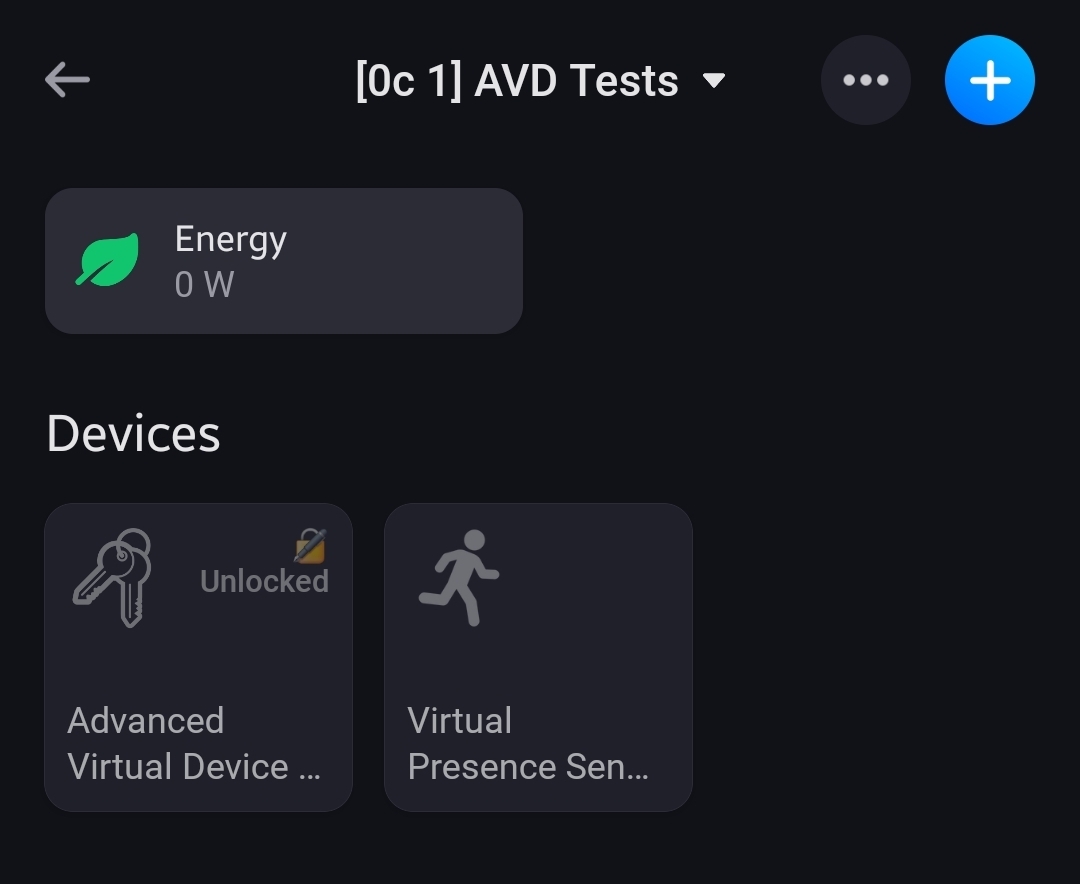


BLL Expression =
$value == true ? "✅️ Locked" : "🔏 Unlocked"
(meaning, if the value of the reflected device capability is equal to true, return ✅️ Locked, else return 🔏 Unlocked)


There’s one catch though, it uses additional resources, meaning the more statusses with BLL expressions, the more memory the Device Capabilities app will use.
I had 20 AVDs with this construction, and I rebuild the status fields with flows, just like:

Hello everyone,
Today I was working on my Homey Pro dashboard and noticed the option to display live camera feeds. Naturally, I got enthusiastic and tried to add my Netatmo cameras to this widget. Unfortunately, Homey doesn’t seem to detect them as available live camera sources.
In the Netatmo app itself I also only see snapshot images, not a live stream. Is there any way to get these cameras to show a live feed on the Homey dashboard?
Details:
- Devices: Netatmo Presence (Smart Outdoor) and Netatmo Welcome (Smart Indoor)
- Homey: Homey Pro (Early 2023), app v9.6.7
- Netatmo app for Homey: v5.6.9
- Symptom: Only a snapshot is shown in the device tile, no live view available
Any insights or suggestions would be greatly appreciated. Thanks in advance!
If it only displays a snapshot in the device view, then live view likely isn’t supported by the app.
