And another question regarding the widget app on the dashboard.
Is it posible to set te temp bij 0.1ºC insted of 0.5ºC increse of decrese?
And can you set the hyster as wel somewhere?
Hello
the dropdown list for selecting a dashboard in the top left position seems to have a fixed size, which cannot display all dashboards when you have more than 7 dashboards ( in my case).
A scolling bar at the right side indicates that list can be scrolled to display hidden dashboards at the bottom - but scrolling is NOT possible.
This happened on my tablet (Lenovo Idea Pad, aswell as on my mobile Galaxy s24 Ultra)
Did anyone else experience this issue?
Ok, so the issue I had earlier is back once more (insert somehow Palpatine returned meme here):

To know what I’m talking about, check out this post.
I’ve prevented my iPad from updating the Homey app for now.
Can I get any feedback at all about why this is happening?
The app changelog is not making me any wiser…
I’ll go all-in on the Star Wars references, since I’m getting a bit desperate:
Help me, Obi‑Wan Kenobi. You’re my only hope.
Thanks for reading my rant. 
I’ve been searching for an answer to my question for ages and haven’t been able to find one. Perhaps someone can/will help me with this.
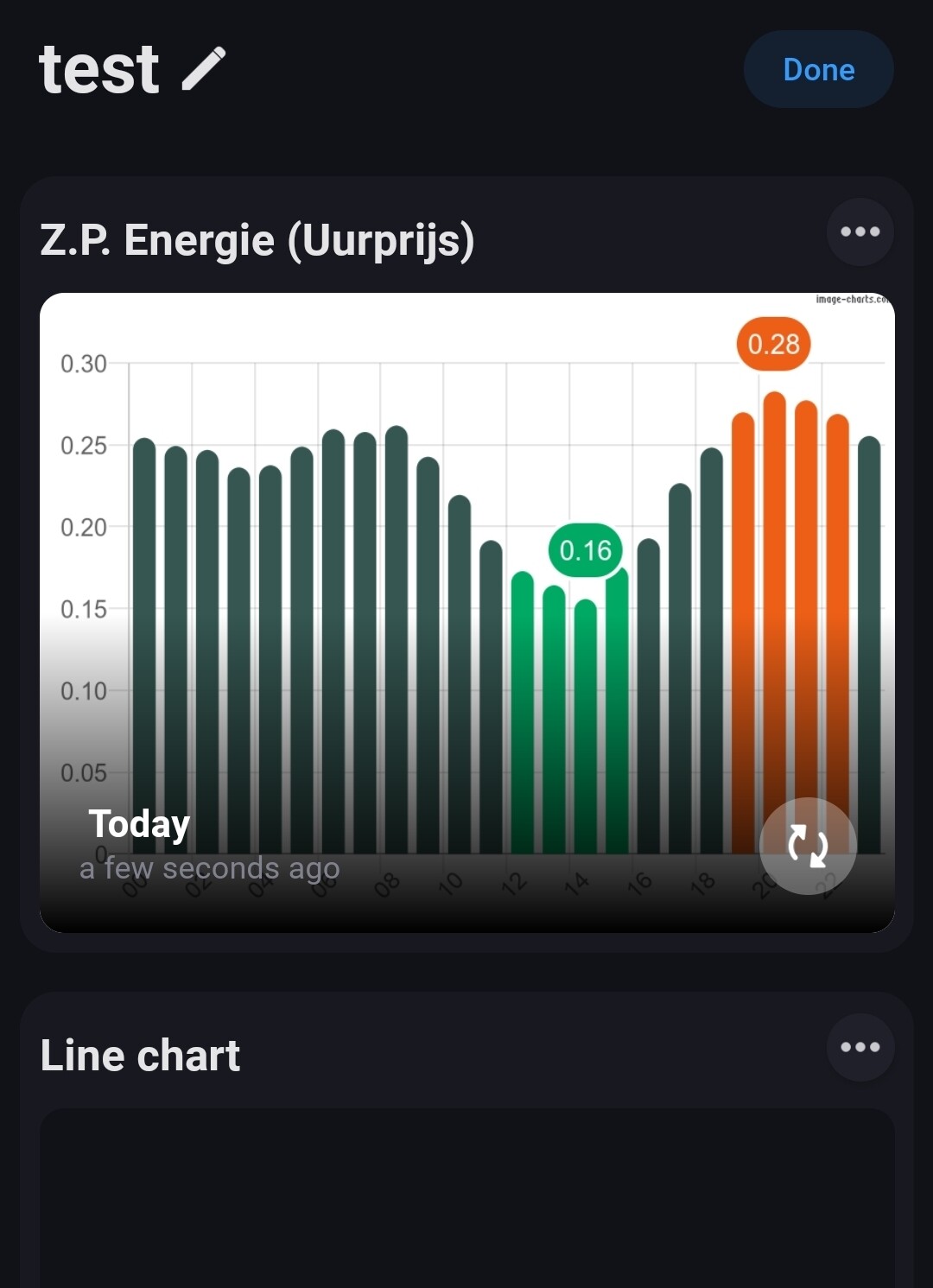
My provider is Zonneplan and I’d like to create a Homey Dashboard where I can see the current price (i.e., the price that will be coming up). I’ve managed to create a dashboard with the electricity price for the past 6 hours, but I’d like to see the price for the next 24 hours.
Is there a dashboard for this? Am I missing something?


Hi Harwin,
Are there any updates on providing a real full screen setting in which the dashboard title and edit buttons are not visible? It would make for such a nice and clean interface! 
i like the idea off a Guest only option so i(owner) can make a dashboard for my guest. and the can only see the dashboards i give premision to
I’ve just started using Homey (Pro), have been looking at moving away from years of instability from Home Assistant.
However, it seems Homey doesn’t have guest dashboards, or per user dashboard.
(I can’t make family/ friends use kiosk mode on their own phones, now can I…)
But also, backup options are either cloud (provided by Athom - I would prefer self-hosted), or unplug your Homey and put it in DFU mode. Crazy!
I’m trying to find all the things that are different from HA so I can make a judgement call. I don’t want to move all my devices over and find big issues like the above ones but that I can’t solve!
Even SSH Sandbox mode doesn’t allow access to backup files or anything that would allow me to setup for e.g. SMB.
Your ‘kind’ improvement ideas should go to Athom, per https://homey.app/support, Erik. This is a Homey users forum.
As Homey and H.A. user, I don’t quite understand the instability of your H.A. setup.
Here it’s veeeeery stable (on old hardware), and I use it together with Homey, because, as you’ve discovered, both systems have their pro and cons.
So far i had a wall mounted Samsung tablet running Hdashboards. Now I am thinking of switching over to a Homey Dashboard instead.
A few things i run into:
-
is it possible to set a background, instead of only plain white or black?
-
is it me, or is it really really slow when switching between dashboards? (Like 5+ seconds waiting time)
-
anyone has any other good tip or cool widget? Around weather forecast i could find a super nice one yet
Buienradar gadget still dont work ?
So bad…
I want it back !
Perfect expression of what my working weekdays feel like !
Ok, instead of how much: how little coloms can you fit on a Tablet with 1920 x 1200 resolution ?
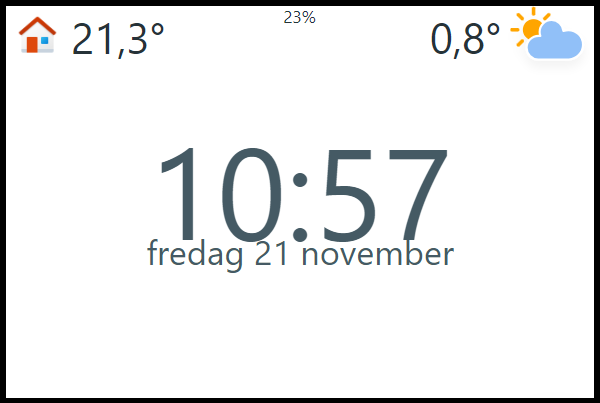
3 or 4 is nice, but I want to re-create something like our livingroomclock :

But with dashboad and widgets showing Time + weekday. Maybe also date, and outside temp. and maybe some more..
To make the time + Weekday comfotable readable I would like to spread it over 2 coloms, since that’s not possible I need to reduce the no of coloms…
Yes, i’m trying to create an upgraded WAF for a display in the livingroom 
This might be a start, orly the top half “row” isn’t possible yet, it still is 3 (or 4) columns.
A clock is 4 digits … one digit each column. If only the background could be changed, the columns can be made ‘invisible’
With HTML you can build what you like, f.e. 6 or 8 columns in the bottom half
I was planning on using a Clock widget…
I’ll do some testing…
Current tablet Lenovo M10 is quite slow… But for this it will probably work wel…
I have purchased a new Ring Doorbell. The Pro Gen 3. When I select it as the camera in the dashboard it tells me “Camera not found”. The previous Gen 2 Pro doorbell works fine.
Any ideas? It seems that you can’t raise support requests about the Dashboard.
Just use the “other” category:
Thanks for the info Peter, and congrats on your win. It is well deserved.
After removing all my authorised devices devices in the Ring App and re-authenticating I am noiw getting live video in the dashboard from my Gen 3 doorbell.
