Homey Dashboards | Megathread

I would love to have like a bar at top that tells me my house status like a message on my iPhone.
I send what i want it to say and that color it should have. And it disapears when i touch it and accept it.

Like the car is fully charged on a blue bar or that the ventilation filter needs to be changed on a orange bar.

1 Like

Wouldn’t it be easier and more flexible to use the timeline for? Then you see some entries (using the small widget) and you can still scroll through.

2 Likes

Any chance the insights diagram could be accompanied by a diagram timeline for dichotomous variables? (Yes/no, 1/0, on/off etc) would be useful for exhaust fans heater elements etc.

I would also really like to be able to add a second measure to the diagrams like insights on web…

2 Likes

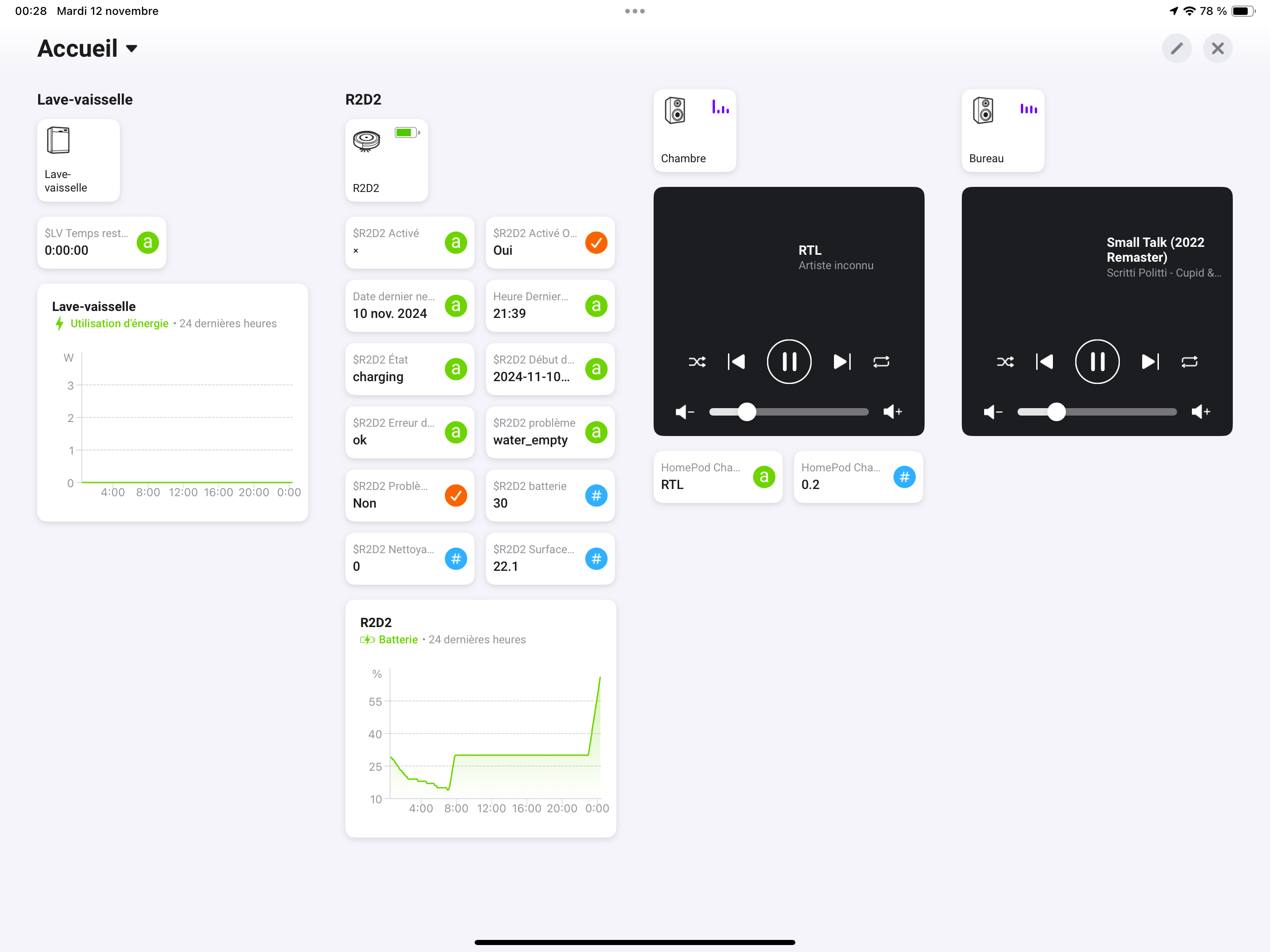
infinite numbers of columns ??? is it a new feature ???

on my iPad Pro, I changed the font size to minimum,
I restarted Homey,
I got a new 4th column,
I fill the column with widget,
I rotate to portrait and back to landscape
I can now add as many column I want,
I just have to swipe to navigate from left to right

just noticed the active tab indicator (blue) at the bottom

1 Like

@Yann_Liqueur In a dashboard you can have up to 15 columns. This was already possible. In edit modus you only had to swipe to the right to get more columns. Enjoy all the space! :smile:

5 Likes

I didn’t know obviously :sweat_smile:
Great news

Hi Yann,

How did you get the widgets for the lighting to look like that?

I can only manage to add them as tiles.

@benvo, hello
if you means the 3 colored tiles - gold here - I use the widget Lights/Single

2 Likes

Then i would need to go up to the dashboard.
I want something that i can see from far away.

Has anyone noticed that insights can’t be operated in the graph itself? By this I mean tapping a specific point in a graph, to recall its value.

Yes and it was confirmed it will be fixed:

From what I understand, the Home dashboard supports a maximum of 15 widgets, although these widgets don’t sync across devices. Additionally, you can create dashboards with 15 columns max, which do sync between devices. But I’m curious: how many widgets can each dashboard hold and how many dashboards? Are there any other limits we should be aware of? Thanks for this great dashboard feature!

@HenriDO

Home Dashboard

  • The Home dashboard supports up to 15 widgets and 1 - 4 columns based on the device width.

Dashboards

  • The dashboard supports up to 50 widgets and a maximum of 15 columns
7 Likes

I have a strange thing. I load a node red widget in the homey web widget on my homescreen and on my dashboard with both scrolling disabled but on the dashbord i can scroll. Anyone else?

Don’t know what’s happen

I had this welcome panel

Then I decided to had a 5th column to display another room’s homepod
I moved some widget around

And then some previous widget displayed nothing anymore

I tried to modify the widget with the editor, but no more sources

I will try to fix that with restart. Will let you know
Regards

Homey app restart on iPad fix the problem.

:sparkles:WidgetBoard:sparkles: is now available for download in the Homey App Store!

Expand your Dashboards with beautiful, powerful widgets.

Get it while it’s hot… :fire:

Download WidgetBoard here! :point_left:

homey-dashboard

22 Likes

Very nice , thanks :blush:

1 Like

Nice work @basvanderploeg ! :heart:

1 Like