I’m using my Enhanced Device widget, but it is only showing all the capabilities for one device.
Hello
I’ve been playing wit dashboards for a couple of weeks now and Incan only say this is a great step in the right direction
Until recently Homey UI was mostly a list of devices / flows wit limited grouping features. Clearly not what a non technical user would expect.
The common user would normally want 3 things from an automation solution
- to automate actions behind the scene without the user even knowing about it. Homey flows do the job just fine
- to get info about his home (temp, windows status…). Homey was kind of ok as long as the user was expecting the info by room. More recently with the introduction of widgets such as climate for instance, the info can be viewed by (some) device type which is a great improvement. The new dashboards greatly extend the way to present the info in a much more flexible way
- to execute action:and display appropriate commands. For instance when I leave home check all doors and windows are closed, if not tell me which are open, then set surveillance camera in alarm mode. This part was only partial and I expected dashboards to help but Îhave not seen that. Specifically what I have not seen is the ability to add links between dashboards: once I execute a first action it displays a dedicated dashboard, which then can link to another one.
In summary here what I’m still missing with new dashboards
- ability to use the lights / climate / speakers / energy / activity button in any dashboard. But also to make the same framework available for other devices (for instance for all my door window sensors). The logic and UI created by Homey is perfect, I juste wish it could be extended for custom use
- The ability to link dashboards from dashboards or flows’ so that we can create real UI flows not just logical flows. For the young ones, this is exactly what Philips was doing with the famous Pronto a long gone universal remote
Thanks and keep the good work Homey team


The amount of columns is based on the OS text size. If you set a small font size in settings and restart the Homey app you should be able to get 3 columns.
Hello,
Thank you for the response. That was correct! Thank you for the information!
Regards
Is it possible to add an image to the dashboard? I want to put an image with the power prices for the day displayed on my dashboard. I can’t seem to find a way to do that right now.
Gr. Bas
Use the gallery app.
Got it, Thanks!
Is there a way to add this Dashboards button to the iPhone (iOS) app?

It would be very awesome to have the possibility to embed RTSPS video streams into Dashboards. This local protocol is used by UniFi Protect cameras for example. 
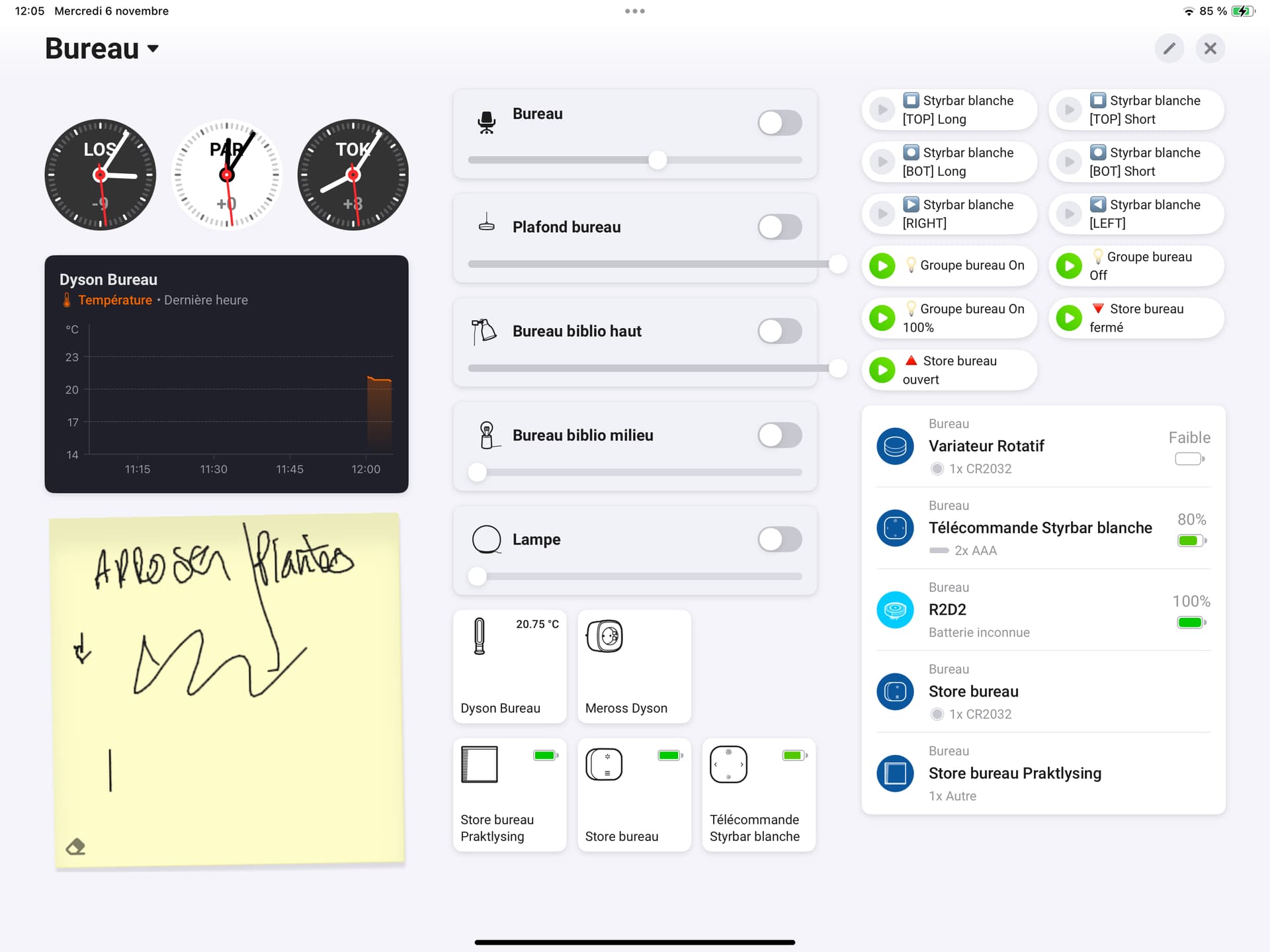
Hello! This dashboard is an awesome update, thanks for it and keep going well!
Feedback:
If the background color will be changeble, it can fit to your mood / room or for a great OLED display device (an old but good samsung S5e in our house) a total black could be much more better in night!
(I attached a picture what black the device capable and an other from the dashboard gray background from now)


@Yann_Liqueur thank you for reporting this issue! It will be solved in one of the upcoming updates 
@timvdhoorn this is not possible and we currently have no plans for this. Sorry 

Hi everyone
The dashboards is a long awaited feature to a user-centered smart hub, thank you @Emile for this awesome addition.
I missed a few features, so I added small web widgets to resolve that. The weather widget combines an outdoor sensor for the current temperature with SMHI API data for wind, rain, and the forecast.
The HTML power widget integrates with Homey to display current power draw from my variables. Since I have the 2019 Homey, I can’t use the Homey API, so I’m exposing these values through the Local API app.
Room temperatures are displayed similarly to the power widget. The icons change based on each room’s temperature: a snowflake appears if the temperature is lower than expected, and a flame if the room is too warm.
The time is displayed with a simple JavaScript clock.
Finally, there’s a YouTube stream showing my local surf spot  .
.
The dashboard hangs on the kitchen wall, running on an old iPad Air 2, with all widgets hosted on an old Raspberry Pi 4.
Hopefully, this inspires anyone looking for ideas 
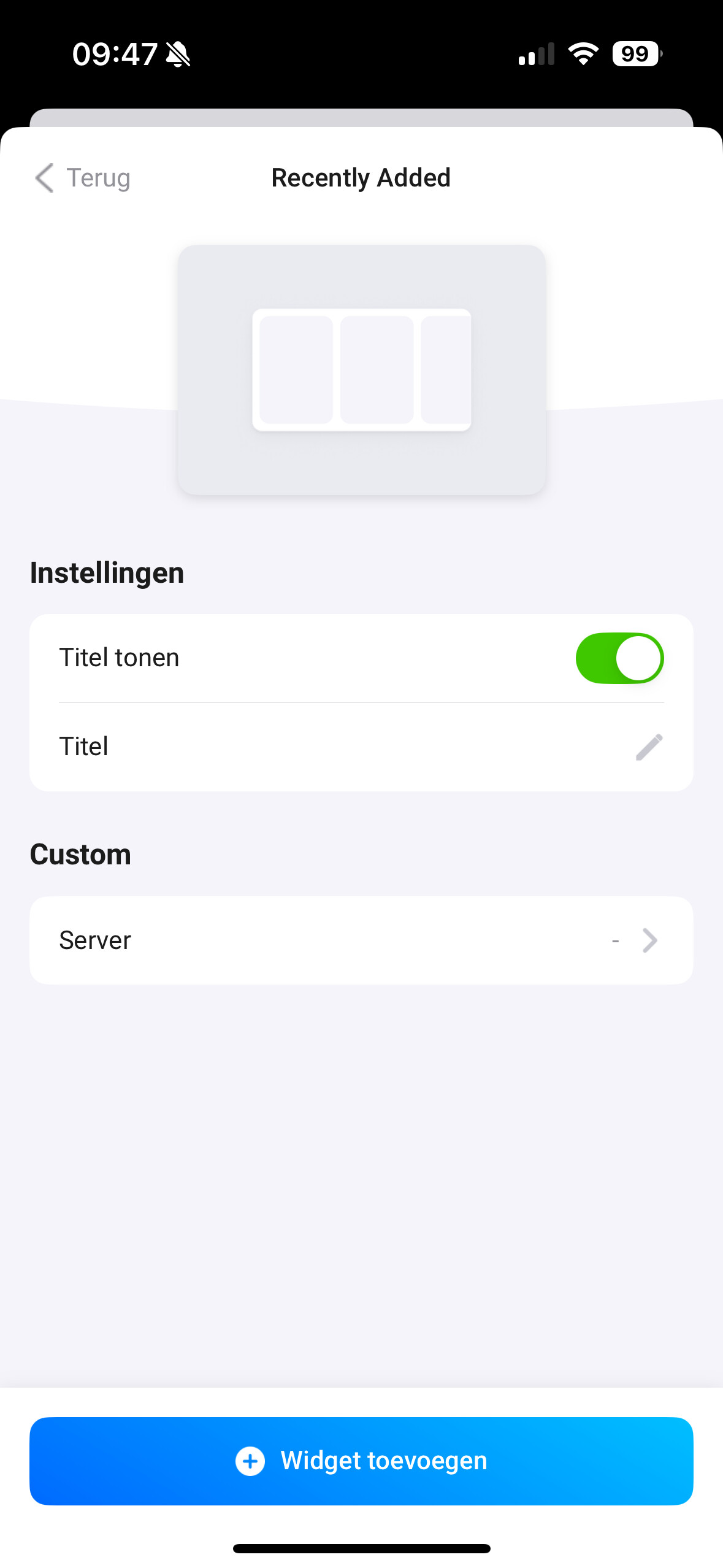

@Waldo so if I am understanding correctly: App Widgets no longer show a ‘title’ by default?
The correct behavior would be that you always see a default ‘title’ when the option ‘Show Title’ is on by default.
Yeah, so the ‘title’ option is no longer filled in by default when ‘show title’ is checked. I always have to enter a title of my own for widgets that are supplied by (community) apps.
@waldo this will be fixed next update  thanks for reporting!


