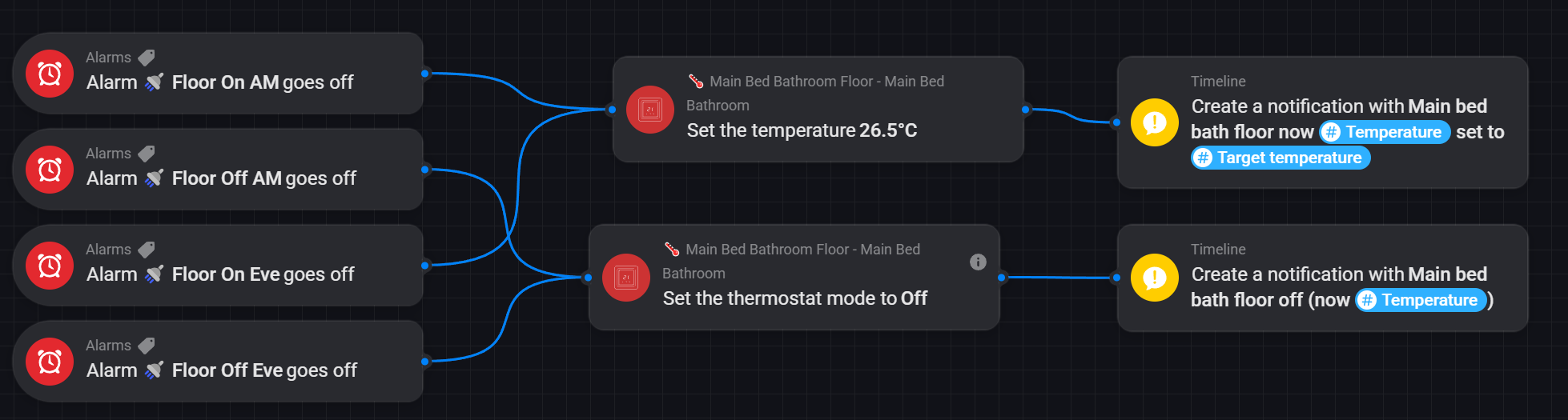
It will be easier if you show your flow
I have no idea why it doesn’t work, only that the heating is never triggered despite the trigger (temp below 25 deg) and the conditions being met.
It
This is a virtual device: on or off to tell homey that the room will be occupied.
The logic should be:
If…
- the virtual device is “on”
- and the time is either 7-9am or 6-8pm
- and the temp is below 25 deg C
…then turn the heating on
…otherwise turn / keep the heating off
Thanks for posting an example. I don’t understand the ‘Any’ part or why the ‘logic’ card is there?
The mode needs to be “HEAT” rather than “ON”.
I went with a really simple flow, well WEEKDAY ON AM, WEEKDAY OFF AM, PM versions and a WEEKEND version to.
I don’t think so. That ‘Mode’ is not for a thermostat/heating, its for the Virtual Device that indicates whether or not the room will be considered occupied.
This trigger only fires once the temperature goes over the limit. If the temperature stays below or stays above, it won’t trigger. Then the flow will never run.
That’s why you need an extra condition in the middle that verifies the temperature when other triggers (time, presence) fire and the way to do it is usually with the card I used.
Are you referring to the one marked Logic, not the ‘Any’ part?
Sorry, but I don’t get it. Would you mind explaining how it works, if you have time?
You can create a variable, but my preferred way is using in the THEN part a Better Logic Library app card "Execute as Tag"that allows BLL formulas:


Here is an example without time triggers. You can see my other example in this thread for that.
The Logic card adds a simple way to look at the price of the current hour. I use a PBTH app with a DAP (exists for most countries in Europe) that gives a spot price every hour and hours to come. It automatically lets you add transportation costs, weekend, night and VAT to build a full price.
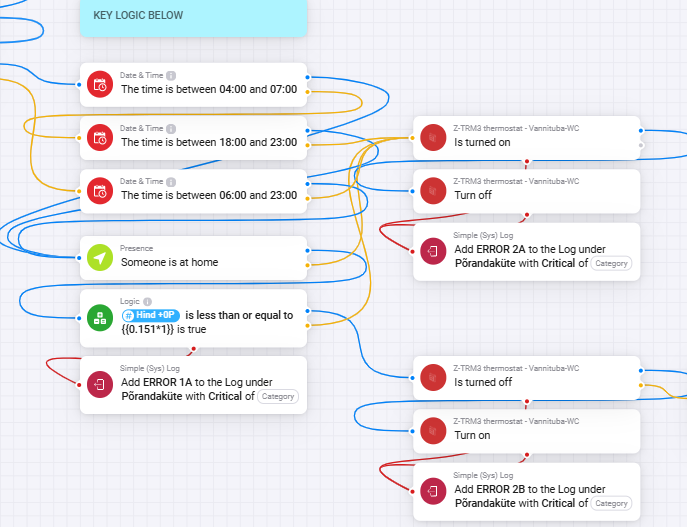

Find the right card Execute as Tag
Double check in advanced flows…
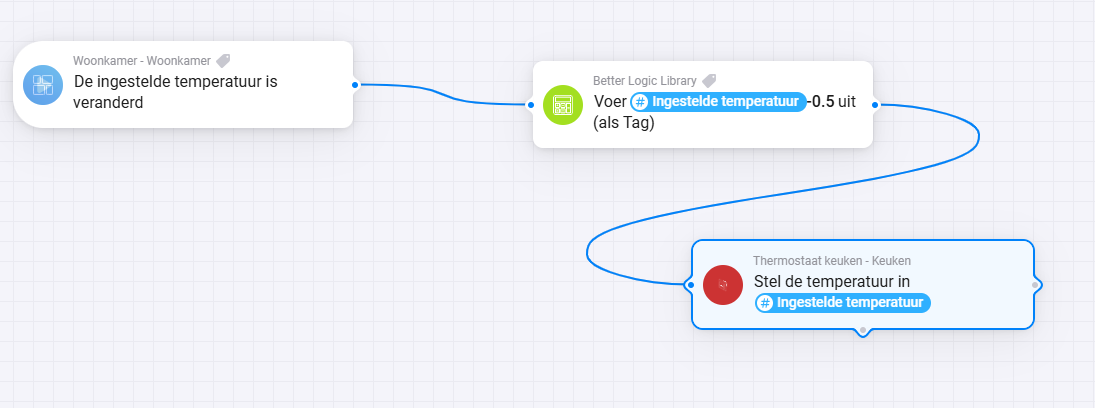


I’m OOH can’t check. Is the flow enabled? Which of the two BLL cards did you choose?

This seems normal (non-advanced) flow pairing works:


…to set the temperature according to a schedule as suggested above that can be changed on the go without having to edit a flow on your PC.
So I was hoping to re-create it using and advanced flow and add responses to evening as well as morning alarms in just one flow. Does it need to be any more complicated than this to work?: