Hi all,
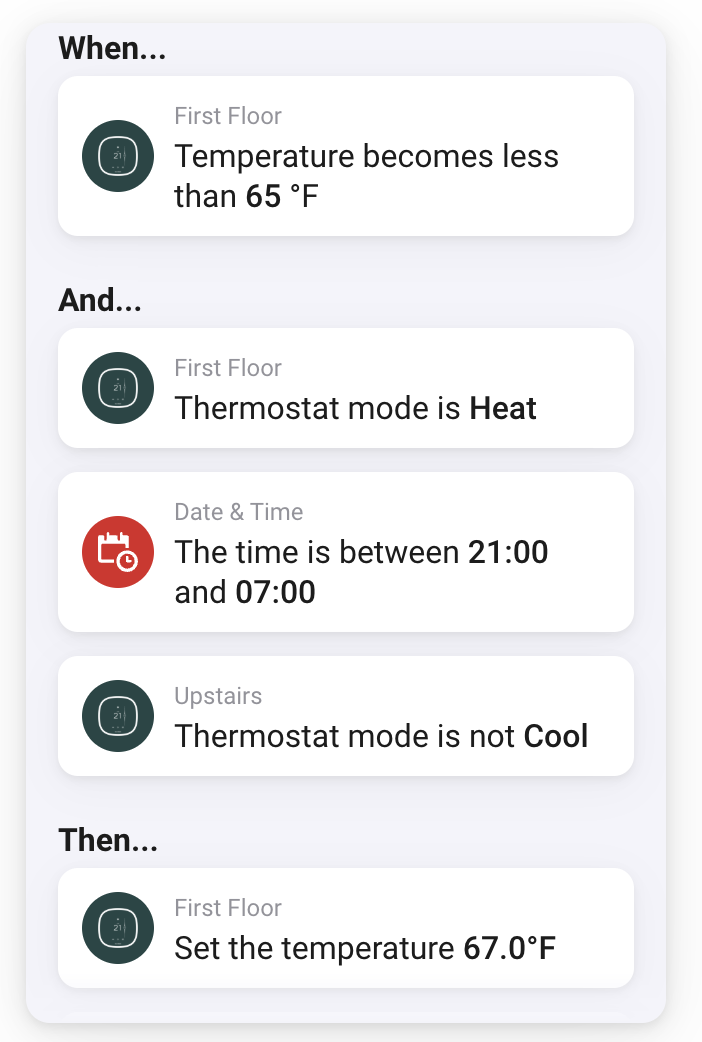
im looking for your thoughts on this flow. its works, its very simple. my main goal is to incorporate my two other heating flows instead of having three seperate flow. my two other heating flows are similar to this.
Hi @Salvatore_Vitale ,
your flow is straight forward and I guess it is exactly what you want.
In standard flows you might add some OR conditions and a ELSE branch. I assume that would not help much.
In an advanced flow you can integrate your three actions in one flow. They act still separately on their conditions, but you have just one flow name and file, if that helps. The major issue with Advanced Flows is that you cannot manage them with the smartphone app, but only via web interface.
I would suggest that you create a folder for your three flows and leave them as they are, unless you want to migrate to advanced flows by other reasons.
Certainly there is an option to create an Advanced Flow that handles everything integrated with one or several starting points.
I doubt that that is useful. It might lead to unreadable spaghetti flows and/or more CPU usage on your homey.
hey @Salvatore_Vitale ,
If you want to connect multiple flows together into one large flow, I suggest you first upgrade to an advanced flow as it’s is really hard to visualize what is going on in simple flows. Also they are limited to just one when, and, then step.
However, in this case I have a feeling that something else is going wrong. The idea behind a thermostat is that you only have to set the temperature that you want the room to be in at any given time. A well configured thermostat should be perfectly capable of figuring out when it should be cooling or heating and how much in order to keep the room at the given temperature. They should also be able to work independently of one another without interference.
If you find that the thermostats are not working optimally, or working against each other (one is heating, while the other is cooling), there might be something wrong with either the position of the temperature sensor or the PID settings of the thermostats themselves. The first one is easy to fix, make sure the temperature sensor is in the center of the room, but not in direct line of the heater/cooler device. The other one is a bit harder to grasp, and should probably be fixed by a professional installer. You see, a thermostat is programmed with a complex algorithm that calculates if it should heat or cool and how much. But every room is different, and every heating/cooling device is different, so every room reacts differently to the changes created by the heating/cooling device. The PID settings allow you to fine tune the algorithm to the room. If they are not set correctly, it could be that the desired temperature will never be reached, or it constantly overshoots the desired temperature causing it to rapidly switch between heating and cooling.
When the PID settings are configured correctly, the thermostats are far less likely to work against each other as they will just gently cool or heat until the room has reached its desired temperature and keep it there. It will also be able to work out that if it needed to heat the room in order to keep it at 67F, and you switch the thermostat to 65F, it doesn’t need to rapidly switch from heating to cooling in order to bring it to 65F super fast. Instead, it can just tone down the heating just enough to let the temperature drop to 65F in about half an hour to an hour.
When you have made sure that the Thermostats themselves are working correctly, then you can use Homey to build a flow to set the required temperature based on demand. For instance, when the outdoor temperature is above 75F, set the required temperature to 75F during the day and to the outdoor temperature with a max of 85F at night. When the outdoor temperature is below 70F, set the required temperature to 70F during the day and to the outdoortempeature with a minimum of 63F at night.