I’m experiencing an issue with my Google Nest Cameras and the official plugin: Google Nest for Homey - version v0.10.1, running on Homey Pro (early 2023 model).
I was able to integrate the cameras — they appear in the device list, and the properties say:
“All Good. The device works fine but you cannot control it.”
That’s pretty much what I expected.
However, I created a flow using the trigger “Motion was detected,” but nothing happens when motion occurs. I’ve re-initialized the Google integration several times, but I still can’t get it to work.
Has anyone experienced something similar?
Are there any known issues with this integration?
I also generated a diagnostic report:
d120d334-d47b-4d81-bb1a-183073f7e739
Thanks so much for your help and for the “welcome”!
I now have the messages showing up in both Google and Homey – your tip was absolutely spot on.
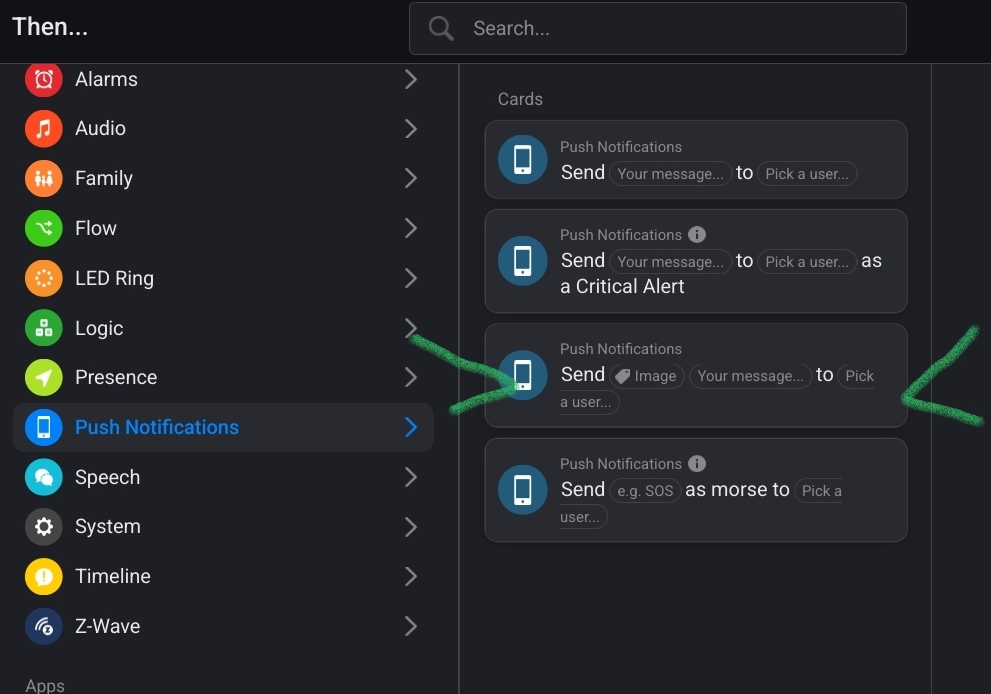
Do you happen to know if it’s possible to use the images (screenshots) in Homey? I haven’t been able to make that work so far.
If I only want the Homey notifications, I guess the only option is to somehow filter out the Google ones on my phone, right?
By the way – I’ll never post a diagnostic report unsolicited again. I thought it might be helpful, but lesson learned