I want to add icons, pls!
Hi @Doekse,
I’m really glad that at least one Athom employee is now more or less active in the forum and answers some questions and concerns of us users. But what are the benefits of only talking or discussing it?
Using own icons is beside hiding devices and maybe some other too probably the most popular feature request:

And all these requests were liked and linked very often compared to other requests.
That’s why I think it’s Athom’s turn now.
Simply put, we are dedicated to creating beautiful icons that seamlessly integrate with the look and feel of our app. As time goes on, we’ll continue to design more icons to enhance your experience.
We welcome your requests and suggestions! 
Additionally, you can find the guidelines for creating icons within the SDK. Feel free to create and submit your icons here; if they align with our standards, I’ll gladly push them forward internally. 
Thanks for your feedback and your compromise!
How can we submit own icons? Via the Support | Homey site?
I really hope not, but I guess you will get a lot of icons that won’t match the guidelines. This will result in unnecessary work for you. This could then be a reason to stop this option and we are at the beginning of the discussion again. 
You could drop them in this forum thread or send them to me via a private message, via our Community Slack would also work
Still waiting for the Australian light switches but very exited.
I have a presence sensor - (which had to be added via applekit) and the only icon I can choose for it is a 1980’s IR sensor?
Like other posts I can only speak to icons which I have had to create workaround for, im sure there are plenty of others.
Lights
Garden Lights, sultan, par
Shades and Blinds
Slide across to open windows and Slide up to open windows, internal doors vs external doors, security doors, sliding doors,
Camera & Security
Just more camera types. Locks, Smart Locks, Door Locks.
Household Appliances
electric blanket, diffuser, humidifier, dehumidifier, food thermostat
Fans and Climate
(I dont care what it looks like inside the roof, we want to see a visual representation of what my wife sees)
ceiling fan (ie. not on pedestal) , exhaust fan, thermostat, there is fire thing a snowflake version and evap version would be great, split system (im currently using the sound bar…)
Audio
Smart Speakers, there are two minis under household but no ‘real ones’, siren
Multimedia
Android Mobile, Apple Mobile, Android Tablet, Apple Tablet,
Household
Maybe its just me but I dont even know what these are…
shower head, water tap, sprinkler,
Sensors
Huge Gap Here
presence sensors, motion sensors, smoke sensors, air quality, multi-sensor,
Alarms: Noise alarm, fire, heat, smoke.
People and Health
Male, Female, Androgynous, sleep sensor, blood pressure, thermometer, (move scales to here).
Below are icons suppplied by Athom - note some are over 5 years old and there was a ‘refresh’ a little while back. They are from the Hue App, Group App and Alexa App. Maybe a starting point.






Hello! I’m taking advantage of the topic activity to relaunch the subject of colored icons 
What I said in 2021: “It should be possible to choose the icon in two states (ON or OFF), this would allow the icon to be colored when it’s active (like homekit or smartthings).”
Homey is a great box, but the interface quickly becomes austere with black and white icons.
It would be so much prettier and warmer with color!
So yes there are small activity vignettes, but this remains extremely limited… Putting aside the “custom upload” part, can we hope for color in the future?
I see the Color as something complete different from this request for more or custom icons.
Pls create a Feature request here describing in detail what you want and what the implications are. I can move your posts including reply’s to that new Topic.
So users can comment for that specific feature and Athom can react (or not) and can decide shat they want to do.
I would like to see these icons being added:
Fan (just the fan blades)
Water valve (not the fauset)
Circulation pump (for water pipes)
Power symbol for wattage sensors (a lightning maybe?)
and the list got bigger with the latest mobile App update…
Homey Mobile App Changelog | Homey
- Added a variety of new device icons.
(Edited to get it here readable)
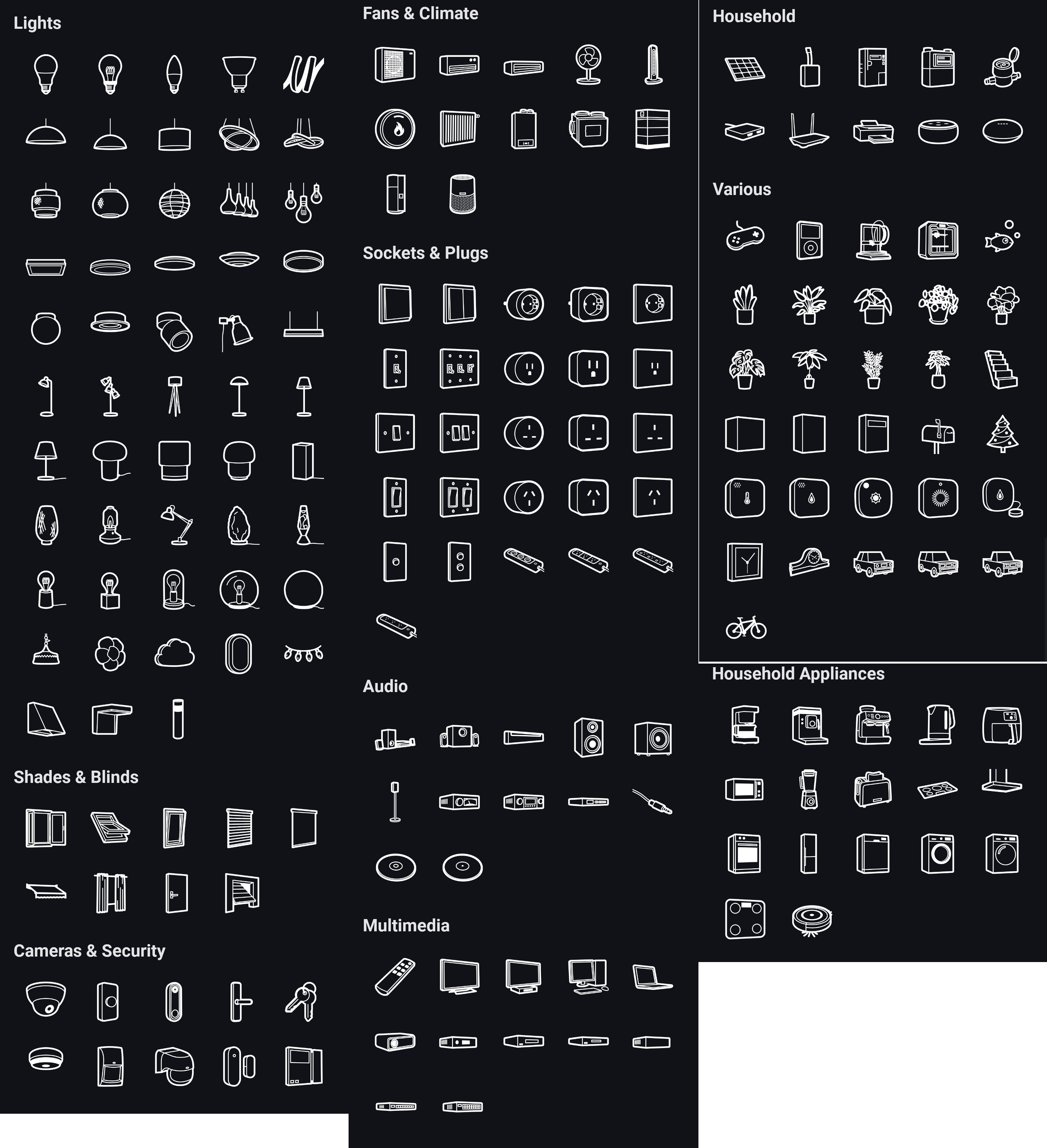
Still a lack of motion and presence sensors and cameras 
Hopefully they will come soon

They are useful images … if you have a passive Infrared system from the 90s … which is what they are image of.
1990 alarm Infrared sensor - Google Search

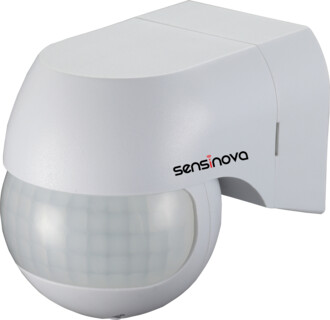
They are not modern PIRs

They are not bullet, turret, dome or PTZ cameras.


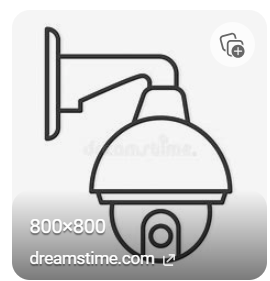
Nor are they multi sensors,


Nor are they presence sensors.

My home isnt 30 years old, and I have spent a lot of time and effort making it ‘modern/smart’ so its pretty disappointing to then have it represented the latest mmwave sensors and 4k cameras by items which are older than windows 3.1

Duly noted
There have been some request for individual (or other brand specific) device icons in the forum in the meantime. That’s why I ask again about a simple version to provide additional app specific icons for a device.
[FeatureRequest] Select you own icon for a device - #72 by RonnyW
The device definition (device JSON) could hold an array of svg’s in addition to the default icon element and the device settings could allow the selection of one of them. I already suggested this on Slack.
The additional icons can be displayed in this space and the user can select one of them.

This way, the app developer can add some icons for his device - also brand specific variants.
Is it possible to include an icon for a security siren in the next icon update? I made my own siren for my home security system and it would be great to have a dedicated icon for it instead of using a generic zigbee one.
Hi !
Already using bespoke icons with Virtual Devices app.
Is there any document available from Homey team with proper guidelines to follow?
I am thinking of image size, view angle of the “device”, thickness of lines used on a 2000 x 2000 pixels (or larger) photoshop file to be then converted in svg…
Any other must have from Athom point of view.
I am using Homey a lot since my home is still under construction and I don’t have time enough to connect the real switchers to my electrical dashboard which can be controlled via an API. Then by Homey App.
However, my partner isn’t geek at all and he is kinda forced to use Homey App since there is not other way to switch lights etc…  …
…
Since I use more clear icons with Virtual Device and now will make dashboards sections it becomes more clear to him to control our home… Hoping he will stop chasing me to get the wall switchers since I have so many other stuff to do in the house.
My point is, I would like the icons I create for personal use, could be used by others since they perfectly follow Homey Guidelines. Any way to get these guidelines?
Kind regards,
David
Hi @Davi-d,
You can find our guidelines here.
If you’re planning to create some icons, feel free to share them here. Once they meet all the requirements, I’d be happy to review them and see if we can add them to the library.
Happy sketching!
Additionally, I’ve spent some of my free time sketching and have created the following icons. I’m also planning to add a few more soon!

Hi 
Couldn’t we have something similar to what some of the other smart home hub’s developers are offering to their customers/users in the setup stage of for example ‘Rooms’ ? Ive used Fibaro for a while, but have chosen to switch over here instead, going forward. However, im also a bit confused in regards to Homeys choice of what they offer when it comes to Icons. Let me show and example …


This is ( a small selection) of the standard icons for configuring your living room, and its pretty generic icons, which you can change the color of, and that’s fine, for me anyway. However, what they also have as an option are these …


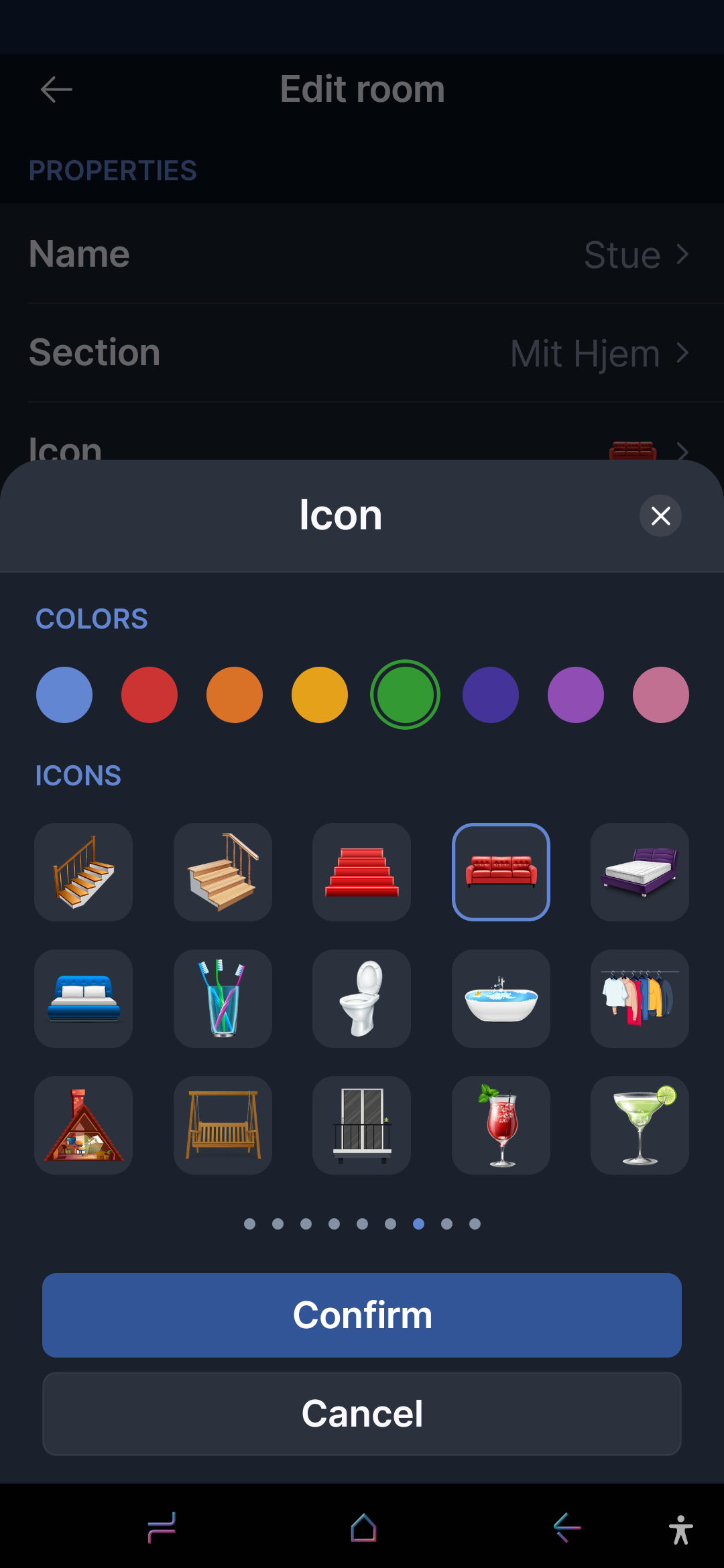
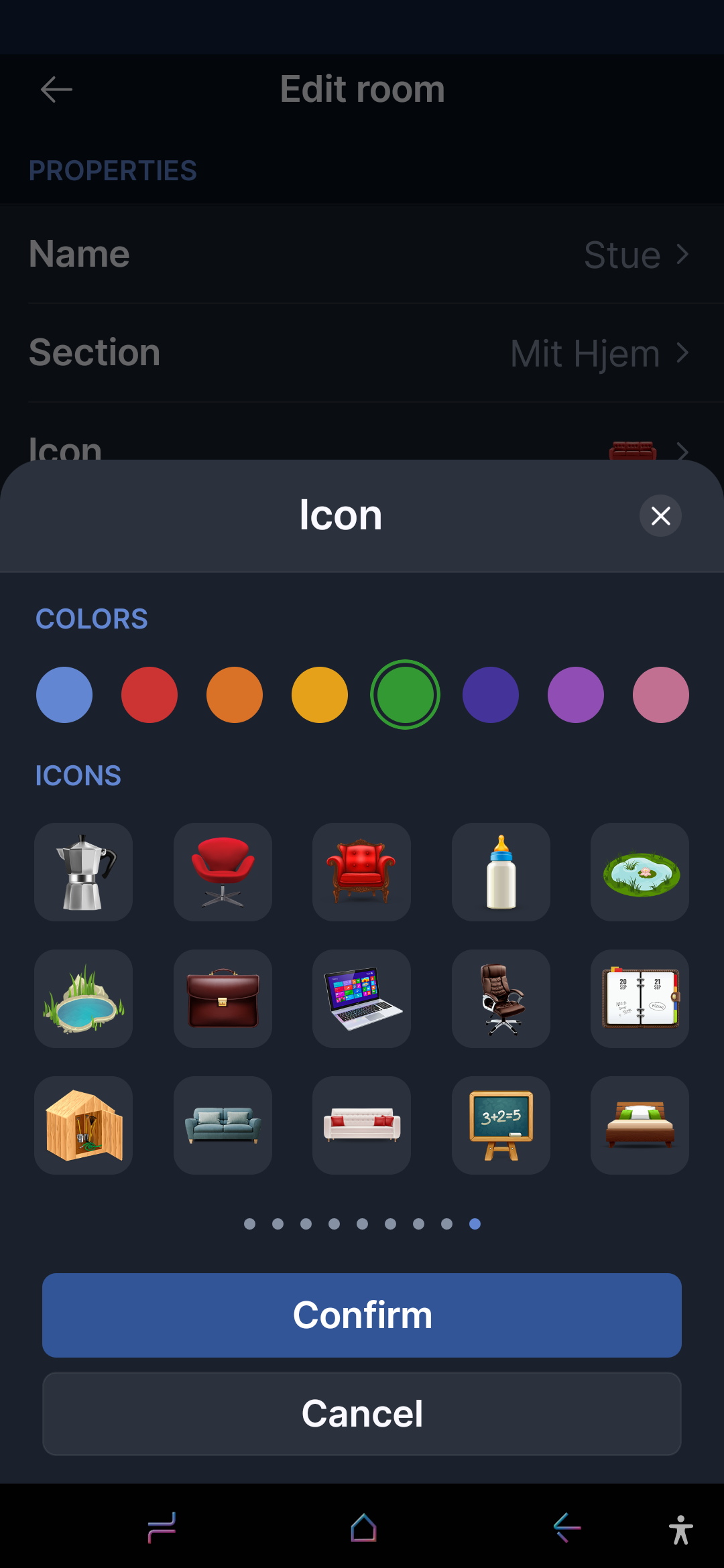
And these are more ‘real life’ icons and this is not only for the Room icons, but for all types of devices you might want to add to your smart home system. It doesn’t have to be hundreds and hundreds of icons, but having a nice icon, in color and for fibaros own devices, you can have a 100% exact copy of your device as the icon, so if you add a smart wall plug, you can choose a icon thats a exact representation of your devices, in your Dashboards and i must admit, it looks so good when its all done and configured.
So imagine my disappointment when i saw the options in my new and quite cool and beautiful Homey app, and realising that Homey hasn’t designed our devices icons, like the rest if their cool and pretty beautiful system and websites. I get why people want an upgrade. Does Homey? 
i just added some couch and bed “sensors” so this would be super helpful. thanks for working on these.
