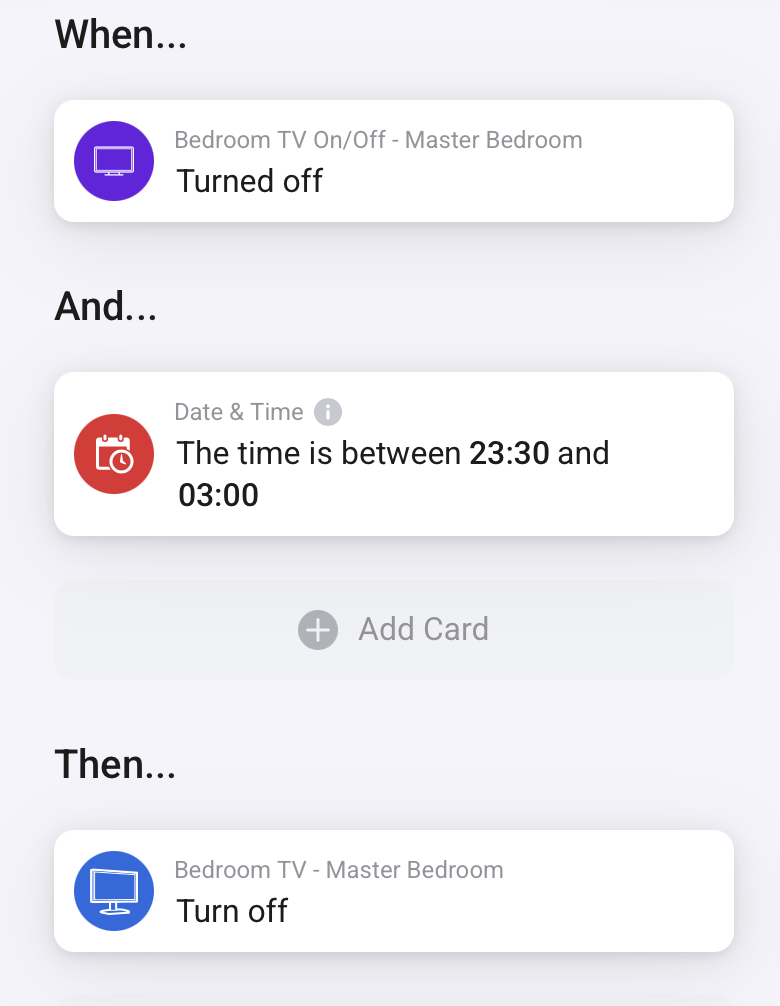
I’m new to Homey and creating flows that are working, but want to understand the advanced canvas a bit more. I have these 2 simple flows, but should they sit on a single canvas and how would that be laid out?
Thanks in advance for your help.
Jepp. That will work.
Using a single canvas to hold several flows can be useful if those flows relate to each other and you want to keep an overview of that set of flows.
Keep in mind that if you want to be able to e.g. enable/disable specific flows or want to manually start each of the flows, then you need to separate them on separate canvases. The disable/enable action applies to the whole canvas. Also a canvas can only contain one start button to manually start a flow.
So whether you want to include multiple flows on one canvas depends on your needs. Look at a canvas as tool to help structure your flows.
Thank you.
Thank you. I have been using virtual switches to connect Apple Home to Homey. I am using a Thread button from Onvis to Start this, in Apple Home the button press flicks the virtual switch which in turn starts the flow. Is the logic of using virtual switches OK, or should I now concentrate on bringing that switch in to Homey and start the flow with the physical switch?
Last night when I tried to turn off the TV it failed due to the TV losing WiFi (the stupid TV does this occasionally and has to be powered off /on at the wall to reset the WiFi), so I have added a push notification to assist.
I am starting to understand the red and amber lines logic.
If your setup works, then there is no need to change it  . With Homey there are typically multiple ways to achieve the same thing.
Only if you don’t want to use Apple Home anymore, then I suppose you would want to search for an alternative button/switch. I assume your are using Apple Home for your Onvis button as it probably uses HomeKit-over-Thread which - if I am correct - is not directly supported by Homey (contrary to Matter-over-Thread).
If the ‘turn off bedroom TV’-card fails the ‘turned off bedroom TV’ won’t trigger.
To prevent that you could connect the ‘turn off TV goodnight scene’ directly to the first ‘time is between 23:30 and 3:00’ card
To the upper card and remove the rest of the 2nd flow.
That being the advantage of a advanced flow .
Thank you. Yes the Onvis button is a HomeKit only button. I like my button so will leave that alone and continue with the Virtual switch.
Yes it is. Now go for automatic handling the errorsituation : let Homey restart the wifi and try again 

I’m not sure. When the ‘turn off bedroom TV’ fails the flow may stop there.
So if you want to ‘turn off TV goodnight scene’ to be executed no matter what best connect it to ‘time between 23:30 and 3:00’ directly.
(BTW you are using a very little canvas. Consider zooming out with your browser so there more space to arrange your cards. )
The turn off goodnight scene is a virtual switch which in fact activates a goodnight scene in Apple Home. The naming isn’t great for explaining but I may switch that round at some point, therefore I’d rather be notified of the TV turn off failure, I can then fix the TV wifi or know I need to do it in the morning, turn off the TV with the remote (If I need to), and I have a bedside button I can use to turn on the goodnight scene.
I’ll definitely zoom out for better layout. Thanks 
It’s not the WiFi that’s the issue, the network is good. It’s the stupid Samsung TV, it doesn’t happen regularly but it just stops connecting. Turning it off/on at the plug fixes it, which in itself is a pain as the TV is wall mounted and requires me lifting it off the wall to get to the switch. Luckily its only 32”, but if I could get a UK socket which could be connected I could add that reboot option in to the flow
And down the rabbit hole I go 
Thanks
Trust me, we know the feeling. I started with Homey for ‘just a graph for heatpump and solarpanels’ …