As far as I know this is still possible through the Tuya Community app As far as I can see that is the method you’re referring to. But I heard some people have issues with that one as well nowadays. This is being discussed here.
Next to that for Tuya Zigbee devices you also have the Tuya Zigbee community app. The nice thing about that one is that you don’t have to add devices to the Tuya app first, no you can just directly add them to Homey. That provides a level of confidence 
And there is another Tuya community app that allows you to add Tuya devices locally. I haven’t used that one myself, but perhaps others can chip in.
The two pictures below depict my situation and they also clarify my position in this matter.

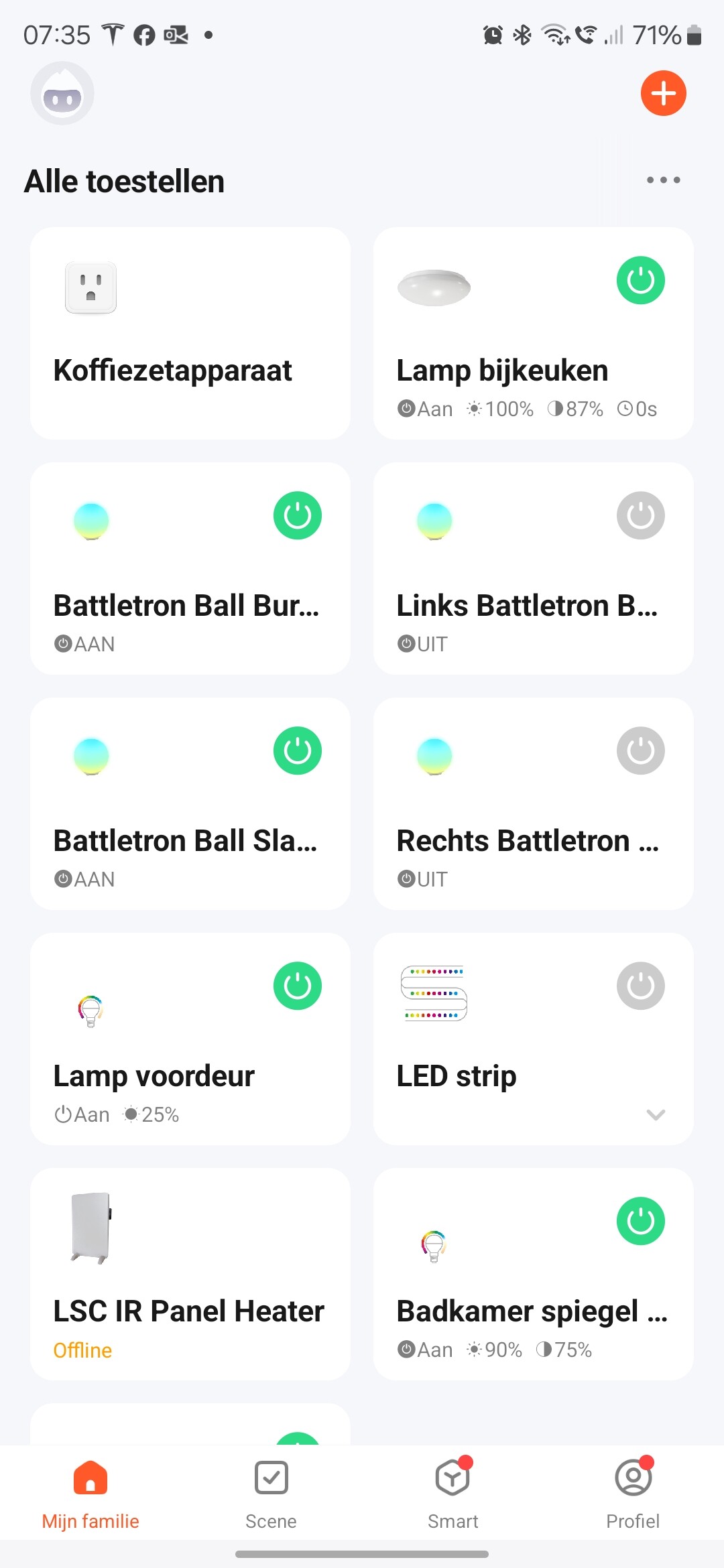
I used to have some “funny lights” in the bedrooms of my children. Not expensive. Using the community Tuya app, I was able to switch them on and off. Dimming them was in most cases possible as well. The colors displayed in Homey were completely different from the actual colors, so if I wanted to change that, I had to set it in the Tuya app. And if these devices broke, didn’t get supported anymore or whatever, I would remove them and never look back.
For these devices it is just fine if it would be impossible to control through Homey. Then I would just use the Tuya app as workaround. Preferrably not, but well… what are you going to do?  My home in that case would be less smart, but still controllable. For example the panel heater: I had that connected to activity (measured by non Tuya devices), the actual temperature etc. Now I would just have to start the thing manually from the Tuya app.
Another example is the light in the “bijkeuken” which was more an experiment than that I needed to rely on it for years to come.
Then the official app was anounced and I was in the market for some black power plugs and an outdoor power plug. I thought I was safe, so I bought some of the first items I found on AliExpress and those were Tuya WiFi devices. That was a mistake! Because one of them is for my coffee maker and thus I have implemented a Tuya WiFi device in a place where I am relying on it. And with the Tuya community app, I cannot control the device as it displays this:

To cut a very long story short: Hope this is of help to you @Stefan_Beck
And if you are using Tuya as a fundament for your entire home automation and as an important factor in buying Homey or not: go to Home Assistant!
