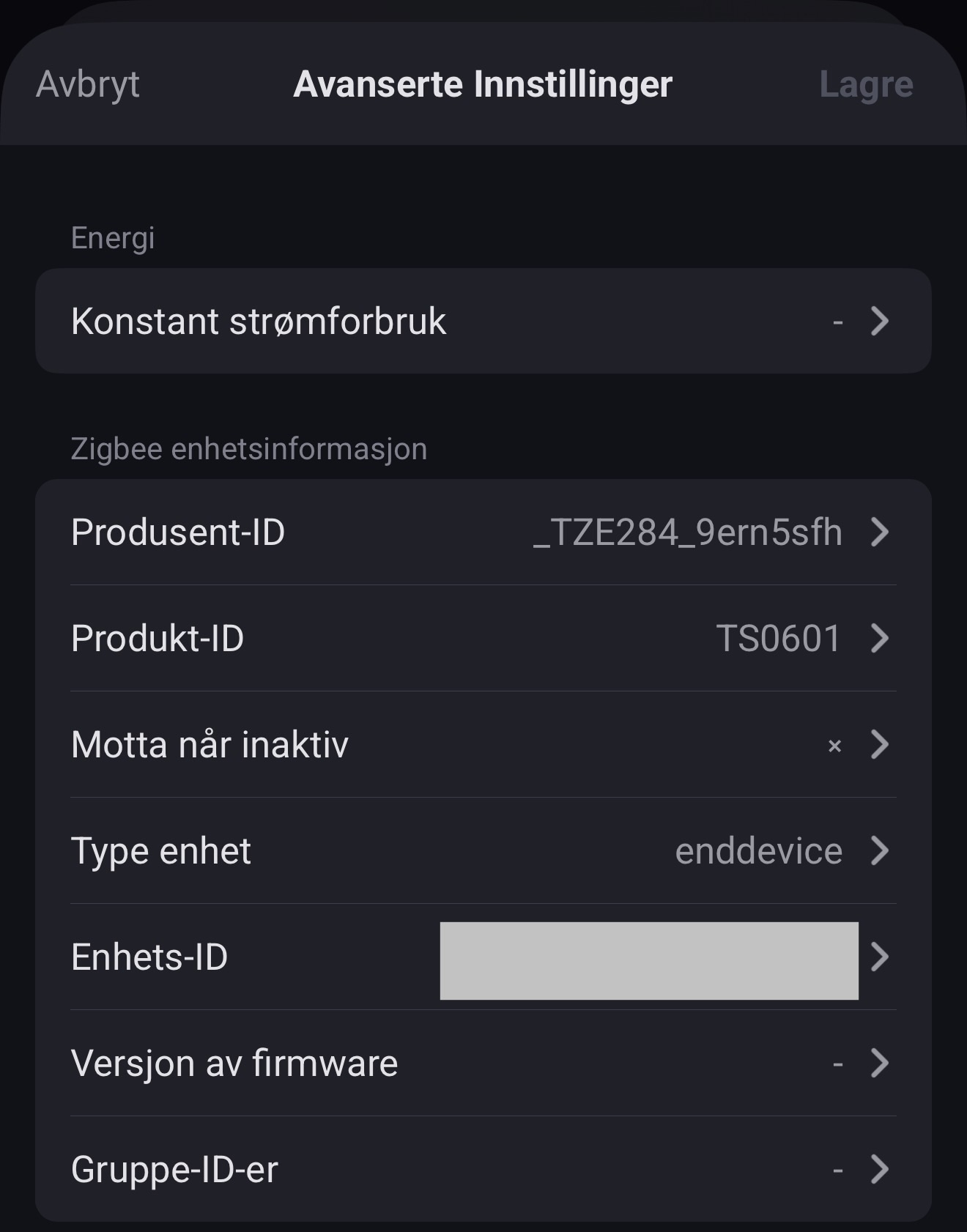
Hi @dlnraja , thank you for your reply and for all your effort.
In a past version it seems to discover some of my tested Zigbee devices in Universal Tuya, some worked fine others connected but didn’t work correctly using the Power ON/OFF switch, so I waited for an update.
I’m now on version v5.11.206 and it seems to have a bug again, since the same devices that connected now were recognized as Unknown Zigbee Devices. I’ll post here the docker log to help. If you need any more information just ask me and I’d gladly try it again.
First device, an Presence Radar Sensor and Illuminance (Tuya Zigbee) - https://pt.aliexpress.com/item/1005009911393115.htm
2026-Apr-06 04:06:57
Homey [log][ManagerApiLocal] IO homey:manager:drivers:createPairSession
2026-Apr-06 04:06:57
Homey [log][ManagerApiLocal] IO homey:manager:drivers:createPairSession → Success 200
2026-Apr-06 04:06:58
Homey [log][ManagerApiLocal] IO homey:manager:drivers:emitPairingEvent
2026-Apr-06 04:06:58
Homey [log][ManagerApiLocal] IO homey:manager:drivers:emitPairingEvent → Success 204
2026-Apr-06 04:07:01
Homey [log][ManagerApiLocal] IO homey:manager:drivers:emitPairingEvent
2026-Apr-06 04:07:02
Homey [log][ManagerApiLocal] IO homey:manager:drivers:emitPairingEvent → Success 204
2026-Apr-06 04:07:02
Homey [log][ManagerApiLocal] IO homey:manager:drivers:emitPairingHeartbeat
2026-Apr-06 04:07:02
Homey [log][ManagerApiLocal] IO homey:manager:drivers:emitPairingHeartbeat → Success 204
2026-Apr-06 04:07:02
Homey [log][ManagerApiLocal] IO homey:manager:drivers:emitPairingEvent
2026-Apr-06 04:07:02
Homey [log][ManagerVirtualDeviceLocal][VirtualDriverZigbee:driver] Status: ADD_NODE_STATUS_LEARN_READY
2026-Apr-06 04:07:02
Homey [log][ManagerApiLocal] IO homey:manager:drivers:emitPairingEvent → Success 204
2026-Apr-06 04:07:02
Homey [log][ManagerZigbee] Waiting for node to join...
2026-Apr-06 04:07:02
zigbee:process:join waiting for node to join
2026-Apr-06 04:07:06
zigbee:controller:node:xx:xx:xx:xx:xx:xx:xx:xx update node address networkAddress=12345
2026-Apr-06 04:07:06
zigbee:controller:node:xx:xx:xx:xx:xx:xx:xx:xx node joined networkAddress=12345
2026-Apr-06 04:07:06
zigbee:process:join node joined { ieeeAddress: 'xx:xx:xx:xx:xx:xx:xx:xx', networkAddress: 12345 }
2026-Apr-06 04:07:06
Homey [log][ManagerZigbee] Node joined with ieeeAddress xx:xx:xx:xx:xx:xx:xx:xx
2026-Apr-06 04:07:06
zigbee:controller:node:xx:xx:xx:xx:xx:xx:xx:xx [245] get node capabilities
2026-Apr-06 04:07:07
Homey [log][ManagerApiLocal] IO homey:manager:drivers:emitPairingHeartbeat
2026-Apr-06 04:07:07
Homey [log][ManagerApiLocal] IO homey:manager:drivers:emitPairingHeartbeat → Success 204
2026-Apr-06 04:07:07
zigbee:controller:node:xx:xx:xx:xx:xx:xx:xx:xx zdo end device announce indication Bitmap [ allocateAddress ]
2026-Apr-06 04:07:07
Homey [log][ManagerZigbee] received end device announce indication with ieeeAddress: xx:xx:xx:xx:xx:xx:xx:xx
2026-Apr-06 04:07:07
zigbee:process:interview Get match descriptor for poll control cluster
2026-Apr-06 04:07:07
zigbee:controller:node:xx:xx:xx:xx:xx:xx:xx:xx [246] get match descriptor profileId=260 inputClusters=[ 32 ]
2026-Apr-06 04:07:07
zigbee:controller:node:xx:xx:xx:xx:xx:xx:xx:xx [247] get active endpoints
2026-Apr-06 04:07:07
zigbee:controller:node:xx:xx:xx:xx:xx:xx:xx:xx [245] get node capabilities error: This operation was aborted
2026-Apr-06 04:07:07
zigbee:controller:node:xx:xx:xx:xx:xx:xx:xx:xx [246] got match descriptor { matchList: [], nwkAddrOfInterest: 12345, status: 'ZSuccess' }
2026-Apr-06 04:07:07
zigbee:process:interview Got match descriptor response { matchList: [], nwkAddrOfInterest: 12345, status: 'ZSuccess' }
2026-Apr-06 04:07:07
zigbee:controller:node:xx:xx:xx:xx:xx:xx:xx:xx [247] got active endpoints [ 1 ]
2026-Apr-06 04:07:07
zigbee:controller:node:xx:xx:xx:xx:xx:xx:xx:xx [248] get simple descriptor endpointId=1
2026-Apr-06 04:07:08
zigbee:controller:node:xx:xx:xx:xx:xx:xx:xx:xx [248] got simple descriptor endpointId=1 { endpointId: 1, applicationProfileId: 260, applicationDeviceId: 81, applicationDeviceVersion: 0, _reserved1: 1, inputClusters: [ 4, 5, 61184, 0, 60672 ], outputClusters: [ 25, 10 ], nwkAddrOfInterest: 12345, _reserved: 0, status: 'ZSuccess' }
2026-Apr-06 04:07:08
zigbee:process:interview get basic attributes
2026-Apr-06 04:07:08
zigbee:controller:node:xx:xx:xx:xx:xx:xx:xx:xx [249] enabling route discovery for nwkAddr=12345
2026-Apr-06 04:07:08
zigbee:process:interview got basic attributes: { modelId: 'TS0601', manufacturerName: '_TZE284_bquwrqh1' }
2026-Apr-06 04:07:08
zigbee:process:interview complete { ieeeAddress: 'xx:xx:xx:xx:xx:xx:xx:xx', networkAddress: 12345, modelId: 'TS0601', manufacturerName: '_TZE284_bquwrqh1', endpointDescriptors: [ { endpointId: 1, applicationProfileId: 260, applicationDeviceId: 81, applicationDeviceVersion: 0, _reserved1: 1, inputClusters: [Array], outputClusters: [Array], nwkAddrOfInterest: 12345, _reserved: 0, status: 'ZSuccess' } ], deviceType: 'enddevice', receiveWhenIdle: false, swBuildId: undefined, touchlinkGroupIds: undefined, capabilities: { alternatePANCoordinator: false, deviceType: false, powerSourceMains: false, receiveWhenIdle: false, security: false, allocateAddress: true }, pollControl: undefined }
2026-Apr-06 04:07:08
zigbee:process:interview Received abort signal { reason: 'Destroyed' }
2026-Apr-06 04:07:08
zigbee:process:interview destroyed
2026-Apr-06 04:07:08
zigbee:process:join Received abort signal { reason: 'Destroyed' }
2026-Apr-06 04:07:08
zigbee:process:join destroyed
2026-Apr-06 04:07:08
Homey [log][ManagerZigbee] Node interviewed: modelId: TS0601, manufacturerName: _TZE284_bquwrqh1, ieeeAddress: xx:xx:xx:xx:xx:xx:xx:xx, networkAddress: 12345
2026-Apr-06 04:07:08
Homey [log][ManagerVirtualDeviceLocal][VirtualDriverZigbee:driver] Searching for installed driver (_TZE284_bquwrqh1 - TS0601)
2026-Apr-06 04:07:08
Homey [log][ManagerVirtualDeviceLocal][VirtualDriverZigbee:driver] Using driver: undefined (id: undefined, installed: true)
2026-Apr-06 04:07:08
Homey [log][ManagerVirtualDeviceLocal][VirtualDriverZigbee:driver] Finish
2026-Apr-06 04:07:08
Homey [log][ManagerApiLocal] IO homey:manager:drivers:emitPairingEvent
2026-Apr-06 04:07:08
Homey [log][ManagerApiLocal] IO homey:manager:drivers:emitPairingEvent → Success 204
2026-Apr-06 04:07:08
Homey [log][ManagerApiLocal] IO homey:manager:drivers:emitPairingCallback
2026-Apr-06 04:07:08
Homey [log][ManagerDriversLocal][PairSession:45h23jk5h35k3h5kh5kj23h5k3jh5k23jh53k] onCallback {
2026-Apr-06 04:07:08
callbackId: '.........',
2026-Apr-06 04:07:08
data: [ null, null ]
2026-Apr-06 04:07:08
}
2026-Apr-06 04:07:08
Homey [log][ManagerApiLocal] IO homey:manager:drivers:emitPairingCallback → Success 204
2026-Apr-06 04:07:08
Homey [log][ManagerApiLocal] IO homey:manager:drivers:emitPairingCallback
2026-Apr-06 04:07:08
Homey [log][ManagerDriversLocal][PairSession:45h23jk5h35k3h5kh5kj23h5k3jh5k23jh53k] onCallback {
2026-Apr-06 04:07:08
callbackId: '.........',
2026-Apr-06 04:07:08
data: [ null, null ]
2026-Apr-06 04:07:08
}
2026-Apr-06 04:07:08
Homey [log][ManagerApiLocal] IO homey:manager:drivers:emitPairingCallback → Success 204
2026-Apr-06 04:07:11
Homey [log][ManagerApiLocal] IO homey:manager:drivers:deletePairSession
2026-Apr-06 04:07:11
Homey [log][ManagerApiLocal] IO homey:manager:drivers:deletePairSession → Success 204
Second device, a Zigbee Plug (outlet) - https://pt.aliexpress.com/item/1005006722824875.html
2026-Apr-06 04:10:11
Homey [log][ManagerZigbee] Node interviewed: modelId: TS011F, manufacturerName: Zbeacon, ieeeAddress: XX:XX:XX:XX:XX:XX:XX:XX, networkAddress: 29817
2026-Apr-06 04:10:11
Homey [log][ManagerVirtualDeviceLocal][VirtualDriverZigbee:driver] Searching for installed driver (Zbeacon - TS011F)
2026-Apr-06 04:10:11
Homey [log][ManagerVirtualDeviceLocal][VirtualDriverZigbee:driver] Searching app store for drivers (Zbeacon - TS011F)
2026-Apr-06 04:10:13
Homey [log][ManagerApiLocal] IO homey:manager:drivers:emitPairingHeartbeat
2026-Apr-06 04:10:13
Homey [log][ManagerApiLocal] IO homey:manager:drivers:emitPairingHeartbeat → Success 204
2026-Apr-06 04:10:13
Homey [err][ManagerVirtualDeviceLocal][VirtualDriverZigbee:driver] Could not find driver: app_not_found
2026-Apr-06 04:10:13
Homey [log][ManagerVirtualDeviceLocal][VirtualDriverZigbee:driver] Using driver: undefined (id: undefined, installed: true)
2026-Apr-06 04:10:13
Homey [log][ManagerZigbee] bind ieeeAddress=XX:XX:XX:XX:XX:XX:XX:XX, endpointId=1, clusterId=6
2026-Apr-06 04:10:13
zigbee:controller:node:XX:XX:XX:XX:XX:XX:XX:XX [279] bind endpointId=1 clusterId=6 target=YY:YY:YY:YY:YY:YY:YY:YY:Y
2026-Apr-06 04:10:13
zigbee:controller:node:XX:XX:XX:XX:XX:XX:XX:XX [279] bind success endpointId=1 clusterId=6
2026-Apr-06 04:10:13
Homey [log][ManagerZigbee] bind ieeeAddress=XX:XX:XX:XX:XX:XX:XX:XX, endpointId=1, clusterId=1794
2026-Apr-06 04:10:13
zigbee:controller:node:XX:XX:XX:XX:XX:XX:XX:XX [280] bind endpointId=1 clusterId=1794 target=YY:YY:YY:YY:YY:YY:YY:YY:Y
2026-Apr-06 04:10:13
zigbee:controller:node:XX:XX:XX:XX:XX:XX:XX:XX [280] bind success endpointId=1 clusterId=1794
2026-Apr-06 04:10:13
Homey [log][ManagerZigbee] bind ieeeAddress=XX:XX:XX:XX:XX:XX:XX:XX, endpointId=1, clusterId=2820
2026-Apr-06 04:10:13
zigbee:controller:node:XX:XX:XX:XX:XX:XX:XX:XX [281] bind endpointId=1 clusterId=2820 target=YY:YY:YY:YY:YY:YY:YY:YY:Y
2026-Apr-06 04:10:13
zigbee:controller:node:XX:XX:XX:XX:XX:XX:XX:XX [281] bind success endpointId=1 clusterId=2820
2026-Apr-06 04:10:13
Homey [log][ManagerVirtualDeviceLocal][VirtualDriverZigbee:driver] Finish
2026-Apr-06 04:10:13
Homey [log][ManagerZigbee] bind ieeeAddress=XX:XX:XX:XX:XX:XX:XX:XX, endpointId=1, clusterId=6
2026-Apr-06 04:10:13
Homey [log][ManagerApiLocal] IO homey:manager:drivers:emitPairingEvent
2026-Apr-06 04:10:13
Homey [log][ManagerApiLocal] IO homey:manager:drivers:emitPairingEvent → Success 204
2026-Apr-06 04:10:13
Homey [log][ManagerApiLocal] IO homey:manager:drivers:emitPairingCallback
2026-Apr-06 04:10:13
Homey [log][ManagerDriversLocal][PairSession:ZZZZZZZZZZ-ZZZZZZ-ZZZZZ-ZZZZZZ] onCallback {
2026-Apr-06 04:10:13
callbackId: '.............',
2026-Apr-06 04:10:13
data: [ null, null ]
2026-Apr-06 04:10:13
}
2026-Apr-06 04:10:13
Homey [log][ManagerApiLocal] IO homey:manager:drivers:emitPairingCallback → Success 204
2026-Apr-06 04:10:14
Homey [log][ManagerApiLocal] IO homey:manager:drivers:emitPairingCallback
2026-Apr-06 04:10:14
Homey [log][ManagerDriversLocal][PairSession:ZZZZZZZZZZ-ZZZZZZ-ZZZZZ-ZZZZZZ] onCallback {
2026-Apr-06 04:10:14
callbackId: '.............',
2026-Apr-06 04:10:14
data: [ null, null ]
2026-Apr-06 04:10:14
}
2026-Apr-06 04:10:14
Homey [log][ManagerApiLocal] IO homey:manager:drivers:emitPairingCallback → Success 204
2026-Apr-06 04:10:14
Homey [log][ManagerZigbee] bind ieeeAddress=XX:XX:XX:XX:XX:XX:XX:XX, endpointId=1, clusterId=1794
2026-Apr-06 04:10:14
Homey [log][ManagerZigbee] bind ieeeAddress=XX:XX:XX:XX:XX:XX:XX:XX, endpointId=1, clusterId=2820
2026-Apr-06 04:10:14
Homey [log][ManagerInsightsLocal] Warning: Already creating item with id: asdahskjdhaskjflhgfklajhglkfj:log:homey:device:QWEDFS-ASFDEWT-ETWTW-SDFFD-12345:energy_power, returning existing create promise
2026-Apr-06 04:10:14
Homey [log][ManagerInsightsLocal] Warning: Already creating item with id: asdahskjdhaskjflhgfklajhglkfj:log:homey:device:QWEDFS-ASFDEWT-ETWTW-SDFFD-12345:energy_power, returning existing create promise
2026-Apr-06 04:10:18
Homey [log][ManagerApiLocal] IO homey:manager:drivers:emitPairingHeartbeat
2026-Apr-06 04:10:18
Homey [log][ManagerApiLocal] IO homey:manager:drivers:emitPairingHeartbeat → Success 204
2026-Apr-06 04:10:18
Homey [log][ManagerApiLocal] IO homey:manager:drivers:deletePairSession
2026-Apr-06 04:10:18
Homey [log][ManagerApiLocal] IO homey:manager:drivers:deletePairSession → Success 204