Hi @blutch32,

Thank you for the detailed interview data. Your PJ-1203A (`_TZE284_81yrt3lo`) is correctly identified.

The issue with undefined values causing crashes has been **fixed in v5.7.7+** (current: v5.7.8).

**Please try:**
1. Update the app to v5.7.8 via Homey App Store
2. After update, **remove and re-pair** the device
3. Make sure the CT clamps are properly connected to the wires

The undefined values suggest the device may not be receiving current readings from the CT clamps. After updating and re-pairing, if values still show 0, please check:
- CT clamp orientation (arrow should point toward load)
- CT clamps are fully closed around the wire
- Send a new diagnostic report after re-pairing

Let me know if the issue persists after these steps.
I just tried my Moes 4 button wireless scene switch _TZ3000_zgyzgdua on version 5.7.4 and unfortunately flows are still not being started by either the physical or icon buttons. Interestingly, soon after when the app is updated the flow spontaneously activates once!
Good news! Your diagnostic report shows the button detection IS working correctly.
Looking at the logs: button_wireless_4_button_4gang_button_pressed SUCCESS button_wireless_4_button_4gang_button_1_pressed SUCCESS
The app successfully detects your button presses and triggers the flow cards.
To use the buttons, you need to create a Flow in Homey:
Open the Homey app → Flows → Create new flow
Click “When…” (trigger)
Select your “4-Buttons Wireless Controller” device
Choose a trigger like:
“Button 1 pressed”
“Button 2 pressed”
“Double press”
“Long press”
Add your “Then…” action (e.g., turn on a light)
Save the flow
The buttons won’t do anything until you create flows that respond to them. The app just detects the button press - you define what happens in your flows.
Let me know if you need help setting up specific flows!
Interesting that the diagnostic is reporting that it is working. The flow only works when I directly trigger the flow start button in the homey app. It does not work when I press the Moes physical button or when I press the Moes icon button. What do you think is going on?
Is there any other information that will help you?
please click on your device and on virtual buttons in multiple scenario ( long short double triple presse ) then send me a new diag to check it again.:
I hope you managed to get some sleep! I have just tries v5.7.16 and congratulation, the virtual button now successfully activates the flow! Unfortunately, the physical button still does not activate the flow.
Here is the diagnostic where I have pressed physical button 1 and then requested a diagnostic within 10 seconds. I hope I have been successful.
Hi Dylan Good morning again and I see you’ve been working almost whole night, I hope you had a good powernap
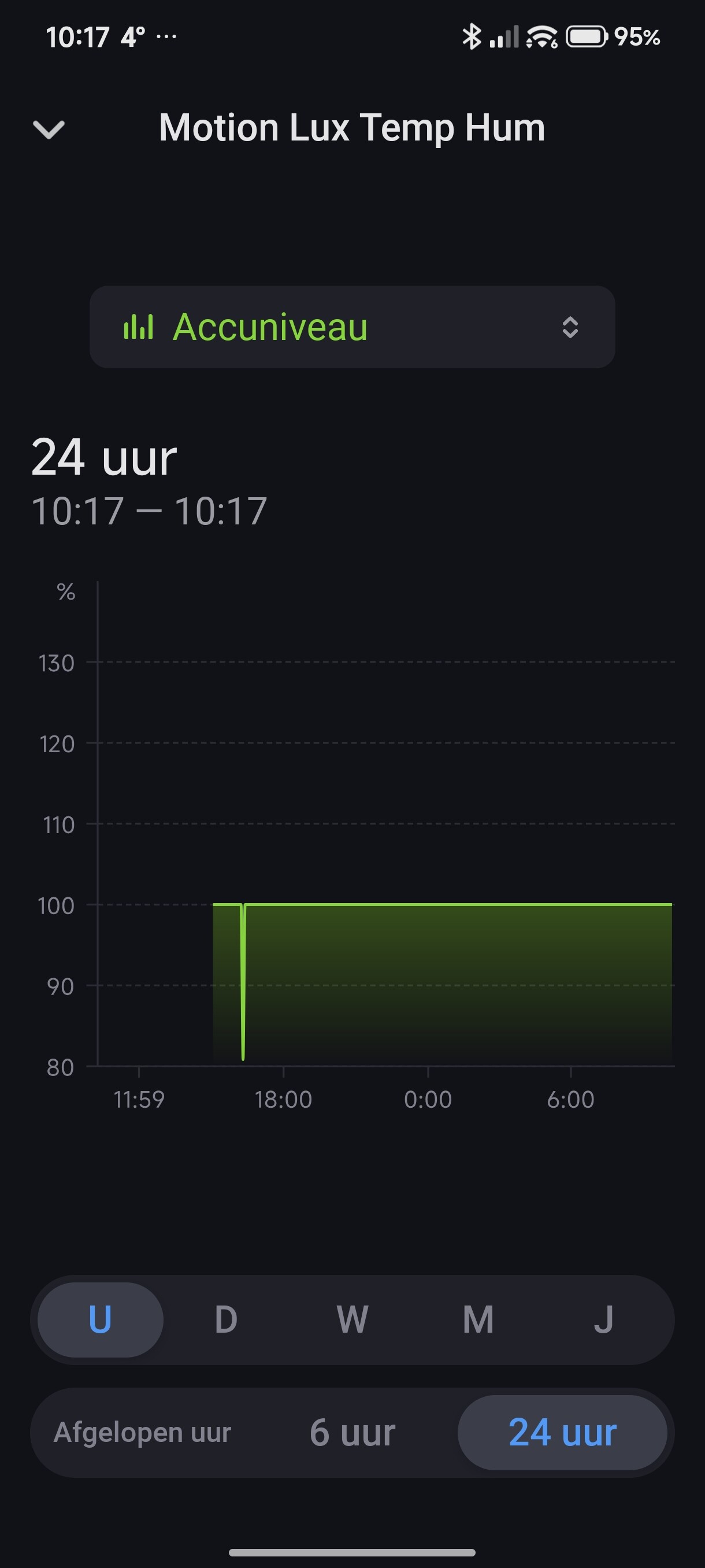
I wasn’t home till late and noticed that the HOBEIAN Multisensor is acting strange again Motion detection on and off all the time when nothing is there in front of it and the Luminance is fluctuating all the time, Temperature is 20⁰ en Humidity 0% and they staying like that. Distance appeared on the app screen again and no Battery in the Menu bar at the bottom anymore, I see in the insights that it all started around 19:05 yesterday, see screenshots and diagnostic 53a9688c-0084-464a-a219-d8775dd9e684
Thank you for adding this device, but in the latest updates it seems to keeps triggering no motion every 20–30 seconds, even in occupied room. No trigger for motion or human when we enter the room.
okay i will check all of this bug but there is a risk to brick all the app algorisum, so after publishing releasing some update i need a max of diag logs from all of you to fix it incrementaly
I’ve identified and fixed the issue with your HOBEIAN sensor. The problem was that manufacturerName was being retrieved incorrectly in some code paths, causing the DEFAULT config to be used instead of your HOBEIAN-specific config.
Fix applied in v5.7.32 + v5.7.34:
All getData()?.manufacturerName calls now use multi-source fallback
HOBEIAN config (with correct DP mappings for ZG-204ZM/ZG-204ZV) will now be used
To resolve:
Update to v5.7.34 (publishing now)
Remove the device from Homey
Re-pair the device
This should restore:
Correct motion detection (no false triggers)
Stable luminance readings
Temperature/humidity (if your model supports it)
Battery reporting
Let me know if you still have issues after the update!

 MOES 4-BUTTON FIX (Freddyboy

 again and I see you’ve been working almost whole night, I hope you had a good powernap