The issue is that your app (in package.json) is declaring a dependency on a module called homey-tuya , which isn’t a module that’s available in the NPM repository.
Are you using sdk v2? Or is it the same information as v3?
yes i hope same insctution
Hi everyone
Ps1 script are so buggy because of characters and syntaxe issue. On both tuya and tuya light branch.
I’m swiching to JS script.
Working on it . WIP.
Now JS files are fixes, you can try .
Tuya master branch : all zigbee and tuya devices
Tyla light branch : only all tuya device ( without any tuya api or cloud system )

Thx for your screen i will check soon
You need the official Homey mesh driver from Homey GitHub - athombv/node-homey-meshdriver: Driver abstraction for Homey Apps to make integration of Z-Wave & ZigBee devices easier
But i will try fix it to remove this dependency .
Best regarde.
You need to declare it as a dependency of your app in package.json. This is a module that is available from the NPM repository, so when it’s declared as a proper dependency it will get installed when running npm install.
Yes your right , i will do in another way to limit dépendencies
Now i have fixed it
You can retry

It seems like you keep on running homey app install inside an invalid directory (one that doesn’t contain the app code). This isn’t an issue with the app, or the developer.
The repository contains the file app.json, which according to the error messages is missing, which means you either didn’t download the repository correctly, or you’re not running the commands from the correct directory. It should be run inside a directory that contains a file called app.json.
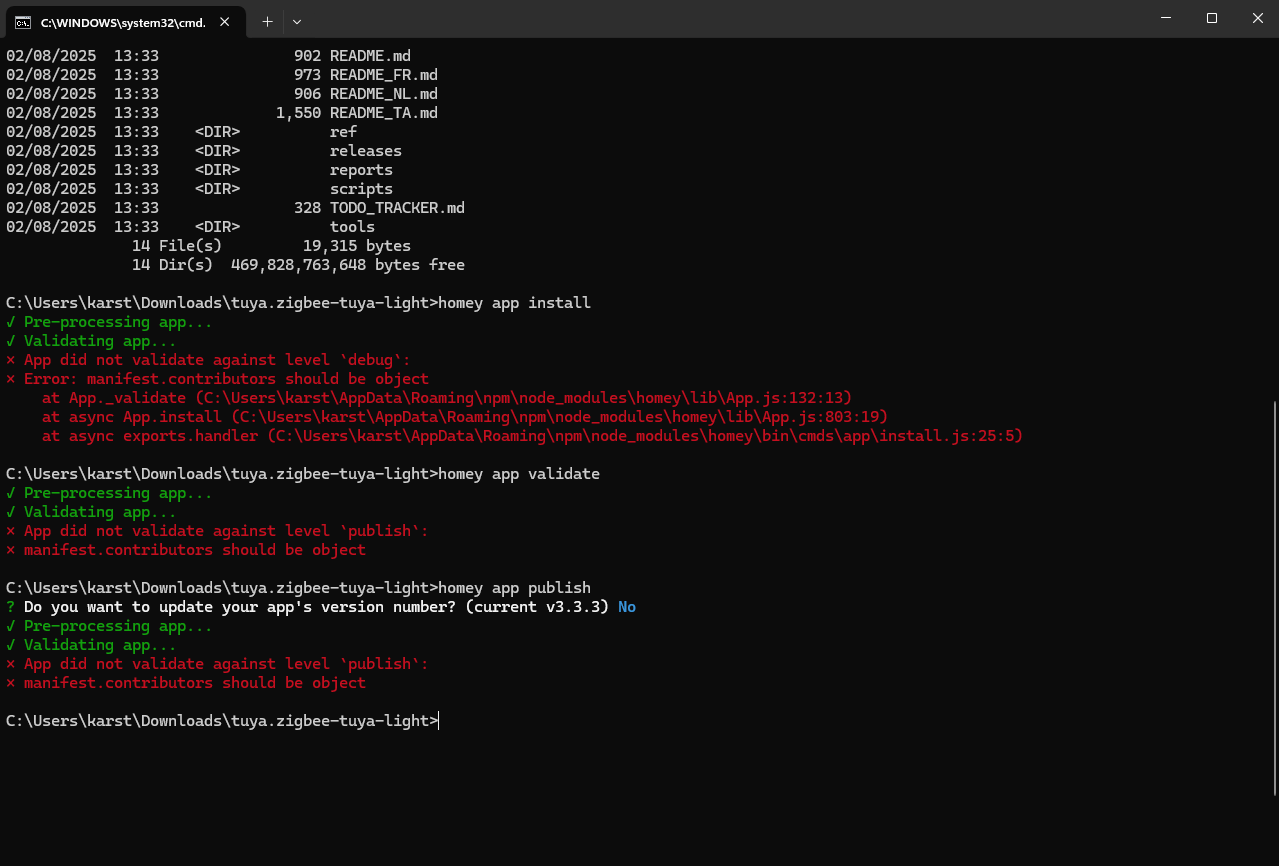
That said, even if downloaded correctly, the app.json file doesn’t pass validation because the contributors configuration is incorrect (should be an object, not an array). Oh the joy of LLM-generated code…
Hi Robert thanks for your response,
I’ve downloaded the zip file from the Master and I noticed already that there aren’t any Json files in there so I was already afraid that I would receive error’s.
I give it a try with the light version, because that directory contains Jason files in it.
I will report it here what’s happening with that one.
Regards Peter.


I will refactor it and add missings files.

fixed today
Still following this very closely. interested in how it goes, and will jump in once a first test app version is available (current steps are a bit too difficult form me)
Keep up the great progress!

