Later later yes, its night right now .


Have you scan if or interview it on the Homey app développeur dashboard ?
If yes please paste the zigbee interview here
Hi Dylan, I requested to add some devices a few days ago, do you have an estimate of when they will be fulfilled?
Already added does it works ??
 NEW VERSION 2.1.31 AVAILABLE FOR TESTING!
Hello everyone! 
I’m thrilled to announce that all requested devices on the forum and GitHub have been added to the Universal Tuya Zigbee app!
Version 2.1.31 is now available on the Test channel and will soon be certified for the Live channel.
 ADDED DEVICES - Your Requests Handled!
The new version includes support for numerous devices, resolving multiple GitHub issues:
| User | Device | Model/Type | Status | Key Homey Capabilities |
|---|---|---|---|---|
| @Gerrit_Fikse | Vibration Sensor | TS0210 | FIXED AND FUNCTIONAL | Vibration detection, Battery, Temperature. (Fixes bug where it appeared as “wall switch”). |
| @kodalissri | PIR Radar Illumination Sensor | ZG-204ZM / TS0601 | ADDED with NEW DRIVER | PIR + Radar motion detection, Luminance (lux), Battery. |
| @kodalissri | Multi-Sensor (4-in-1) | ZG-204ZV / TS0601 | ADDED with NEW DRIVER | mmWave Radar Motion, Temperature, Humidity, Luminance (lux), Battery. |
| @askseb | Wireless Button | TS0041 | ADDED | Single/double click, on/off control, dimmer support, Battery. |
| @askseb | Door Sensor | TS0203 | ADDED | Door/Window Contact (open/closed), Optional motion, Temperature, Luminance, Battery. |
| @kodalissri | Temp/Humidity Sensor with Screen | TS0201 | ADDED | Temperature, Humidity, Battery. |
| @gfi63 | Smart Outlet with Metering | TS011F | ADDED | On/off control, Instant Power (W), Total Consumption (kWh), Voltage (V), Current (A). |
Exporter vers Sheets
 OTHER HANDLED REQUESTS
- _TZE284_vvmbj46n Temperature & Humidity Sensor: Already supported in the existing driver. Users should factory reset the sensor, remove the old device from Homey, and re-pair.
 HOW TO INSTALL THE NEW VERSION
Option 1: Test Channel (Recommended - Version 2.1.31 available now)
-
Open the Homey App Store.
-
Search for “Universal Tuya Zigbee”.
-
Enable the Test channel.
-
Install version 2.1.31.
Option 2: Wait for Live Certification
The version will be submitted for certification and available on the Live channel in a few days.
 SUMMARY OF VERSION 2.1.31
-
7 GitHub requests closed
-
2 new drivers created (for ZG-204ZM, ZG-204ZV)
-
5 existing drivers enriched
-
11 new manufacturers added
-
1 critical bug fixed (TS0210 vibration sensor)
 FUTURE REQUESTS
For any new device requests:
-
Verify first if the device is not already supported.
-
Open an Issue on GitHub with complete information: Zigbee Interview, Manufacturer Name, Model ID, and purchase link if possible.
-
Or post on the forum thread with the same information.
 THANKS TO THE COMMUNITY!
A big thank you to all contributors who shared device interviews, tested, and provided feedback. Keep sharing your Tuya Zigbee devices—together, we are making this app more and more complete!
Dylan Raja, Developer - Universal Tuya Zigbee App, October 9, 2025
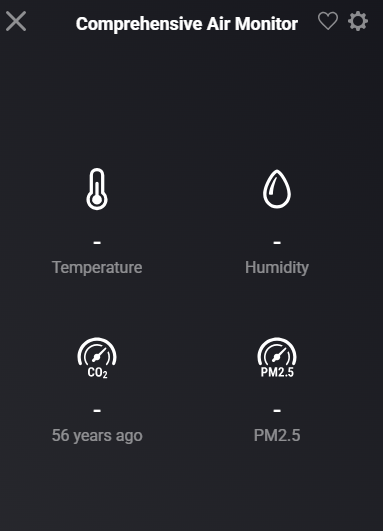
Deleted the interview here and created a bug report in Github, both systems have their interview in the original requests.
Hi Gerrit,
Please edit your post and format the code as code: Just add 3 backticks above and below the code, like ```
Does not look like it worked, not that good in this stuff…. sorry
Still not recognizing the sensor -TZE284_vvmbj46n
# Update v2.1.34 - Major Fix & Features Release 
## Fixed Issues 
**Temperature/Battery/Humidity showing N/A or wrong values:**
- Root cause: Missing `registerCapability()` code in 11 drivers
- Fixed parsers: temperature ÷100, battery ÷2, humidity ÷100, luminance logarithmic
- Affected devices: TS0201, TS0210, ZG-204ZV, ZG-204ZM, TS0203, _TZE284_vvmbj46n
**GitHub Issues resolved:**
- #26 Vibration Sensor TS0210
- #27 TS011F Outlet
- #28 ZG-204ZV Multi-Sensor
- #29 ZG-204ZM PIR Radar
- #30 TS0041 Button
- #31 TS0203 Door Sensor
- #32 TS0201 Temp/Humidity
## New Features 
**1,767 Flow Cards added automatically:**
- 661 Triggers (motion detected, temperature changed, turned on/off, etc.)
- 698 Conditions (temperature > 25°C, motion active, is on/off, etc.)
- 408 Actions (turn on/off, set brightness, identify device, etc.)
**Advanced Settings:**
- Reporting interval (60-3600s)
- Temperature/Humidity calibration offsets
- Motion sensitivity & timeout
**Maintenance Actions:**
- Identify device (flash light 3×)
- Reset power meter
## Validation
```
✓ App validated successfully against level `publish`
✓ 0 errors | 2 minor warnings (non-blocking)
✓ SDK3 compliant
```
## Installation
Update available via Homey App Store (version 2.1.34)
-–
**Technical details:** [Link to GitHub]( GitHub - dlnraja/com.tuya.zigbee: new updated version )
Let me know if you need help testing specific devices!
You can try now 
Its pushed
Hello Dylan,
Thank you very much for putting the time and effort in adding those devices. Unfortunately both of my ZG-204ZM and ZG-204ZV are recognized as generic devices. I am using V2.1.38 app. I deleted and re added the devices. Since there are multiple motion Sensors in the app, does it matter which one I select during pairing ?
Hi Dylan
Thanks for the increased efforts of late. Like others, unfortunately none of these updates have enabled me to connect my previously reported PIR motion sensor or smart button with any functionality other than “Unknown Zigbee Device”.
I’m also curious, as @Naresh_Kodali has asked, does it matter which one you choose? It’s hard to know without any images (as Johan has in his app) which one is the correct one. I’m wondering if once we can connect our devices if a refactor could take place where it groups devices of a certain physical appearance into one “device” button for users to select. I also suspect this is how Johan’s works instead of having so many devices with the same name listed.
Best of luck figuring this out and always happy to try each new version as it comes out.
Hi Dylan, I tried the new version Universal Tuya ZigBee 2.1.38 but nothing changed.
SOS button same problem and also the Temp Hum & Pir sensor is not recognized and added as universal ZigBee device.
Best regards Peter.
Try it one by one


Hi @dlnraja Been busy doing other stuff, so good to see lots of progress here. I just installed the latest test version of the app (2.1.38) and tried to add the two gang wall energy monitoring wall socket I mentioned previously. Added as a very basic Zigbee device with on-off. The on-off capability reported “this device does not support on-off”. During adding the app said “can’t find this device, added as a generic zigbee”. Then spinning wheel and “This seems to be taking too long…”
Tried adding through the Universal App and also using the “Zigbee Technology” link - results the same in both cases.
Have you had the chance to add the support or is this device still in the “to do” list.
MTIA
Hello, is it possible to add this gas sensor too?
