Hi Johan,
Congratulations with the milestone, you did a great job, many thanks for that 


Best regards Peter.
Hi Johan,
Congratulations with the milestone, you did a great job, many thanks for that
Best regards Peter.
Is the test-branch backwards compattible or do we need to reconfigure /re-pair everything?
<3
It will not break anything in the Live version, but if you reinstall the Live version before I push test to live the devices that are only in the test version will not work… else you can move between them without issues.
Hi @Peter_van_Werkhoven, I’v reviewed the code and see no obvious errors for either of those. Please restart the app, trigger de devices and send me a diagnostic report.
Hi Johan,
Thanks for fixing the 1 channel dimmer switch, that’s finally working fine now, the only thing maybe is that when adding it’s grouped with the Lamps.
About the Smart Airbox _TZE200_yvx5lh6k, Iv’e re-started the App and also resetted the complete Zigbee network, trying to get a reading from the Smart Airbox but still no Formaldehyde data see 1st and 4th screenshot.
About the Siren _TZE204_t1blo2bj, I see the Battery level now, the only thing there also should be a Temperature and Humidity sensor in it, but no data from those in the App see 2nd Screenshot.
About the Smoke detector _TZ3210_up3pngle, they don’t give a battery level only Battery alarm, see 3th screenshot.
About the Temperature and Humidity sensor with Display _TZE200_vvmbj46n, there is also no Battery level data only Battery alarm, see screenshot 5.
And this is the diagnostic report, I don’t know if it is the right one ?? 3853bcb0-2d48-459c-9d96-c68ec81f365d
Thanks in advance and
Best regards Peter.
Hi @Peter_van_Werkhoven.
Looks like I’v received mixed info regarding formaldehyde in the Airbox, from what I can find the datapoint was faulty, fixed in next test version.
Regarding the Siren there is two drivers, if the device you have should include temperature and humidity I think we only need one… well well… I’v added your code to both devices meaning you will have to choose to install the one named Siren, Temperature & Humidity Sensor to get the correct functionality. If this works I will remove the driver without temperature and humidity.
I’v added code to have the Smoke Detector start reporting the battery percentage, could take up to four hours before it starts. Do tell me if this does not help.
Same with the Temperature & Humidity Sensor with Display.
Thanks Johan! Can you please give me a hint when it has been added? Now I am trying to add it again and again after every update that is being released to see if it’s working which is a bit annoying with the speed of updates that are rolling out now. 
That’s correct @Rocky_Lonigro, you can ask to have any Tuya device added if it is not already in the Test version of the app. Head over to Github and create one issue per device, make sure to follow the instructions. Also, make sure there is not already a request at Github. 
Hi @Johan_bendz, I’m trying to add the Tuya Zigbee 4 Gangs device - _TZE200_shkxsgis / TS0601. (Device already requested on github and request already closed.)
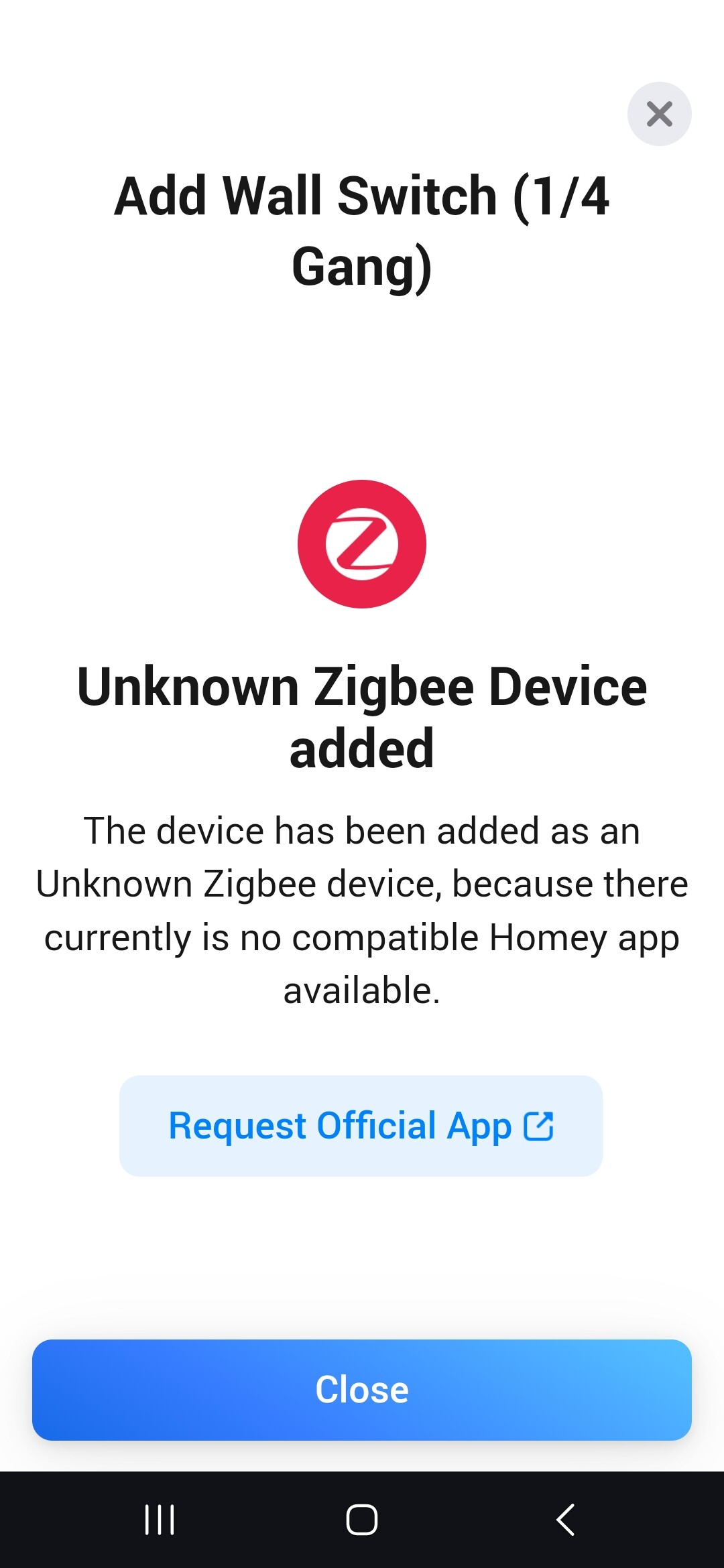
I have the Test version 0.2.53 of the app installed on my Hub, but when I try to install the device I get the following message:
Unknown Zigbee Device Added
Did you select the Tuya Zigbee app and subsequently the 4 gang device when adding?
Ooops, my bad. working on it… not at Github/app store yet.
No problem, I’m looking forward to the addition of this and other devices. I still have some devices linked to Hubitat… lol
I’m not sure what Im doing wrong, but I do interview it stays in that state for while, then it disappears but I cannot find the results of the interview?
or is this under devices the right information:
| Property | Value |
|---|---|
| ID | 929aa17c-1deb-475f-8dcc-2619922bf358 |
| Name | Zigbee Device 6gang |
| Class | socket |
| Driver | homey:virtualdriverzigbee:driver |
| Ready | Yes |
| Available | Yes |
| Warning | No |
| Custom icon | No |
| Key | Value |
|---|---|
| token | “b7b54b59-f262-4174-abc0-4fff4c8582d9” |
| Key | Value |
|---|---|
| zb_product_id | “TS0046” |
| zb_manufacturer_name | “_TZ3000_iszegwpd” |
| zb_receive_when_idle | “⨯” |
| zb_device_type | “enddevice” |
| zb_ieee_address | “a4:c1:38:03:92:c3:a1:b8” |
| zb_sw_build_id | “” |
| zb_touchlink_group_ids | “” |
| energy_alwayson | false |
| energy_value_off | null |
| energy_value_on | null |
in the interview thingy this is was happens no further info displayed:
Hi Johan,
Thanks for your reply and sorting out the problems regarding the missing code for the Airbox and the battery information for the smoke detector and LCD temperature humidity sensor.
For the Siren I deleted one of them and re-add it again using the one with temp & hum but couldn’t see any difference, so no readings temp & hum.
Then I tried to restart en recover my Homey and now it’s stuck with starting up, only 1 Blue LED in the ring, I think that Robert Klep was right that my Homey was dying 
Setup new ZigBee network with my spare Gateway and add the Siren there and there is also no temp & hum reading so obviously AliExpress gave the wrong info or they sended me Siren’s without temp & hum sensors.
Best regards and thanks again,
Peter van Werkhoven
Verzonden van mijn Xiaomi MI10 Lite 5G
Hi @Rocky_Lonigro, that’s good info but I still need it at Github and not here:
I already put it in github: Device Request - [Device name] - [manufacturerName] / [modelId] · Issue #962 · JohanBendz/com.tuya.zigbee · GitHub
I just was not sure as the template showed some json thing and I did not get any json out from that “interview”
is this enough and correct as is?
No worry, I’m looking into this.