I think you are right. I did some further digging. And learned something I was not aware of / which was not mentioned in the instruction in order to get raw commands to work. The TLDR is that I had to change the instruction set/mode applied to my dehumidifier in the Tuya Development Platform in order to get raw commands to work.
Initially the raw command option did not seem to work. Using your instructions on how to intercept the command messages, Homey seemed to only receive a few functions/properties, which were the same as in the device that did not work (e.g. the Fault property).
I learned that the IoT Core API apparently can use two different instruction modes:
- Standard Instruction mode;
- DP Instruction mode.
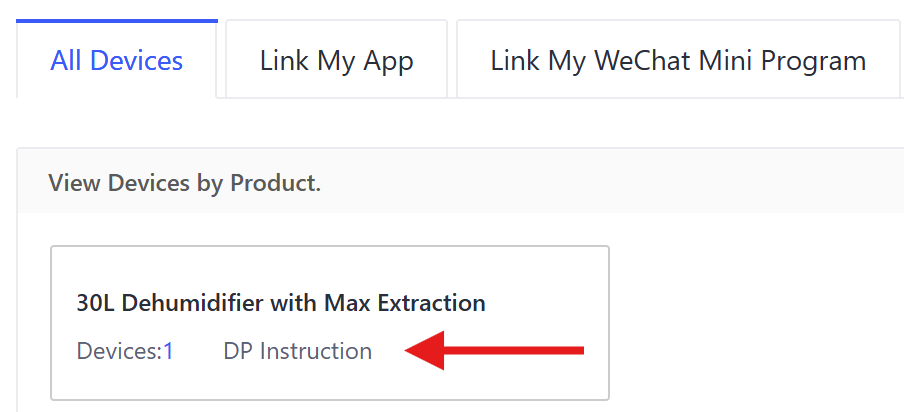
By default my device was set to the Standard Instruction mode. The active instruction mode is indicated on the device tile in the Device overview in the project:

You can actually see what the instructions (or functions or properties, if you will) are which are supported by each instruction mode, by clicking the eye icon in the device’s tile:

A panel opens that shows the instructions in Standard Instruction mode and also the available ones in the DP Instruction mode:
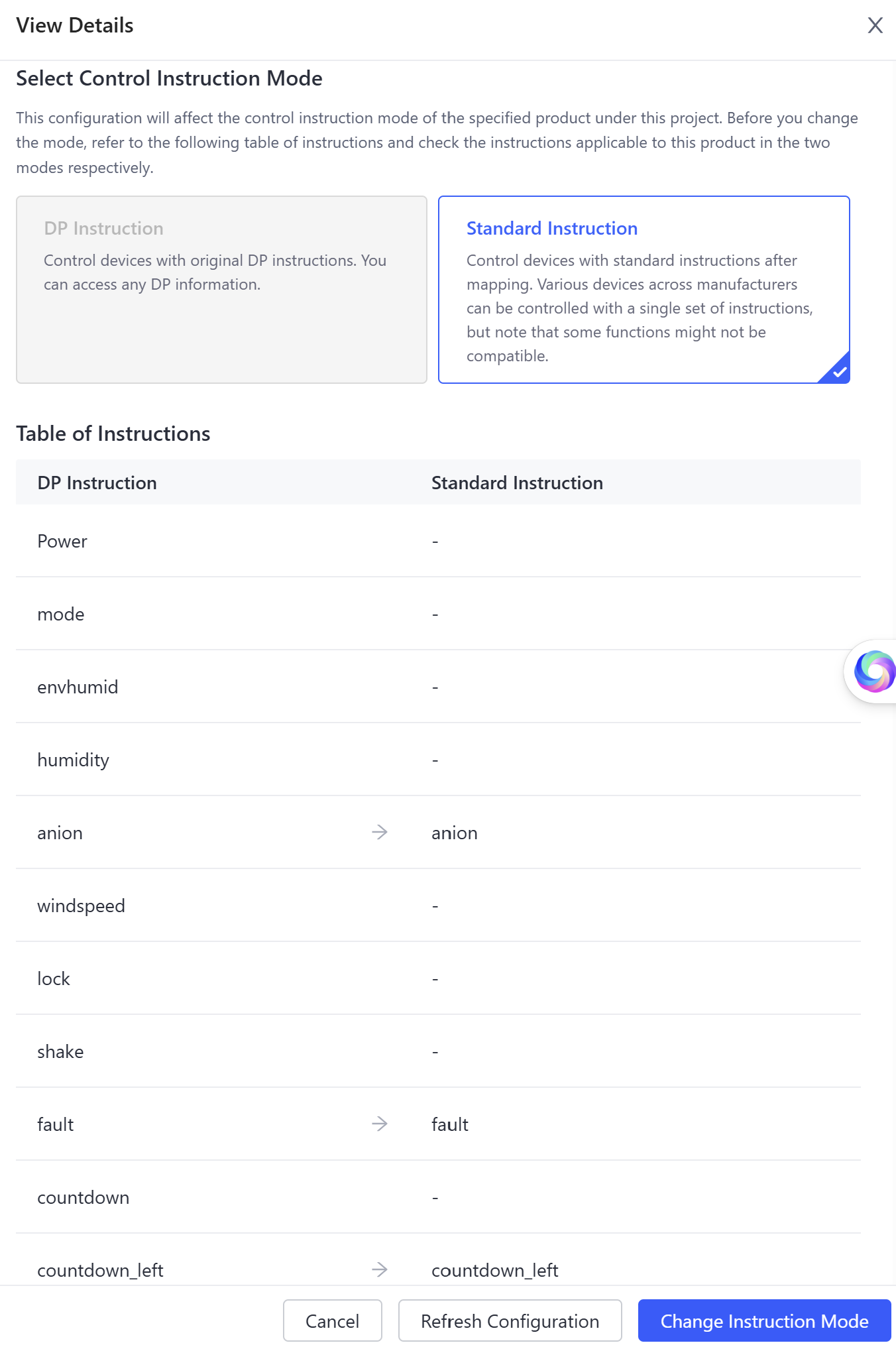
In my case only a few instructions of the ones actually available in the DP Instruction set were exposed/mapped to the standard set (right hand side of the image).
You can change the applied instruction mode via either the Change Instruction Mode button in the above panel or via the pen icon in the device tile mentioned earlier:

After changing the mode, the device tile now shows that the DP Instruction mode is active. Going back to the instruction panel again (via the eye icon on the device tile), now indicates that all available instructions are available for controlling the device. All DP Instructions are now mapped to a Standard Instruction:

The nice thing about this overview is that you don’t have to determine which instructions are available for your device, by intercepting them via the ‘Text message received’ WHEN card in Homey. Instead, the available instructions are listed in the above mentioned panel.
Also the Tuya Development Platform contains further information on those instructions, like the data type and allowed/expected values:
- Goto Cloud > API Explorer > Select IoT Core in the navigation pane > Device Control (Standard Instruction Set) > Get the specification and properties of a device. Enter the Device ID and click the Submit Request button. then you get an JSON overview of the instructions and status properties, data types and expected values.
- Alternatively: Goto Cloud > API Explorer > Select IoT Core in the navigation pane > Device Control > Query Properties. Enter the Device ID and click the Submit Request button. then you get an JSON overview of the properties, data type and their last value.
- Tuya documentation on Standard Instruction sets per device type/category. This documentation also includes the possible values of each instruction.
These resources might help in figuring out the syntax of raw commands.
