I have a Tuya 3 Button Wall Switch (S603) which works great with Homey Tuya Cloud App. I’m only not able to use it with the existing flow cards. I receive the following error when I try to use a trigger IF card and try to select the right switch button.
I can work around this with RAW commands (and virtual devices if needed), but using the default flow cards would be great.
I’ve 4 smart curtain.m motors added with Tuya cloud app but when I manually input down or up in honey the state will not updated
Is this a known error so yes is there a fix ?
Ik heb net dit geweldige item op AliExpress gevonden. Bekijk het nu! €59,23 40% Off | Avatto Wifi Smart Rolgordijnen Motor,Tuya Wifi Elektrische Sluiter Gordijn Motor, remote Voice Control Werk Met Alexa/Google Thuis https://a.aliexpress.com/_ExWbX6T
Is there any way to expose Tuya group devices to Homey? When linking the Smart Life app in the Tuya Cloud UI, it only linked the 6 bulbs of my lamp, but not the group device I had created in Smart Life to control them together as a single lamp.
And of course, since Homey doesn’t supporting hiding devices, I’m left with those 6 bulbs cluttering up my Homey UI, and having to create a new device in Homey.
I’m happy to submit changes to the GitHub repo if someone points me in the right direction. I guess the first step would be to somehow have the Tuya Cloud link the group device?
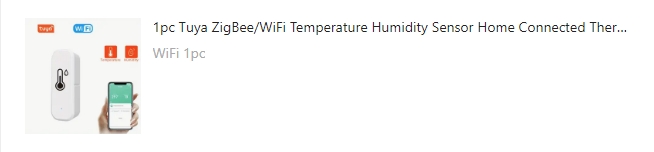
I bought a temperature & humidity sensor at Temu and it was connected easily to the Smartlife app. Unfortunately it can’t be connected with the Tuya cloud app yet.
I hope the device can be added.
Info from the Tuya platform.
Product Name - WiFi Temperature & Humidity
Device ID - bfa483292bb6eec1d7egyz
Product Category - wsdcg
The device is discontinued at Tuma so all I can show is this image.
I have Ledvion GU10 spots configured in the smart things app, and connected with the Tuya Cloud app of Homey.
Until 2 days ago everything was fine. But then my flows stopt working.
In a flow I switch the light on/off, change the temperarture of the light and change the dimming level.
The flows didn’t work anymore. Not by pushing the buttons, not by using the app.
I could turn off/on the light in the devices tap. So the connection was working.
After a while I found out that when I removed the dimming setting from the flow, it worked again.
The temperature doesn’t stop the flow, but it doesn’t change either.
Can this possably be a bug in the new version of the app?