This is my option? Unlink link is present. I use Tuya Smart app by the way


@Jurgen_Heine @Grzegorz_Zalewski
I checked the code and found these differences:
- light device:
usesawait this.operateDeviceto set values
that is based in basedriver.js and callsthis.homey.app.oldclient.device_control, based in lib/cloudtuya.js
I used th eairconditioning as blueprint for the heater.
- heater device
usesthis.sendCommand
that is based in heater/device.js and in this functionthis.homey.app.tuyaOpenApi.sendCommandis called, based in lib/tuyashopenapi.js
So these devices are using different APIs. What’s the right one?
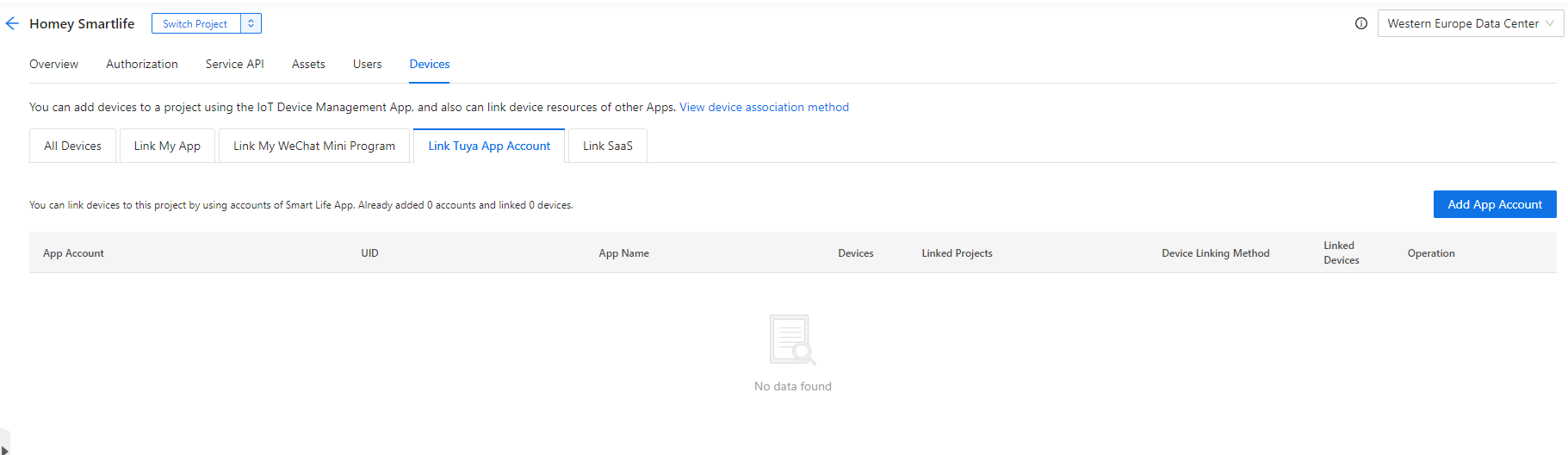
What if you hit “switch project” and pick your other project?
Same thing.
@RonnyW There are 2 light devices and drivers. Folder with light is old and the TuyaLight folder is the new one. The first uses indeed the old API ooerateDevice and is deprecated and second one uses sendCommand
@Roger_Gorissen there are no errors and I see in return message the following:
log] 2022-09-02 10:56:01 [TuyaCloudApp] TuyaOpenAPI response: {“code”:2001,“msg”:“device is offline”,“success”:false,“t”:123456,“tid”:“xxxxxxx”} ( id’s replaced). So your device is not reachable by cloud api and probably only local control with Smart life/Tuya app.
I checked again in debuger. The API returns a “invalid token” result with code 1010 although the token should have a longer lifetime based on the token expirer timestamp.
I changed the API code a bit to solve this error code :
    async sendCommand(deviceID, params) {
        this.log.log("TuyaSHOpenAPI: sendCommand()");
        let res = await this.post(`/v1.0/devices/${deviceID}/commands`, params);
        this.log.log("TuyaSHOpenAPI: sendCommand result:");
        this.log.log(res);

        if (res.success == false && res.code == 1010){
            // force re-auth
            this.tokenInfo.expire = 0;
            this.log.log("Error on sendCommand, force re-auth.")
            res = await this.post(`/v1.0/devices/${deviceID}/commands`, params);
            this.log.log("TuyaSHOpenAPI: sendCommand result:");
            this.log.log(res);
        }

        return res.result;
    }
I added some log lines and the IF statement which cleares the token expire timestamp and calls the POST function again, which is refreshing the token.
That’s working fine now. I will check it today and if all if ok, I will create a PR - if fou prefer this change, too.
@RonnyW this is fine for me too. Strange that the token is invalid before expire time and that it, for now, only effects the heater.
Yes, very strange. Perhaps it affects new added devices? Who knows. The main thing is that it works now for me 
Ah, that brings us somewhere. At least I think.
Are it the values at “t” or the “tid” that shows that to you?
Do I have to change something in the Smartlife app? Do you know perhaps?
@Roger_Gorissen I posted the complete return message( in JSON format) with msg part who saing this. This is what the Tuya API is returning.
There is new test version with fix for authentication problems heater by @RonnyW
Hello, switching recently to the new API, my screen switches are not working anymore. Tuya app is working perfectly, but the homey Tuya cloud app has no control over them. I removed all screen switches from Homey and added them again, but still it does not work. Other things like curtain switches in the Homey Tuya app are working.
What can be the issue?
They’re probably not supported as Homey device. Look for “tap-to-run”, or “raw commands” in post #1, so you can control them with a workaround
Thanks for the tip Peter, but the strange thing is that they were working with this app until i got messages to switch to the new API which i did. These are also quite common screen switches.
With a new API it should be backwards compatible.
Well, if you were a customer of a paid app, what you say makes sense.
But I don’t know if you realize the real world here.
Jurgen is just a unpaid volunteer, working for us in his spare hours, and dependent on whatever Tuya provides.
So, imho “should be backwards compatible” is not always easy to realize or taken care of in a few minutes.
Let’s not forget Tuya is quitting the legacy api…
I’ve had the other way round experience: my PIR sensors (nothing battery operated) were supported in the legacy api, but now they are in the official api.
It’s just how things go imho
The issue is, they all look similar, but can have different firmware;
For instance, often a device from last year works fine, but a recent one isn’t working.
Awesome! This works perfect for my curtains now!
They stopped working after new API, but now they are working again!
Thanks for this great workarround 
YW, but thank @Jurgen_Heine to make it happen 
Don’t know if you can set your curtains to a certain position now, otherwise try this
Hi @Jurgen_Heine, thank you for the wonderful work so far. Would it be possible to add support for the Tuya smart knob (wireless dimmer switch)?
