If time-out is the problem a restart of app should fix it for now.
I restart Homey 2 times in a week with power tools( experimental feature) for Zigbee problems and therefore the Tuna app is also restarted and I have never had time-out problems. I can shorten refresh token time if needed.
There are almost 7000 users and this is first time it is reported and as mentioned before refresh time is same as for home bridge and home assistant implementation. Maybe the time is shorten or there is an other problem.
I checked the expire time of the token. It’s 2 hours valid and it’s refreshed automatically before expiration like Jurgen wrote.
So perhaps it’s a temporary Tuya internal error?
Restarting Homey: no effect
Removing the app from the Homey and reinstalling it, with the right parameters, adding one light, as shown from the Smartlife app: no effect!! So, turning the newly added light on in the newly installed app causes no reaction from the light! What’s going on? Beat me, I don’t understand.
Turning the light on in the Smartlife app doesn’t change the status of the lamp in the Homey. Don’t know if that should be, I think it does.
Please, any suggestions?
Edit1:
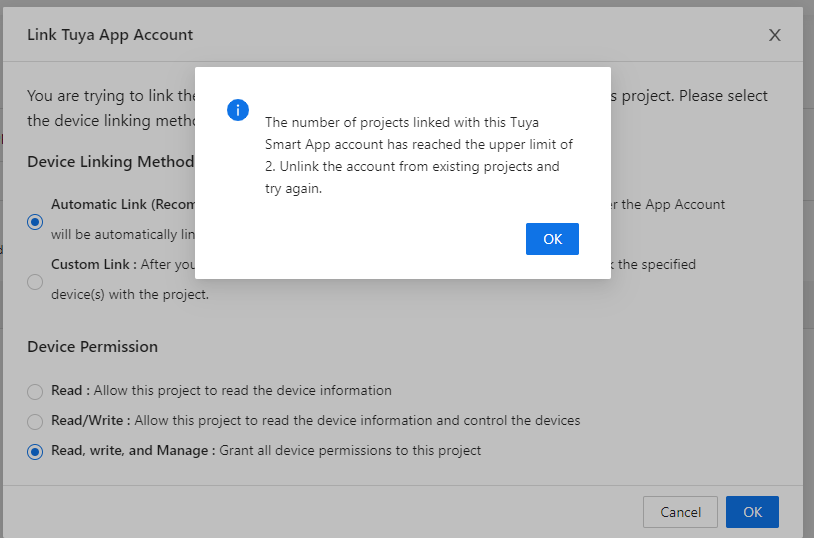
I thought that adding a new project in the ioT Tuya environment could probably be a solution. So adding a project, connecting the Smartlife app to it by scanning the QR code. All my deices were added. I changed the requesting codes in the Tuya Cloud app, added devices from the SmartLife app but I still can’t control my lights! Really, I’m out of suggestions. I really hope any of you guys can help me.
@Jurgen_Heine : does it help to send toy a diagnostic report of my app???
@RonnyW, as said before the data you send to Tuya can be wrong and you can get the message, seen it before. One of the examples when I get the message is when I send a string value and a Boolean is expected.
@Roger_Gorissen , you can send a report. Only when there is an error in the app it’s uesefull. Tuya ( configuration) errors should be reported as is when pressing save.
That’s really strange. I only used on/off and set_temp. And this is working after a app restart. And after some time I get the invalid token error.
I thought the device could be offline, but with the Tuya mobile app all is ok and I can change device settings.
So I don’t know wherre to search…
By the way, @RonnyW Huge Thanks for heater. I also plan to add it when I move it to the new house. (i have tuya thermostat installed) Definitely, I will do some heavy testing :>
That is indeed very strange and never seen this. My lights and sockets keeps working and don’t suffer this behaviour. To be honest I don’t know what this can be and I don’t own a heater, so I can’t debug it myself. As I said, I have seen this message before when sending wrong data format, but this was obvously diect with first command and not as you described after I while. I still think this a heater specific issue because it’s not reported before, not seen it diagnostic reports by users.
So some thoughts:
Does it happen after you send a specific command and all commands after that will be invalid?
Is the state of your device changed with one of the functions not changeble by the API and doe this cause the errors?
@Grzegorz_Zalewski, there is some rate limit, but seen it only ones from Homey and the error from Homey was in this case “Rate Limited”. Maybe there is a rate limit from Tuya and this is the message.
Hi,
I tried to configure tuya IoT platform and followed these instructions.
I configured everything as described but when I tried to link devices from Smartlife somehow 0 devices are added after BC scanning. What could have been causing this? Did I overlook something?
Don’t know, then something went wrong with QR code scanning?
I just followed post #1 and it worked right away. So you tell me what"s going wrong.
Not to brag or anything, but the instructions are 100% accurate.
Try to scroll up this topic and start reading, almost all issues and solutions were discussed.
As pure text this might look a bit harsh, I mean this in a helpful way, not ironic / sarcastic.
Maybe I misunderstand the part below. Does that mean I have to remove them from Homey or do I need to remove and reconnect them from the smartlife app?
If you are already used this app, the existing devices will still use the old API!!!
You have to add the devices again to use the functionality of new API.
If You don’t need the legacy devices anymore, you can delete the legacy devices. When you don’t have legacy devices anymore, set the API dropdown to official only
Sent you a diagnostic report, b684529e-ea9c-48e1-8754-43f202a69fb1.
I receive no error message in the app, so I don’t think you’ll find anything. But who knows.
What feels strange is that the Tuya Cloud app has worked for a few months without any trouble. And now all of a sudden, I got unexplainable problems. As far as I cak see and think of, everything is set up as it should be.
I really do hope you think along to find a solution. What happens to me can happen to more users…