Same for me
Soooo frustrating :-/
Indeed, hope for a solution asap
App works fine here, so it must be a setting.
First try adding devices with the web app.
It shows usable error numbers if I’m right. These numbers and possible fixes, can be found in post 1 of this topic.
Also, make sure to select “Use Official only” at the Desired API field
Also, check if the free of charge iot core supscription is still valid, it needs renewal each 6 months:
I extended IoT core, that fixed it! Many thanks!
Thanks guys for your advice. All good now. Have a good night, J.
Hi Kringloper,
Any solution for this ?
I have same issue with radiant heater.
Same fault.

it’s OK now, I hadn’t done the IOT extension on tuya iot
thank
Does anyone use the Tuya energy meter clamps? Can these be used with this app?
Thanks
Do you already own these? Do they work properly? I am looking to measure power consumption of a two phase group (typical Dutch “kookgroep”)
Thanks for this, it is a somewhat weird renewal but it still works nicely.
Tuya IoT Platform Service Expiration Notice
- On the day of expiry you will receive an email
The IoT Core was still working on that day.
Dear Tuya IoT Platform Account Manager,
The service IoT Core you subscribed to will expire on 2024-11-01, If you need to continue to use,please renew this service.
How to renew your contract: Please check the services you subscribe to and select the corresponding expired / expiring services to renew: www.tuya.com/vas/user/service
-
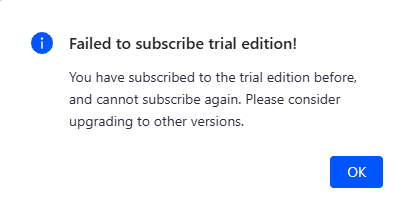
I was offered an option to buy a free subscription for 1 months or pay. I chose 1 month and selected Buy Now.
-
I was rejected.
-
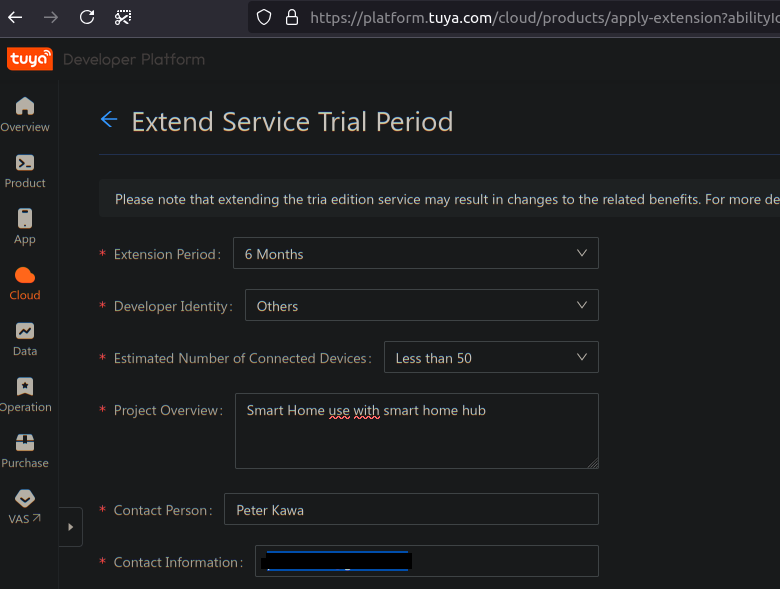
Under Subscribed Resources for IoT Core I was offered (marked in RED) an option to extend the trial.
-
Trial extended by 6 months.

Hmmmm, I never used a ‘buy’ button, but I never use the link from the reminder email message.
I just go to https://platform.tuya.com/cloud/,
- open my project
- go to Service API
- click on IoT Core ‘view details’
- answer questions, and then I can request for a new trial period of 6 months without using any payment or buy button.
- next day: trial period is extended
Still same as explained in Q2-b:
https://community.homey.app/t/app-pro-tuya-cloud/21313#q2-b-will-i-be-billed-after-the-free-trial-of-the-api-service-expires-22
Hello everyone,
Hope someone can help me out with this. After trying several times I’ve finally linked a device to my app which is linked to the cloud project which also has my Smartlife app linked.
I’m using this:
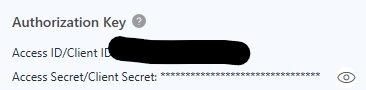
for filling the api key and api password, which are the Access ID Client and Secret Access.
Also put some randome leters and numbers as the random decieve key and region eu as I am in EU.
Whenever I try to add a device it says “1106: permission deny”
I’ve looked it up and it is because you haven’t linked your smart life/tuya app (I did) or because you are introducing the wrong user/pass.
I am doing everything right I think as per the instructions but can’t get to add devices to homey 
Could someone please give me a hint here?
Guys, need help. Trying to config settings for Tuya Cloud app on HP2023, but have Error Code 1106… But I know that all points are done correctly:
- app account is linked to my cloud project
- Account name and pasword are correct
- Country in app settings is corect
Have any ideas?
From the known errors (post #1):
I made app setup sucefully. Now I need to connect Tuya thermostat valve. Can I do it with my HP2023 app or I should do it with Tuya Smart app first. And do I need Tuya hub for it or enough only HP2023?
Asking because when I trying to find new device, HP2023 don’t try to find it and write that “No new device was not founded”

You’re referring to the community app, right? You need to add stuff to the Tuya app and then you can add it to Homey.
For example: if you add five lights to the Tuya app and rhen add “something” to the Homey Pro Tuya app, you will see those five lights available to add

In that case your specific model isn’t supported as device.
To use it anyways, search for “Tap-to-run” or “Raw commands” howto’s in post #1 !
