yes
@widameista Can you send a diagnostic report
hope this is what you asked for:
54DA4DD3
@widameista no that’s a full homey report, which only Athom employees can see.
If you find any issues, send a report via the mobile homey app
More - apps - Synology Surveillance Station 2 - settings wheel right top - send diagnostic report (put your email in the input field to make it easier)
Ah, thanks.
d15a3cfa-de45-4d4e-b406-e933d0a88ec8
@widameista no info about snapshots in your report, please make sure to take a snapshot before sending the report otherwise i wont see the result in the logs
7e558109-9dcd-4ce8-b2ab-1271efbae827

@widameista everything looks alright, can you try a homey restart?
i restarted already yesterday evening 
Hi @martijnpoppen,
The Surveillance Station app on Synology NAS is recently updated to version 9.2.0-11289.
The refresh option in the “device overview” where an actual image of the camera is showed (snapshot) was refreshing the image, but the time of the refresh was staying at 5 day’s ago. After restarting Homey Pro and also the Synology NAS the whole functionality was gone. See image below:
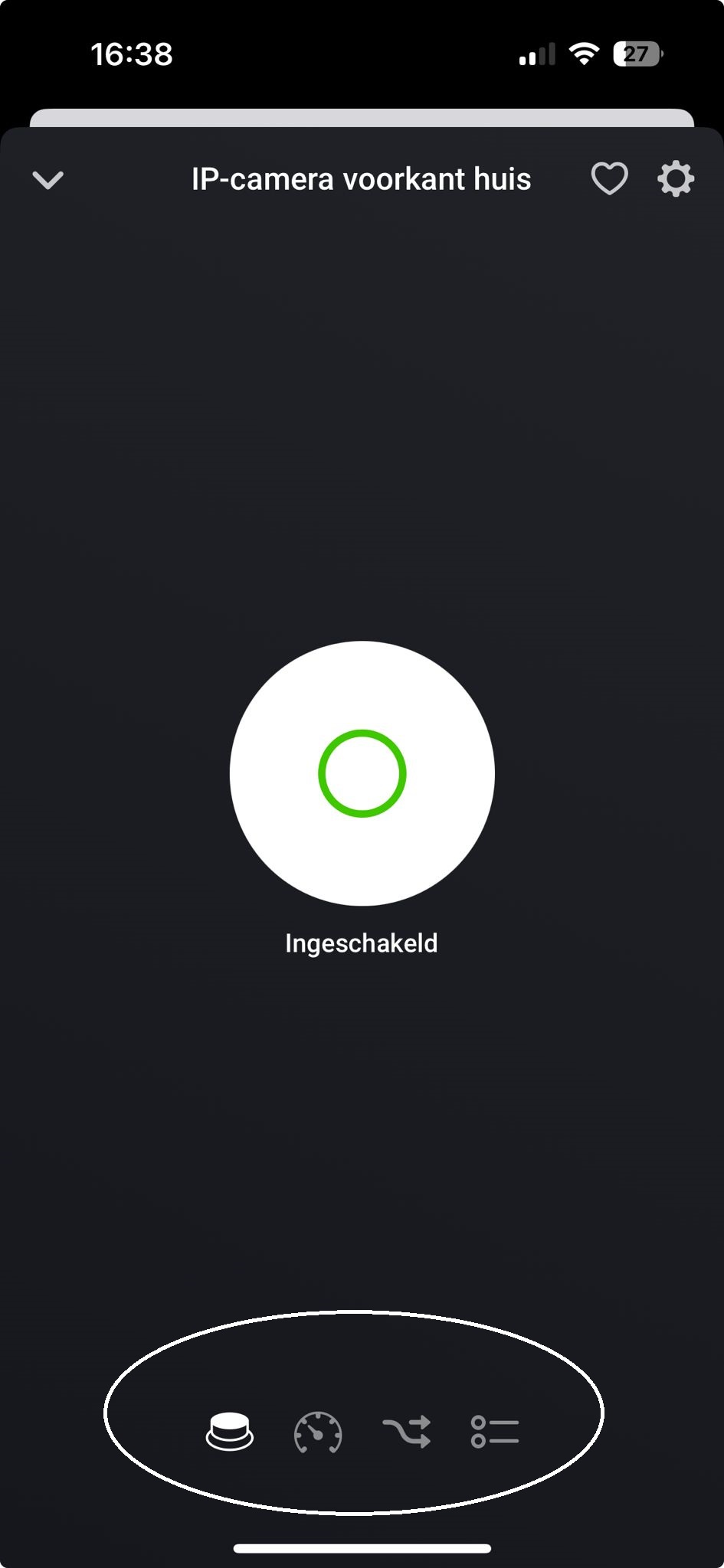
Restarting the Synology NAS and Homey Pro again has not changed the situation.
I have also created a diagnostic report: 7f933f75-6f51-4fc3-a680-fdadf3067310
Are you able to check what is happening here?
If you need more info, let me know.
Thanks in advance,
David
Will have a look guys. Nothing change in the app. So looks like something else
Hi @martijnpoppen,
I have exactly the same problem as DaaFFF.
Also updated the Surveillance Station app on Synology NAS to version 9.2.0-11289, now the refresh option in Homey app is gone, no snapshots anymore.
@G_Gerrits see post above yours…
@widameista @DaaFFF @G_Gerrits
I tried it on my own NAS
With these versions:

It worked immediately.
I would suggest to try a repair of the cameras and the surveillance station in Homey and see if that resolves your issue.
Also please send a diagnostic report after that
Hi Martijn,
Hereby the diagnostics report: d371ba74-d4d4-43ac-b2a8-7cffcf269ac6
Repair action doesn’t fix the problem.
We use latest versions of Synology:
DSM 7.2.1-69057 Update 5
Surveillance station: 9.2.0-11289
Before i updated Surveillance station, it worked fine, after that options for screenshots are gone in the Homey app.
According to the release notes of Surveillance station: 9.2.0-11289 theres a change in user roles.
Can you check the following:
- Inside Synology surveillance station
- Go to User
- Check if the user (which you use in Homey) has administrator priviliges. This is a requirement to use it with Homey.
As mentioned in the patch notes:
- Added support for a new default privilege profile named “Administrator” that grants users access to all objects and the ability to manage Surveillance Station settings. Certain actions that involve modifying DSM settings are restricted and require the user to be added to the DSM administrators group.
- Offering a streamlined interface by hiding the Map and Snapshot application from the main menu and desktop for users without view privileges.
I’ve changed the privilege profile to administrator and that is indeed solving the issue.
Thanks for your time!
Hi @martijnpoppen,
That fixed the issue indeed.
Thanks Martijn.
my synology is a DS220+

The user used in Homey is admin in both stations
after completly reinstalling app and devices (station and camera) i can see a picture again.
thank you
