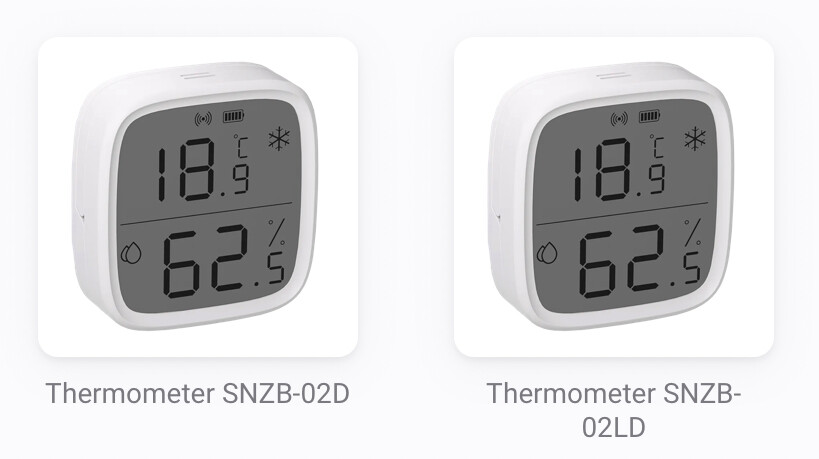
In my case it was more of an question, don’t feel like spending ~70€ and cant use them. And btw official app don’t list SNZB-02LD as supported device? SNZB-02LD and SNZB-02D are not the same.
Hello sonof users, i was looking into Sonoff TRVZB radiator valve. But unsure if there are any good experiences with it in homey? Would like to hear if any additional stuff to take into account
Hi, will the new Sonoff Zigbee Plug S60ZBTPF supported in the Sonoff App? Regards GeKa
Is the SNZB-02LD the same device as the waterproof device a few posts above?
 same number but doesn’t seem to be the same device according to the pictures.
Can it get data from a tube in a solartank?
I’m trying to get a SNZB-02D connected to an early 2019 Homey. The the device can’t be found. 10 seconds reset button doesn’t give a red flashing light… so no connection.
I don’t personally have experience with these devices. If the community app (including the latest test version) does not work in your case, then try the official app.
I see that the official SONOFF app for Homey was recently updated. Also the images were updated. It supposed to support these three devices:

There is also a more recent test version available v1.7.7 that you might want to try.
You can also contact the developer of the app, if needed, via the contact details in the Homey App Store.
@Bastiaan_P, I have two SNZB-02D and one SNZB-02LD in use, connected via the “official” Sonoff app which was already mentioned by @SunBeech, and they work flawless.
Only the sensors SNZB-02LD and SNZB-02WD are IP65 water-protected.
Thanks. I’ll try that.
The 02P is working flawless.
And the 02D was working at home on the 2023 pro very well. But I took it to my holiday home on the old Homey 2019 and it won’t connect
Tried the test version but still not…
I also tried the official version.
Strange enough one asks to put it in pairing mode by pushing the button for 5 seconds until the zigbee signal flashes on the screen and the other 10 seconds until the red light flashes (what red light?).
Restart homey, restart app… still no succes. I will contact the developer.
Added Smart Water Valve, works very well 

Subject: Request to add support for Zigbee Motion Sensor ZG-204Z
Hello,
I have a Zigbee Motion Sensor with the following details:
-
Model: ZG-204Z
-
Manufacturer: HOBEIAN
-
Role: enddevice
-
Wireless: Zigbee 3.0
-
Battery: CR2450
When pairing with Homey Pro, it is only recognized as a Generic Zigbee device. It does not show up as a motion sensor, so I cannot use it properly in flows.
Could you please add support for this device in the Sonoff Zigbee app?
Thank you very much!
Hello Frico,
This seems to be a Tuya Whitelabel device;
Try adding it again after installing the test version of Tuya zigbee app, and cross fingers.

(Tuya tends to use different firmware and device ID’s in exactly the same device models)
The same here. It would be very useful if you could add the “Plugged-in” option to the settings of each device. So each user can choose how the device should be treated.
Few weeks ago I bought the Sonoff SNZB-02WD Temperature Humidity Sensor. Very nice. Pairing directly to Homey was ok. But it seems the sensor is draining the battery. First I thought it was a bad battery but the next one did exactly the same. It is within 5 meters from the Homey Pro 2023.
I wil start using it without pairing it to Homey and see if it is better. But I bought it to use it with Homey. Any ideas? Is Sonoff APP OK?
Some thoughts:
- Does the device tile’s Advanced Settings contain a reporting interval that is perhaps set to a very frequent interval?
- This device is also supported by the official SONOFF app for Homey. You might want to check whether that app, shows the same behavior.
Thanks for your reply. Unfortunately, there’s no option (yet) to adjust poll/interval times. I’m using Homey’s official Sonoff app. For coming weeks, I keep it stand alone to see if it is hardware failure.
But if anyone has any idea, suggestion……

Update few minutes later  . Was not able to add it to Community app. If I add device, select Sonoff Community app, it’s stil is added to the Sonoff Homey app?!
Hmm…. ok let’s give it a chance. Made a flow to check battery <80% 
=======================
Thank you! Did not realize there is a community app  . I just used the official Homey app without looking any further.
Tested the Sonoff SNZB-02WD without connection. Battery still 100% So it is not the device itself. And because now I know there is an Sonoff community app I installed it and connected it very easy. I give it a try to see whether the battery is treated better by this app. Or at least better than the Sonoff App from Homey itself.
If you temporarily disable the official app and then pair the device via the community app, it will use the latter.
