Hi, does anyone know how to connect Sonoff SNZB-02LD to Homey Pro?
I personally have no experience with this specific device, but the official SONOFF app lists it as a supported device.

The community SONOFF app does not seem to support it.
Hi,
It is supported now, however I had to reinstall the Sonoff App from the Homey website for the device to appear as selectable. I’ve successfully added it to my Bridge.
KR
Hi Daniel
Is it possible that you can describe the process you went through to add this device to your Homey Pro? Is it necessary to have a Sonoff Bridge to achieve this?
Your help will be appreciated.
Ah well, that will teach me. A little more perseverance (and the right app installed on my Homey Pro) and it was very easy. Push the button on the back for 3 seconds to put the device in pairing mode. Then add the device in the SONOFF app. How to make yourself feel like a dummy…
Hi,
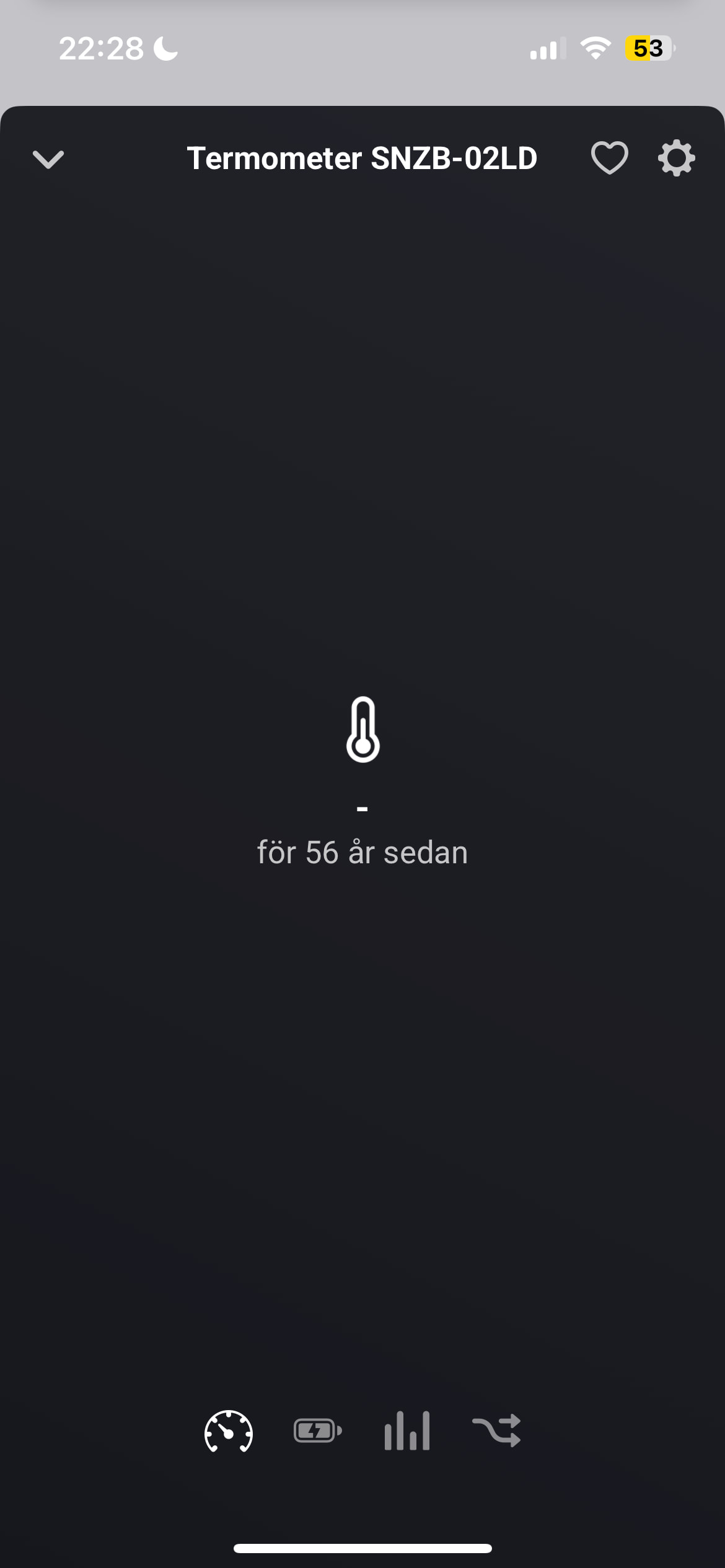
I am trying to add Sonoff SNZB-02LD to my Homey Pro 2026, but keep getting “left the network” during adding the unit.
There was an indication of 56 years since update of the temperature value (never shown), which I guess is Unix start time.
How can I debug what is the problem, or does anyone have an idea to help, please?
Cheers, Fredde

As I’m using three of these I had to test to remove and re-add to Homey.
Homey Pro 2023 (FW 13.0.0)
Sonoff SNZB-02LD (FW 1.1.0)
Added via Sonoff - By StyraHem (v1.8.3) app.


What You can try:
Remove device from Homey.
Remove Battery for few min’s.
Being close (1-2m) to Homey:
Re-insert battery.
Add (correct  ) device via app described above, keep pin/toothpick inserted until detection starts.
That has worked for me every time.


I have only one more thing that might cause problems.
If You have several “Sonoff” apps installed simultaneously (there are at least three different).
That’s just a wild guess but there can (theoretically at least) be interference between apps.
So if nothing else breaks or is easily fixed You could remove the other apps, restart homey, reset the thermometer and just use the StyraHem’s app.
Thanks.
I suspected that network disturbance or channel overlap might be the reason so I “optimized” (TP-link lingo) the wifi router channel usage with result in picture.
My Homey use zigbee channel 15 but I don’t know which wifi-channel this potentially conflicts with.
Anyways, the problem still remains.
But, I do have another app; Sonoff Zigbee, with no devices connected.
I will remove it and try again, as you suggest.


I uninstalled the app SONOFF Zigbee, and rebooted Homey, but problem remains.
Using Homey Developer tools I could briefly interview the device before it disconnected from network, but I have no clue if this gives any indication of fault:
“ids”: {
“modelId”: “SNZB-02LD”,
“manufacturerName”: “SONOFF”
},
“endpoints”: {
“ieeeAddress”: “a4:c1:38:04:cd:2b:ff:ff”,
“networkAddress”: 24398,
“modelId”: “SNZB-02LD”,
“manufacturerName”: “SONOFF”,
“endpointDescriptors”: \[
{
“status”: “SUCCESS”,
“nwkAddrOfInterest”: 24398,
“\_reserved”: 24,
“endpointId”: 1,
“applicationProfileId”: 260,
“applicationDeviceId”: 770,
“applicationDeviceVersion”: 0,
“\_reserved1”: 0,
“inputClusters”: \[
0,
1,
3,
1026,
32,
64599,
64529
\],
“outputClusters”: \[
25
\]
}
\],
“deviceType”: “enddevice”,
“receiveWhenIdle”: false,
“swBuildId”: “1.1.0”,
“capabilities”: {
“alternatePANCoordinator”: false,
“deviceType”: false,
“powerSourceMains”: false,
“receiveWhenIdle”: false,
“security”: false,
“allocateAddress”: true
},
“pollControl”: {
“checkInInterval”: 6960,
“longPollInterval”: 6960,
“shortPollInterval”: 4,
“shortPollWritten”: true,
“longPollWritten”: true
},
“extendedEndpointDescriptors”: {
“1”: {
“clusters”: {
“basic”: {
“attributes”: \[
{
“acl”: \[
“readable”
\],
“id”: 0,
“dataTypeId”: 32,
“name”: “zclVersion”
},
{
“acl”: \[
“readable”
\],
“id”: 1,
“dataTypeId”: 32,
“name”: “appVersion”
},
{
“acl”: \[
“readable”
\],
“id”: 2,
“dataTypeId”: 32,
“name”: “stackVersion”
},
{
“acl”: \[
“readable”
\],
“id”: 3,
“dataTypeId”: 32,
“name”: “hwVersion”
},
{
“acl”: \[
“readable”
\],
“id”: 4,
“dataTypeId”: 66,
“name”: “manufacturerName”
},
{
“acl”: \[
“readable”
\],
“id”: 5,
“dataTypeId”: 66,
“name”: “modelId”
},
{
“acl”: \[
“readable”
\],
“id”: 6,
“dataTypeId”: 66,
“name”: “dateCode”
},
{
“acl”: \[
“readable”
\],
“id”: 7,
“dataTypeId”: 48,
“name”: “powerSource”
},
{
“acl”: \[
“readable”,
“writable”
\],
“id”: 17,
“dataTypeId”: 48,
“name”: “physicalEnv”
},
{
“acl”: \[
“readable”,
“writable”
\],
“id”: 18,
“dataTypeId”: 16,
“name”: “deviceEnabled”
},
{
“acl”: \[
“readable”
\],
“id”: 16384,
“dataTypeId”: 66,
“name”: “swBuildId”
},
{
“acl”: \[
“readable”
\],
“id”: 65533,
“dataTypeId”: 33,
“name”: “clusterRevision”
}
\]
},
“powerConfiguration”: {},
“identify”: {},
“temperatureMeasurement”: {},
“pollControl”: {}
},
“bindings”: {
“ota”: {}
}
}
}
}
How many routers (mains powered Zigbee devices) do you have? And how many Zigbee devices in total? Can you check how many devices are directly connected here (“Route” column)?
He indicated that he has a Homey Pro 2026. Homey Pro 2023 and newer models unfortunately don’t provide insight anymore in the Zigbee route of a device.
Below is my reply, apparently rejected by Athom probably due to my mailaddress used dots in my gmail web. I hope this works better.
___
Attaching a snapshot.
Perhaps worth noting is that I started the Homey Pro 2026 from a backup.
I have not enabled all devices, so last seen dates say more.
I have tried many different distances from the Homey when trying to add the Sonoff SNZB-02LD device.
But, the Sonoff microwave precense detector SNZB-06P installed like a breeze.

This is very relevant: in many cases Homey is not able to restore a migrated Zigbee network. It seems that might also be the case in your situation.
Looking at your screenshot, for many Zigbee devices Homey reports a relatively high transmission error rate. Ideally the error rate should be 0/very low and the error percentage should decline over time. If the error percentage stays constant or increases, it means your Zigbee network has issues and Homey might not be able to reliably communicate with those devices.
My personal experience is that you have to reset the Zigbee network (via the respective option in the Homey Developer Tools). Next you have to repair all Zigbee devices via the ‘Try to repair’ option in the device tile’s Maintenance menu. Starting with the mains powered router devices (like smart plug), followed by the battery powered devices.
Without a stable Zigbee network you will run and keep on running into connectivity issues.
Thank you @SunBeech ,
I did reset the network and added one router.
After this the Sonoff thermometer connected without a problem.
Seems like the network was in a mess.
However Zigbee changed from channel 15 to channel 25 in the reset.
And, several IKEA Trådfri control outlets have locked in power on state and refuse to act on the reset pin. I give you they are old, but could they degrade such that they interfered with the network?

When performing a reset Homey tries to find a Zigbee-channel that has the least interference from other networks on the 2.4 GHz band (like your WiFi- and possible other ZIgbee-networks). Channel 25 makes sense if your WiFi-channel is 1-6 (not e.g. 11). Also check out this article that explains the overlapping channels (which you want to avoid): ZigBee and Wi-Fi Coexistence.
If you want Homey to use another Zigbee channel, then you have to keep performing the Zigbee reset until Homey selects the channel you prefer. But again, make sure there is no (or as little as possible) overlap with other networks on the same band.
I am not exactly sure what you mean (I don’t have personal experience with those IKEA devices). I don’t think that Zigbee devices normally degrade over time, such that it affects their communication.
Unreliable communication might be caused by the distance between Homey and the plugs or possibly the plug is in such a position that its surrounding is blocking the Zigbee signal/making it harder to reach (e.g. very low to the ground).
I also had lots of problems installing it. Zigbee device is correctly recognized, it stops blinking and the app says connecting, but then actually times out. The zigbee device itself is correctly added as zigbee, as I can see in Homey Developer Tools, but the app apparently doesn’t correctly recognize it. What worked for me:
- Uninstall Sonoff App
- Reboot Homey
- Add a Zigbee Device, select “Continue without app” instead of “Install Sonoff” when it recognized it.
- After a while you got a bare Zigbee device with a temperature reading. Unfortunately there doesn’t seem to be a way to retroactively connect it to the app.
I haven’t found a way to pair it with the Sonoff App active, which is disappointing.
