Yeah i got the same document from a contact on Huawei, and he confirmed that EV chargers can not be controlled via modbus, only some reading. It should be possible via OCPP, but i guess Homey does not support this yet.
let me check that part.

i wish this funtion aswell.
Tibber vill ju inte funka med laddaren 
I didn’t expect this to be an issue, but in the Energy tab in Homey everything gets messed up.
For example, I imported almost nothing last night (0 or 0.04 kWh), but Homey shows 2.5 kWh.
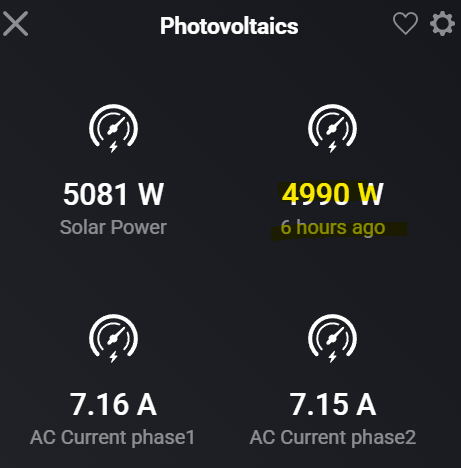
It also reports that my solar has produced 8.5 kWh so far, but that value actually includes both solar and battery.
In other words, “solar power” in Homey is currently showing solar + battery combined.
I believe the correct address for solar power only should be 31000.
And thank for all help so far, You are the best  The compay that sold me the inverter called me to ask how I did this and they wanted my help. They got it, thanks to you.



you can send me a report but I guess your ip has changed
yes solar power comes back at some point when you do disacharge of your battery . also charging is removed from solar power .
what is your device? I can change the label to make it more clear.
so s-dongle is cheap but slow and bad on connections. so I guess the connection is in a bad state. but like always only homey should try to read modbus , not another modbus app else you are fighting to get some connection and s-dongle can only handle 1 at the time.
IP did not change, it’s statically mapped in the DNS server based on the MAC address. And I still see it assigned and online on the router. Plus I can ping it.

No battery, just Inverter (SUN2000-12KTL-M2) + Dongle (SDongleA-05), both with latest firmware. Also no other modbus application.
Fusion Solar tells me Dongle has good Wifi connection.

How could I send a report?
Could you rename this and add solar power at adress 31000 so energytab in Homey get it right? I have A Reco but its the same as the Wattsonic + battery.
homey has to change this for energy , they need to provide a solution for inventers which has this 3 in 1 like solar, meters and a battery. they are aware . measure_power = pv - charge + disacharge
this is how it works for years
yes s-dongle , what a cheap horrible device is that . emma works awesome but way more expensive.

I replaced the Solar Panels app for the Solar TCP modbus app (stable v.3.0.169) and enabled the TCP modbus for my simple SolarEdge SE3500H v4.21.23 inverter.
There are two THEN cards available and despite of searching this topic I can’t discover the function for the card ‘Set Power reduce Limit to percentage’.
How is the Reduce Limit card working?

I see it on the pic , are you saying it does not work?. maybe install the test version of the app. also if you did anything on the solaredge mobile app than that will take priority and you need to reset it all. so you are in control again.
When I used this app together with Modbus, it didn’t work—probably because they were using the same ID? I now only use the Modbus app because I need both read and write functionality.
When I used your app, there were two readings called Charge and Discharge in W. They worked perfectly, and I really miss them. Could you please share the register addresses for those?
I have a RECO inverter with a battery, and it worked fine with Wattsonic with a battery.
I actually think that I found it.
FWIW, you can actually combine Modbus with this app, but you will need to manually manage the Modbus connection by:
- Settting the connection type (under Advanced Settings) of the Modbus app to Manually
- Using the Modbus flow cards to connect to and disconnect from your inverter.

