You did it!! Thank you this is so exciting 
I have added my vacuum .
I connected with token only, did not try with password and token but can if you need me?
11238e97-e914-46e1-9747-552680f983b3
You did it!! Thank you this is so exciting
I have added my vacuum .
I connected with token only, did not try with password and token but can if you need me?
11238e97-e914-46e1-9747-552680f983b3
No worries, if it works now for you I’m confident in it 
Hey Jan,
Could you make me a diagnostics report?
Bedankt
Kenny
Yes, here is the diagnostics report: 62b014a4-fb23-46e6-a13d-2b1c12e4ab41
Your diagnostics report does not show anything of the login sequence. Can you resubmit a diagnostics report right after you got the authentication error?
Can it be that you have one robot working correctly? As I see things passing by of a robot in the diagnostics report.
Kind regards,
Hi,
I have now tried to log in, and I have also tried to repair the device. Both methods give the same error as before. Here is the log right after the attempt: a6031437-fb7d-4f53-b3f8-60576a3008d8
man. 29. des. 2025 kl. 08:20 skrev KM via Homey Community Forum <notifications@athom.discoursemail.com>:
Sadly the diagnostics reports still shows me nothing related to the login sequences. It is sometimes a pain that Homey doesn’t submit a longer timeframe … I have only the last 2 minutes of logs in your case it seems the failed login already dropped out.
Can you explain me more on what you are doing? Because I just tried with my account and it works as it should, similarly, it seems to work for other people right now as comfirmed above.
Some questions for you:
Thanks,
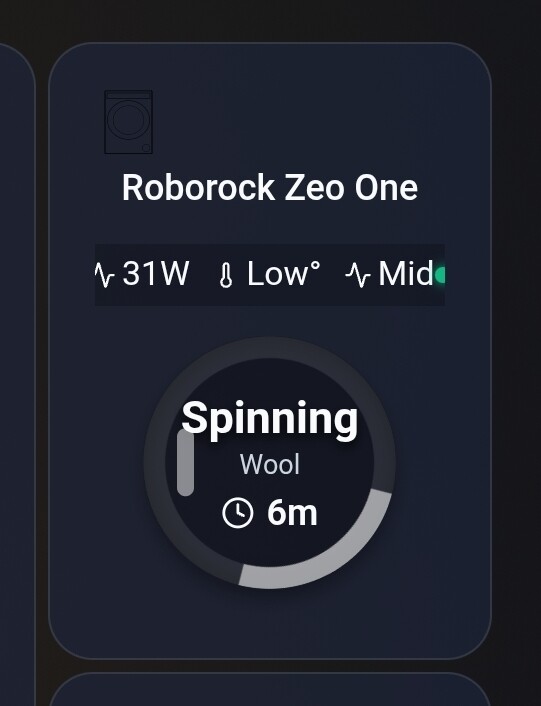
Big thanks to @KennyMoens for adding the Zeo washing machines. Finally I could create my washing machine dashboard widget
3.3.5 works! You’re a legend! I was able to run the vac from vacation! I’m the Homey app. Great work!
Hi @KennyMoens, I’m getting back to you because I’ve been having a problem with my S7 Pro Ultra for a while now. Whenever a Flow app starts up, it freezes, so I always have to restart it. Could you help me with this? Thanks in advance!
And by the way, congratulations on the great app development, and especially on the considerable time you’ve invested!
If needed, here is a diagnostic report for when the application is blocked:
3835d3c2-8860-4c63-b727-a79047a0ef60
Hey @Antoine_Chaulieu ,
Did you submit that report today? I cannot seem to find it.
Hi @KennyMoens i seem to be having another issue. The card empty dustbin does not seem to work, it does not cause my Q10 S5+ to empty.
In addition not related to the above, i get this pop up error when opening device.
I have another flow setup that announces when cleaning starts and that is working great.
Hi, sorry for the late reply.
Region shown in Roborock app: Norway
Pairing method: I have tried both auto-detect and manual region selection: Europe (same result).
Paired robots working: Yes, I have at least one robot paired and delvevis partly working.
What I’m trying to do / why I’m repairing:
My Saros 10 seems bugged in Homey. Under Cleaning mode I’ve lost SmartPlan. I only see 3 alternatives:
Vacuum + mop
Vacuum only
Mop only
Also, in the button/menu options I’m missing “Empty dustbin” and “Wash mop”.
Because of that, I tried repairing / re-pairing the Saros 10 to see if those functions would return.
Current login issue:
When I try to log in during pairing/repair today, I still get error 2010 in Homey. At the same time, the Roborock app shows a message that I’ve logged in on another app. So it looks like Homey is triggering a new session/token, and Roborock detects it as another client login.
Best regards
Jan-Thomas
970d2adb-48b0-4c48-8fd9-132508a91292
That’s odd, here’s a new code, I hope it works.
Hello guys,
No, I don’t see it. Some questions:
I’m using version 3.3.5.
Yes, I submit the diagnostic report from the application settings and not from the Homey settings.
Hi!
I have 3 robots, and all of them are available/working in Homey.
All 3 are also connected in the Roborock app, and they are on the same Roborock account.
Regarding the options:
About Cleaning mode / SmartPlan: I thought I had seen SmartPlan earlier, but I might be mistaken
I can confirm that Smart is available and selectable under Suction power and Scrub intensity
Product Info (below Model):
roborock.vacuum.a147
Dock / diagnostics:
I restarted the app and submitted a diagnostics report about 15–20 seconds after restart.
Diagnostics report: 6c1f5f5d-faf8-4515-8ecb-16606c56ae66
fre. 2. jan. 2026 kl. 09:02 skrev KM via Homey Community Forum <notifications@athom.discoursemail.com>:
Hello guys,
Does your dock also support mop drying? Or only mop washing?
Sadly, I don’t see that diagnostics report ID within v3.3.5…