Hi, I’ve been trying to use the “go to coordinate” card, but didn’t succeed yet. Any Hints?
I’ve tried for x,y:
- 26500,26500
- 24500,24500
- 1000,1000
- -1000,-1000
Nothing seems to move my RoboRock Q10 S5
Hi, I’ve been trying to use the “go to coordinate” card, but didn’t succeed yet. Any Hints?
I’ve tried for x,y:
Nothing seems to move my RoboRock Q10 S5
Hello guys,
That’s certainly possible, only I don’t know the exact value mappings yet. I’ll try to figure them out during the next weeks.
Sadly the go to coordinate is not yet supported for the Q10 series devices. As I don’t have access to a Q10 device at this moment, I can also not figure it out and implement it.
Kind regards,
The old app stopped working with auth errors. Got it to work again with the 3.1.0 test version, entering the code from the email, ignoring the error about an invalid code, and immediately restarting the app.
But I want to add a card to my flow to execute a routine and cannot select a routine from the list. The list is empty and entering the name of the routine manually also does not work. I’ve submitted diagnostic repot 81c121b7-ee92-4787-b23b-d2e4898aba25
Not sure if it is relevant, but I have two Roborocks (QRevo and S7)
Hey @johndoe
The diagnostics report does not show me enough info about that. The routines are only fetched upon application start, there is no scheduled routine (yet) to fetch them on a regular basis.
So trying to restart the app will fetch the routines again, if not, please submit me a new diagnostics report after the restart of the application.
Happy holidays,
Kenny
Thanks for helping out. I restarted the app and tried to add an action to a flow to execute a routine, but still couldn’t list the routines. Then restarted the app again and immediately submitted a diagnostic report: d7c0d46e-c37e-4984-b60b-47e04f6a6f10
Hey @johndoe
It seems you are getting 401 errors on the endpoints which are in use to retrieve the routines. It might have to do with having two devices, as soon as you repair you’ll get new authentication data, and it invalidates the old authentication data.
The authentication data is stored on a per-device basis in Homey, and I didn’t make the change yet to update all devices… I should really figure out how to do this though.
If my assumption is correct, it should work again if you remove the device that you didn’t perform a repair on. However if you repair the other device it might stop working again.
I’m looking into solutions.
Kind regards,
Thanks, that seems to be it. Since I do little to no automation with the S7 I removed it from Homey to only have a single QRevo device left. Restarted the Roborock app to be sure and now I can select routines from the flow card.
Great! I should have this fixed with v3.2.0 (now available for test).
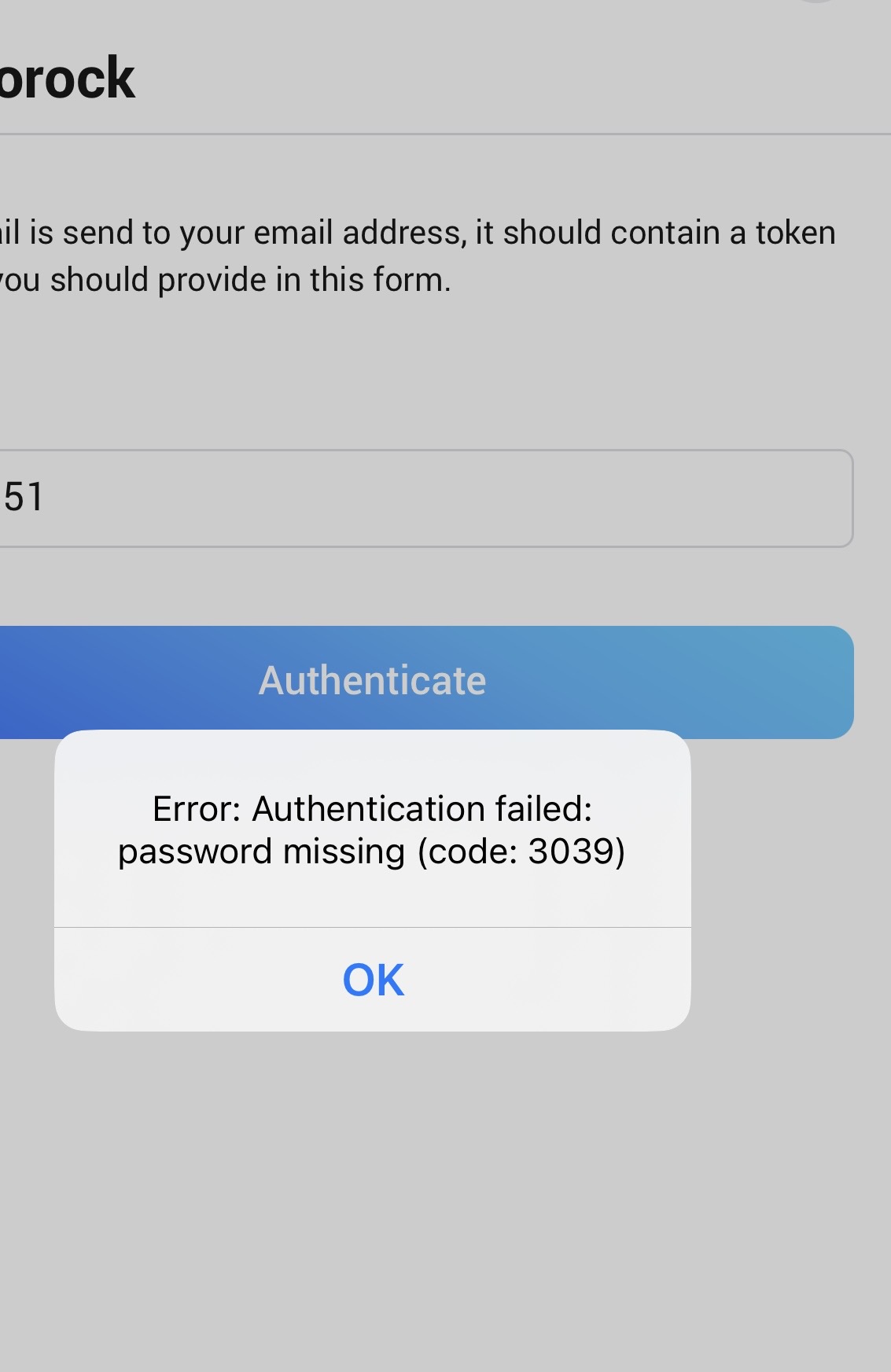
I’m getting this same error, even after deleting the app and then reinstalling 3.2.0.
I have 2 S7 vacuums.
Diagnostic report: b8f6bdc5-3089-4db8-b51a-a8548264deae
Hey @CtlAltDel
Did you get a code by email? Or which error did you get?
Your diagnostics report shows me that no code was entered, only a token was requested by email.
Happy Holidays,
Kenny
Hello guys,
I have the impression that for some accounts Roborock allows the login with the email code alone, while other accounts effectively need the full authentication flow with a password.
I’m currently working on getting the new password authentication flow implemented as well, in hope that this resolves it for the people who have trouble with it.
Kind regards,
Hello all,
I’ve pushed v3.3.0 towards test, @CtlAltDel @Mark520 could you guys check if this resolves the authentication for you?
Thanks,
Hello,
Now I’m really confused why it does not work… I really expected this was sufficient, at least the same flow works perfectly for me, but on the other hand, the old flow also works perfectly.
Are you anything technical? The only thing I now see left is try to figure out what occurs when you authenticate in the Roborock app, but for that you’ll need to make use of software like mitmproxy which can be quite technical to get running.
Kind regards,
Hey guys,
@CtlAltDel @Mark520 could you both retest with v3.3.1 available for test now?
I just discovered a bug that if you are no on the EU region you were not using the correct urls, which could trigger authentication errors.
At least for @CtlAltDel I know he should be on the US region, so that could explain it.
Kind regards,
That solved it! Both vacuums are back in service in Homey. Login was seamless. I appreciate the quick resolutions!
Still having an issue . . The problem child.
4b37e66d-d6ae-4907-ae21-5d64ba4eb304
Only asked for password no token option.
I’m in the US region and I’m getting the same error. Looking forward to the solution. I love how responsive this community is.
Will be checking in again later. All the best!