Hi,
I just paired yesterday two of the models with the 2.0.46 Test version. Worked like a charm. Same FW.
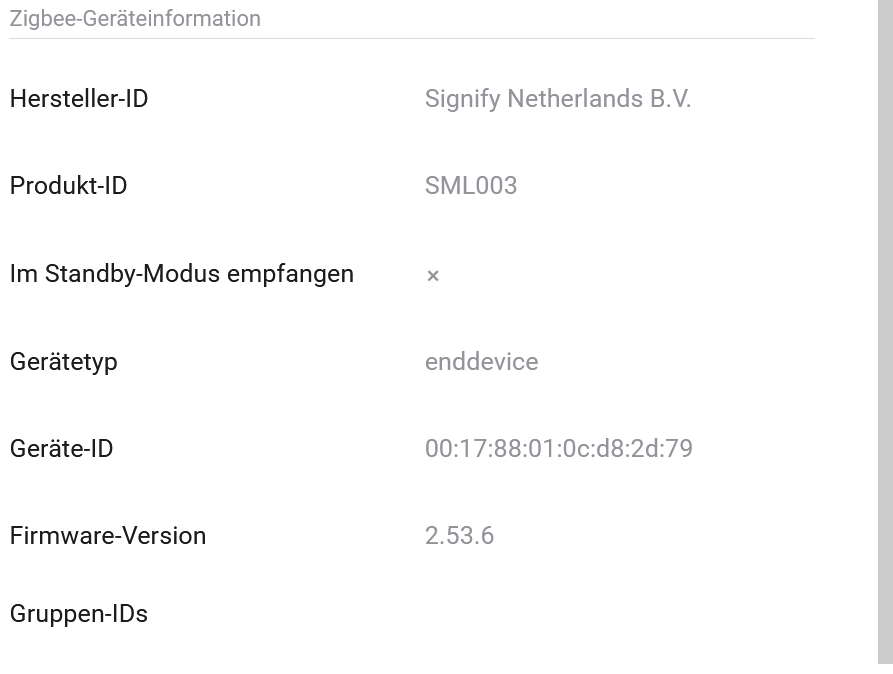
No and after installing the test version it’s found as an occupancy sensor and working!
Thanks for your support.
I replaced the interview code. With 10.0.1 the interview code is for an unknown reason expanded by the following:
            "commandsGenerated": "UNSUP_GENERAL_COMMAND",
            "commandsReceived": "UNSUP_GENERAL_COMMAND"
          },
          "identify": {
            "attributes": [
              {
                "id": 0,
                "name": "identifyTime",
                "value": 0
              },
              {
                "id": 65533,
                "name": "clusterRevision",
                "value": 2
              }
            ]
          },
Same problem as Evert. SML004 sensor seems to be stuck at High sensitivity.
Since Homey firmware 10.0.4 my motion sensors V2 stopped working. All V1 motion sensors are still working fine.
I cannot repair them and after removing them and adding them again the red triangle immediately pops up again.
Any idea? And can someone confirm this?
Did you PtP…
Allright, after restarting the app one of them starts working again. for the second I had to remove the battery and put it in again. And suddenly it starts working again.
So I had to try that first. 
did you find a solution for this?
No. The 004 version has an extra sensitivity level compared to the 002 version, and app needs to be updated for this. At least this is what i belive is the problem.
Hmmm hate it… my experience is that both versions are not working well. I think the 004 is partially disconnected from Homey after a restart of the Homey device. It is still working I guess but it shows an error. After repairing it, it works well until you restart again. Both sensors have the sensitivity on high. I think. Both are constantly triggering motion.
Exactly same behavior here. Also with the outdoor sensor. Has somebody reported this bug allready to the developer?
I have two 004 version of the sensor, and they both work just fine, no disconnects.
Only problem is they both are stuck on high. I am using version 2.0.46


Allright. Thanks! In that case we just have to wait. 
Hi there.
Athom has been releasing quite a few Zigbee updates, have something improved or do you still have issues. If so, please restart Homey, use the device, send me a diagnostic report and lable it with your usernamne.
// Johan
Did You manage to make tap switch 2 wheel working on your HP23?
Bought new hue outdoor sensor (SML004) because previous one suffered water damage. For some reason I can’t seem to add it as a motion sensor. Whatever I choose during install, the outcome is always ‘Occupancy’ instead of the wanted ‘Motion’. What am I missing/doing wrong? Still on HP Early 2019 btw.
The behavior of the slm004 as motion sensor is the same as occupancy sensor. If the alarm goes on, it will reset in 10 seconds if you don’t move again.
For the Hue motion sensor you can change the reset time. For the occupancy sensors not.
I want to be able to change reset time. This is the (only) reason why I want to set the SLM004 to motion instead of occupancy.
Based upon the device ID the app decides which device it is and which driver to use.
So you can’t install the SLM004 as a motion sensor. Why it is not possible to change the reset time could be due to the SLM004 or the app. I have no idea. Maybe you can ask the author of the app.
Even when it is possible to change the reset time, it might be changed in the device or in the Homey app.
The reason I can think of to set the reset time from 10 to 60 seconds is to have less network traffic.
In the picture below, you can change the reset time in the app, probably in case you miss an alarm off message from the motion sensor.

