Can you please check if that’s possible and working with the Fronius web portal? Just to check if it’s working in general.
I Will try. Another problem. I cant set chagring speed.
Before the new instsallation it was no problem to first write to 40356 to set the speed, and to 40349 value 2.
Its like the command charging works but not the speed. My batterys are getting charged att full speed so that part works.
Yes, I believe you 
But I siltt would like to see if the invertier itself is able to change this. Perhaps it’s a limitation in case of having 2 devices. I know Fronius has limitations for a second inverter, so perhaps also for a second battery.
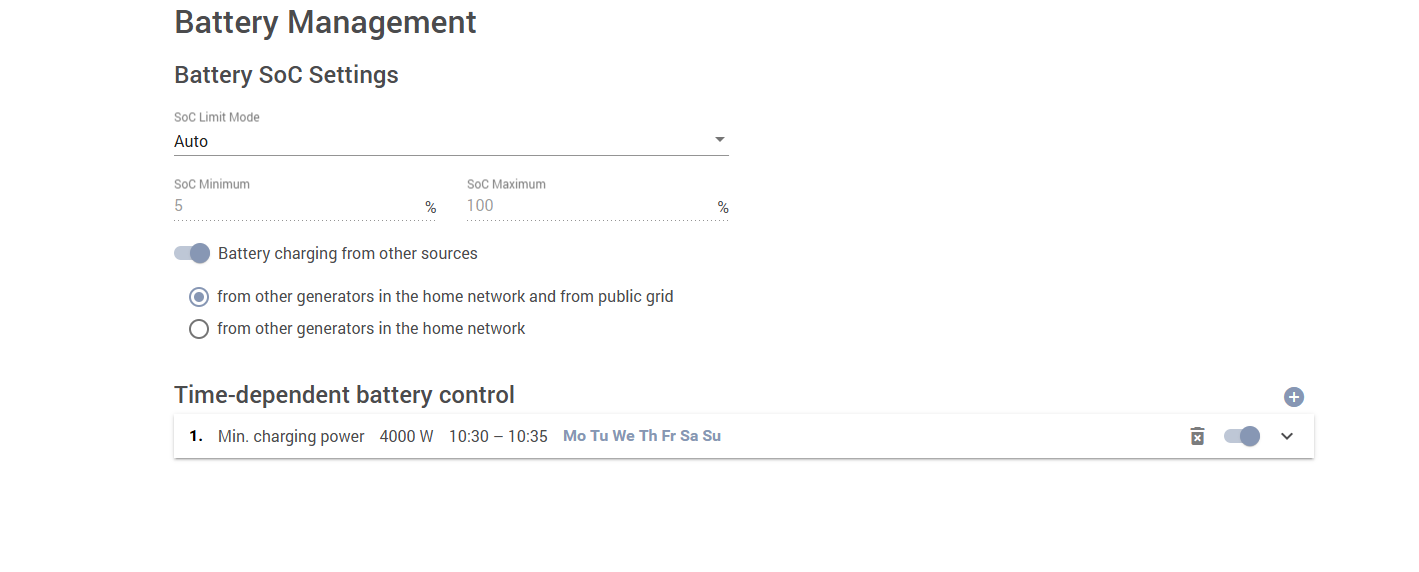
Can you set the charging limitaions in this view?
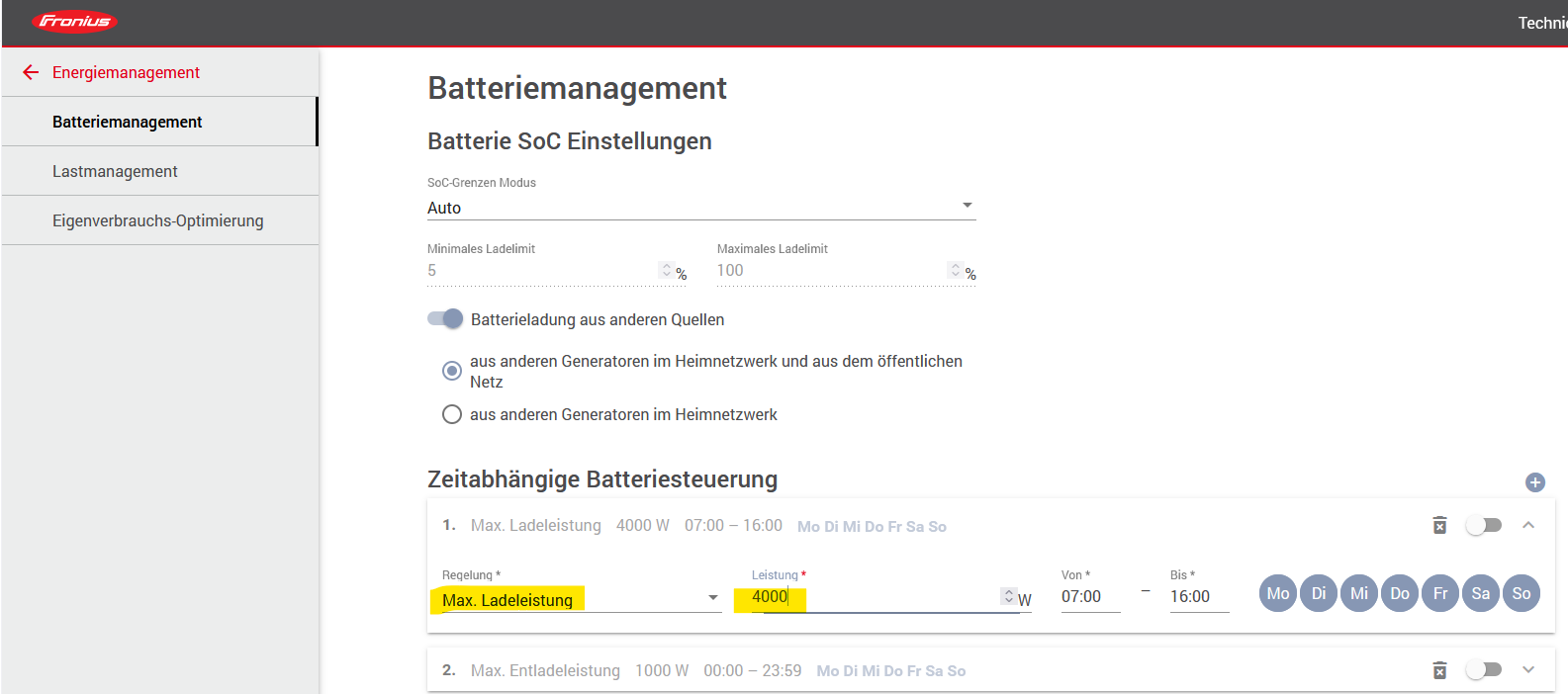
If not, it’s a case for Fronius support.
And you can check the inverter settings if the kWp is set correctly.

Yes. I can charge and discharge via battery management in the inverter settings.
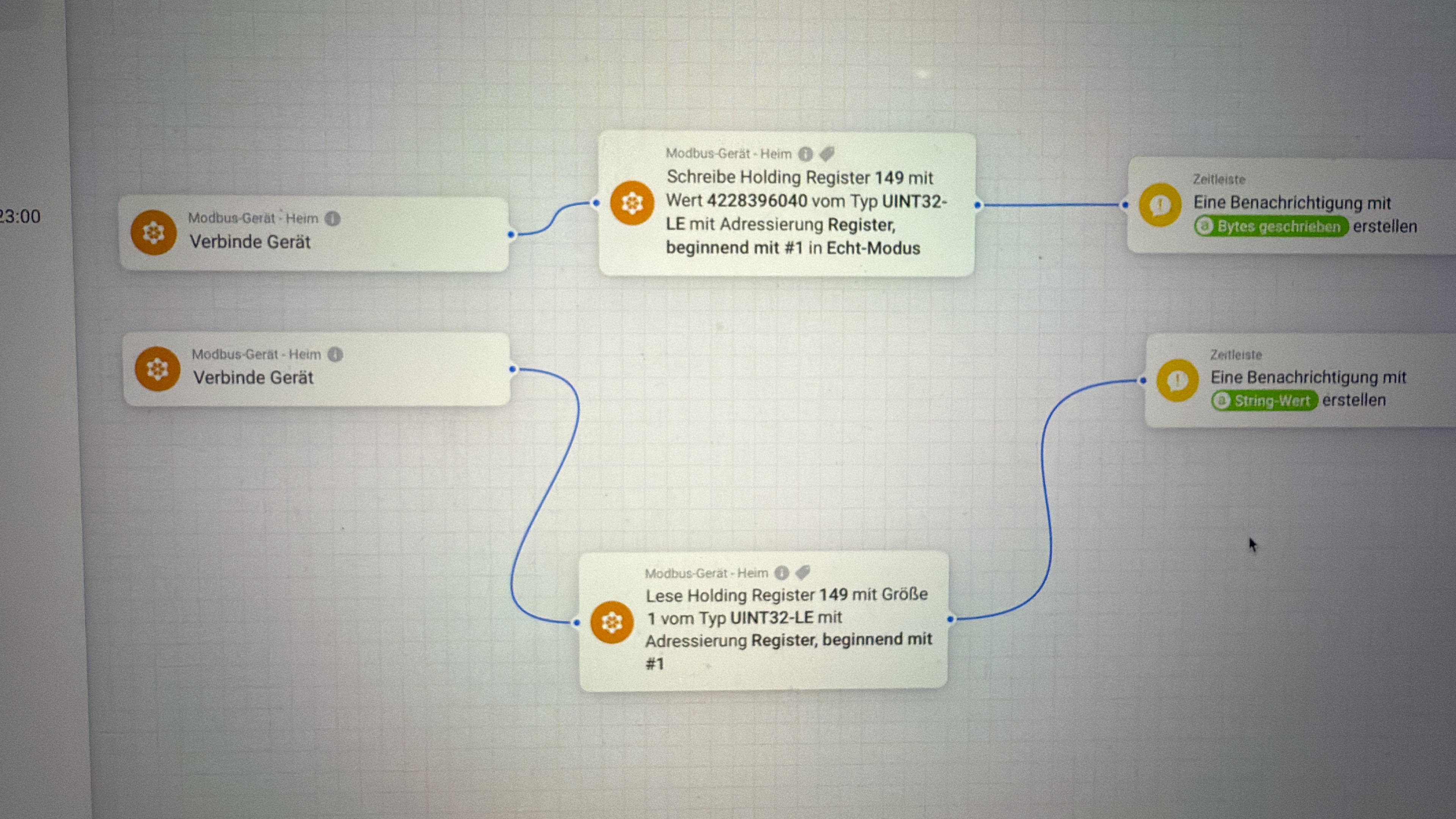
In my flows i set a fixed watt value. top flow, charging with X watt depending on other usage in my house. but my battery charges at full speed and ignores the fixed watt i write in the first card
Middle → normal settings, works great
bottom → paus battery. works great
the other flow is my max discharge when my car is charging, does not work, i cant set a fixed watt anymore to lower my dischargespeed



Thanks. I have to do some research. I haben’t seen differen Modbus registers for tis case yet.
A hint in addition:
The value you set in the flow card to restrict charging is not Ampere. It’s the integer variant for percentage ot kWp.
500 = 5% of max solar production defined in your inverter settings.
Thats strange, before i upgraded with another battery tower i was able to set a fixed watt. for example 500w when i charged my car but not after the installation. I have the same amount of solarpanels and have not changed any settings in my inverter. I changed from 500 to 200 and now it works, i only discharge with ca 500w. So i guess that solves the problem.


If you know that 500 is ~500W for you I would just use this.
So, for charging, does the same apply? That is, should it be a percentage that needs to be specified and not a fixed rate in watts?
That for all charge/discharge values.
In the Fronius Excel file you will find a description like “Percentage of max charging rate” or similar in column G. And as valid values, a ranage of -100% to +100% is shown in column K
I have made some calculations. I might have gotten it wrong the first time. I thought that the charging speed depended on the size of my solar panels (19.78kWp) , but my calculations show that it actually depends on the installed battery capacity (25.6 kWh).
-500 charges with ca 1,3
-1000 charges with ca 2,5
-1500 charges with 3,8
-2000 charges with 5,1
and -10000 ca 25.6
Thanks for the updated. Based on Fronius description I also thought it’s the panel kWp size defined in inverter settings. Good to know 
Wow, 25kWh battery is great. I have 10kWh (tower with 4 bricks). It’s getting too small these dark days.
Thats probably why the value was correct before my upgrade to two full towers. I had 10 kWh before.
I felt the same, 10 kWh cant take so much of the expensive hours but now i can use my battery for ca 10 hours a day. I have s flow that calculate my house consumption over a week. So depending of how much we use the hours can go up and down.
Dont mind the first 24h i the picture it was just a value a set the first time. But the picture shows how many of the expensive hours i tell my battery to discharge to my house.

Yea, I also charge battery in cheap periods. But last days got expensive. And if you have higher usage (washing etc). I need to charge at noon again to get over the expensive hours at evening.
But I’m sure the investment will not pay off only to skip expensive hours in winter 
@RonnyW
I add here my printscreen from my flows…the upper value have positive (+) value and the two below has negative (-) vales… and they just show 65523

Hi,
what value should be right in that case?
I would say your Modbus device uses a LE encoding, perhaps a mixed one where the 16byte registers are swapped.
You can try one of the INT32LE or INT32LER if that reports the right number.
And INT64 should be possible for reading. For writing I don’t have matching registers to test. 64bit is a bit ugly because you have a lot of BE/LE variants.
Ronny
I tried the Int32 LE and the Int32 (16bit word LE) with the same result. The correct value should be the outdoor temperature, around -2,5dgrC.
The first value in the picture are from the same sensortype, but indoor use, and the temperature shows the correct value… I have also tried a lot of other sensor adresses and all sensor adress with negative (-) valuea are not read correct (the same readings 65523, for all of them)
Can you please read the value with type BYTE to see what’s the real register value.
INT32 can’t be right for 2,5 value. I think it’s stores with a shifted decimal point like 250.

