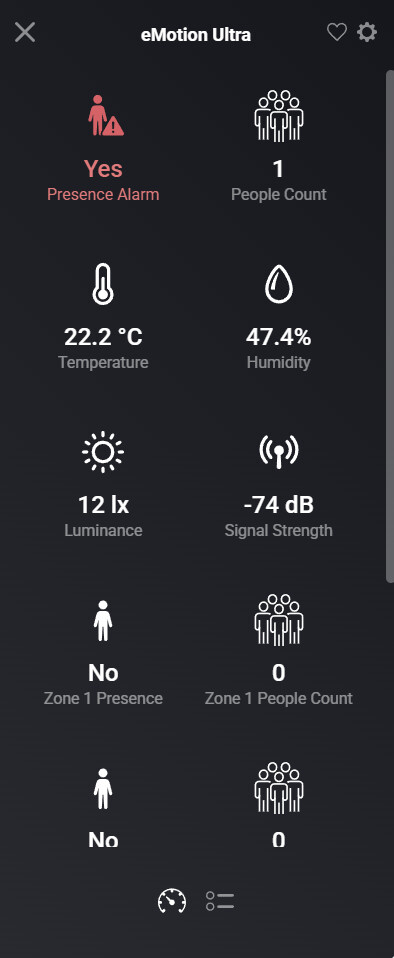
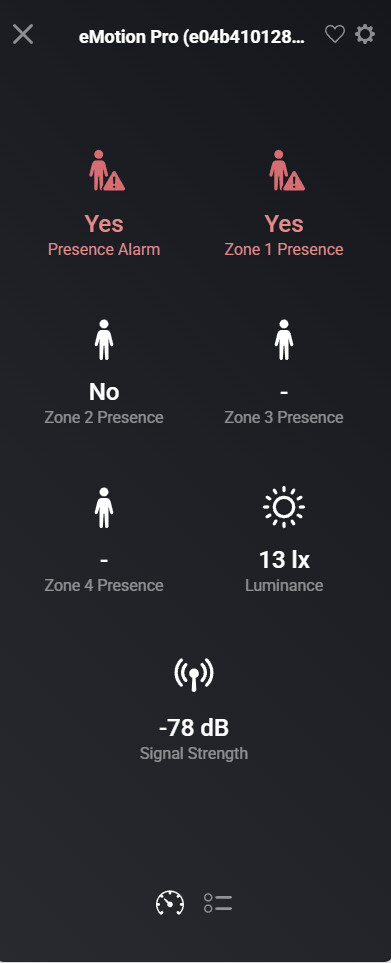
I am creating a new app for the LinknLink eMotion sensors, in particular the eMotion Pro and eMotion Ultra.
The test version is in the store LinknLink | Homey
I am creating a new app for the LinknLink eMotion sensors, in particular the eMotion Pro and eMotion Ultra.
The test version is in the store LinknLink | Homey
Version 1.0.1 of the app is now live.
A bit offtopic: But can you tell us how well there sensors behave? By example compared to the Aqara Fp2?
And 192.168.50.88 is the IP address of Homey?
If you look in the Detected tab and tap on Get Devices, do you see anything in there?
Edit: Also make sure the device is not locked in the settings. I’m not sure if this is required, but mine are not locked.
While the Log is enabled, could you restart the app and then go back to the log page and after a minute or two, tap on Send Log.
SEND!
Interesting the log shows the broker is having problems connecting to the selected ports.
Maybe try choosing different ports and restart the app again.
I changed port , but the same problem changed port and same error, a send the new Log
For your information, I have these plugins installed and they do not interfere with each other.
Mqtt broker
Mqtt client
Mqtt Hub
And you haven’t used the same port for those as the LinknLink app?
This is what I get when I restart the app:
undefined

2026-02-26T12:56:47.744Z
LinknLink app has been initialized

2026-02-26T12:56:47.747Z
server started and listening on port 10883

2026-02-26T12:56:47.750Z
setupMQTTClient connect: mqtt://localhost:10883

2026-02-26T12:56:47.909Z
websocket server listening on port 18888

2026-02-26T12:56:47.929Z
eMotionProDriver has been initialized

2026-02-26T12:56:47.934Z
eMotionUltraDriver has been initialized

2026-02-26T12:56:48.080Z
setupMQTTClient.onConnect: connected to mqtt://localhost:10883 as LinknLinkLocalBroker

2026-02-26T12:56:48.132Z
subscribed to discovery
Was there a particular reason you changed the default ports?
The ones I used as default shouldn’t interfere with anything else.
You could also try using the MQTT Broker that you have installed by switching of the option to use the built-in broker and then point the app and the device to that port and credentials. No point having two broker running on Homey
Well, honestly I don’t understand it. Some plugin is causing a conflict — something’s happening. Which one is it? I don’t know.
How too config this?
If you have the MQTT broker app installed, you should be able to configure the setting for it in their app settings page.
Once you know what settings it’s using, switch off the option to use the Homey built-in broker and enter the the port, username and password that is setup for the broker app. You can use the localhost for the url.
Then save the setting and restart the app. It should then connect to the MQTT broker app. Again you could send the log once you’ve done that if you want me to check it.
Obviously, you then need to ensure the presence sensor is configured with the correct details as well.