Nederlandse versie: HomeDeck
Hi everyone,
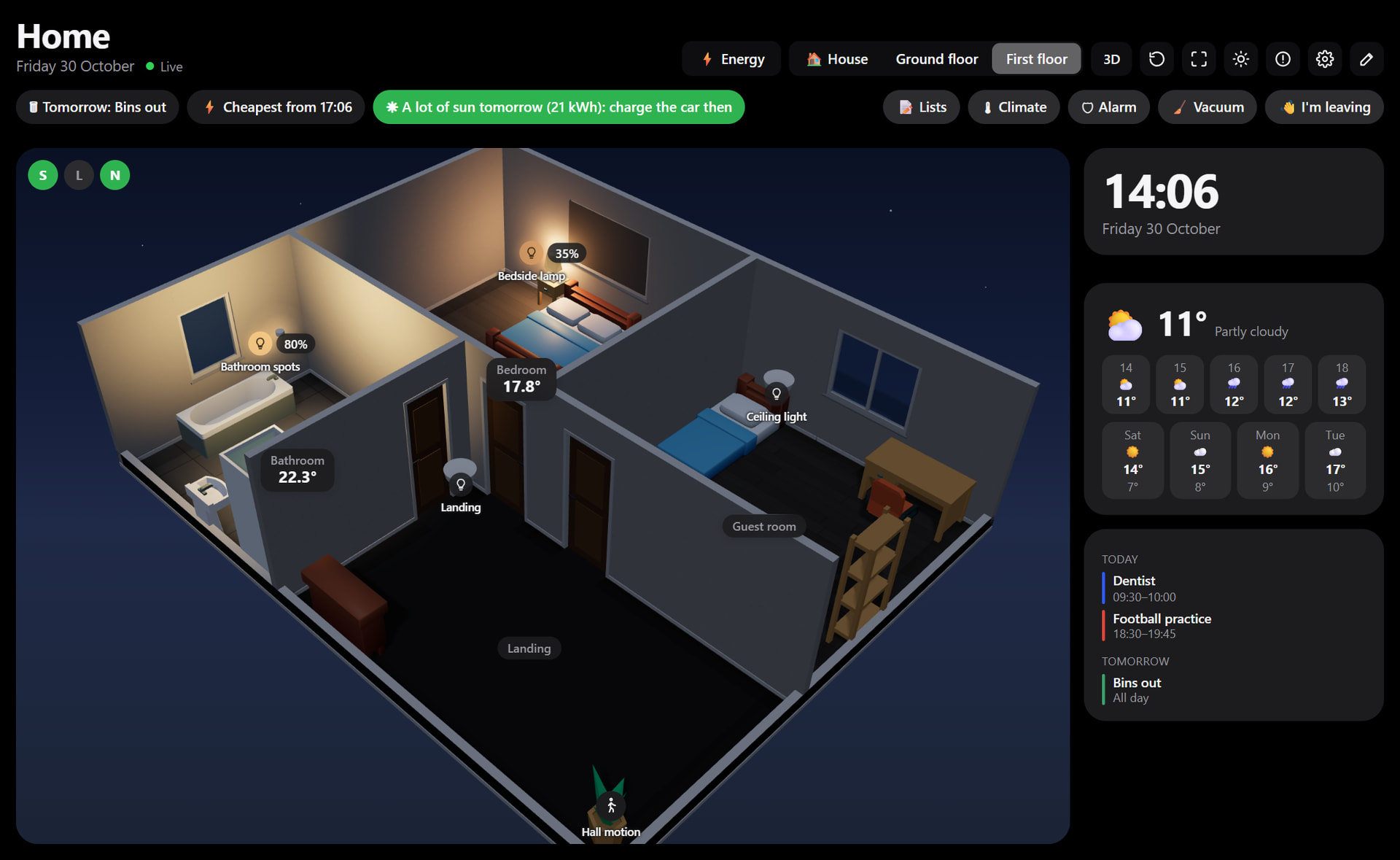
Floor Plan Dashboard is now called HomeDeck, and it has grown into much more than a floor plan. HomeDeck puts your whole home on one screen: your house in 3D with its energy, and every storey as a live floor plan.
This is still a test version. Not everything has been tried on many different Homeys yet, so all feedback is more than welcome: what works, what is odd and what you miss.
You can look around without installing anything, in the demo with a sample home: Huis (the editor is under the pencil).
Already using Floor Plan Dashboard? It is the same app, so your plans stay. Please read the update post.

What it does
- Your house from outside in 3D, set up to look like yours, or a photo of your own house with your own tap areas.
- Solar panels, grid, battery, car, heat pump, air conditioning, gas and water in their place, with thin power lines and calm values around the house. Tap a part for today’s chart, forecast and costs.
- Solar panels on one roof half or on both, such as east-west, also in the solar forecast.
- The sun stands where it really is, the weather follows the forecast, and in the evening your real outdoor lamps burn, as do the windows of rooms with a lamp on.
- Tap a storey and you fly inside: live floor plans in 2D, 2.5D and 3D, with lamps that fade on and off.
- At the top only what needs attention, such as an open window, the bins or the cheapest hours.
- An “I’m leaving” check, buttons for moods and Flows, a night clock, the doorbell with its camera image, alarm, climate per room, who is home, media, vacuum, lists and the meals of the week.
- Advice on what to do with your power right now, also as a Flow trigger.
- A Flow can show something on a screen: the camera, a message, a storey or the Energy page.
- Light, dark, as your device, or with the sun, and named screens that take their choices to a new tablet.
- A Floor plan widget for Homey dashboards.
Everything runs as a web page in your own home network. A wall tablet, laptop or phone only needs a browser.


Energy
The Energy page with all blocks of Energy Dashboard is now part of the app. If you already have Energy Dashboard, the Energy button simply opens that app, with its own settings and history. Both keep working side by side.

The editor
You set everything up on a computer or tablet, in the browser: http://<your-homey>:8687/editor
- Quick start from your Homey zones: every device starts in its room
- Rooms of any shape: pull a blue plus on the edge for an L-shape
- Doors, windows, furniture and lamps of the right kind
- Under House you set up your home: type, roof, facade, surroundings and solar panels
- You can also edit in 3D


Start from a picture
Do you have a floor plan from the estate agent (image or PDF)? Add it, measure one known length, and the editor recognises walls, rooms, doors and windows. This all happens in your browser; the image goes nowhere.

The widget
On a Homey dashboard the Floor plan widget shows the same live plan or your house, in Homey’s dark or light mode. In the widget settings you choose the plan, the level, the view and optionally a side panel with clock, weather and calendar.


Install
Test version: HomeDeck | Homey
- Install the app and open the app settings.
- Choose “Open editor” and begin with the quick start from your Homey zones.
- Set up your house under House.
- Open the dashboard on your tablet, or add the widget to a Homey dashboard.
An access code and an edit PIN are optional in the settings.
The full manual: homey-floorplan-dashboard/docs/manual.md at main · WNijhof/homey-floorplan-dashboard · GitHub
Feedback
This is still a test version, so all feedback is more than welcome. Reply below with what works, what is odd and what you miss. Even “it works fine on my tablet” helps me.
If something is wrong with a device, use “Report a problem” (the ! at the top right of the dashboard, or in the app settings). It makes an anonymous report without names or address. Send that report directly to me, by mail or private message here on the forum, not in this topic.
The furniture models are by Kenney, KayKit and Quaternius (CC0).
My other projects
- Energy Dashboard: a live energy screen for every screen in your home
- HomeWindow: control your Homey Pro from the Windows taskbar
Support
Want to give something back? You can on Ko-fi, with the button below. The app stays free, a donation is entirely voluntary.


