If I’m right the consumers need to have a meter capability to appear on top consumer list.
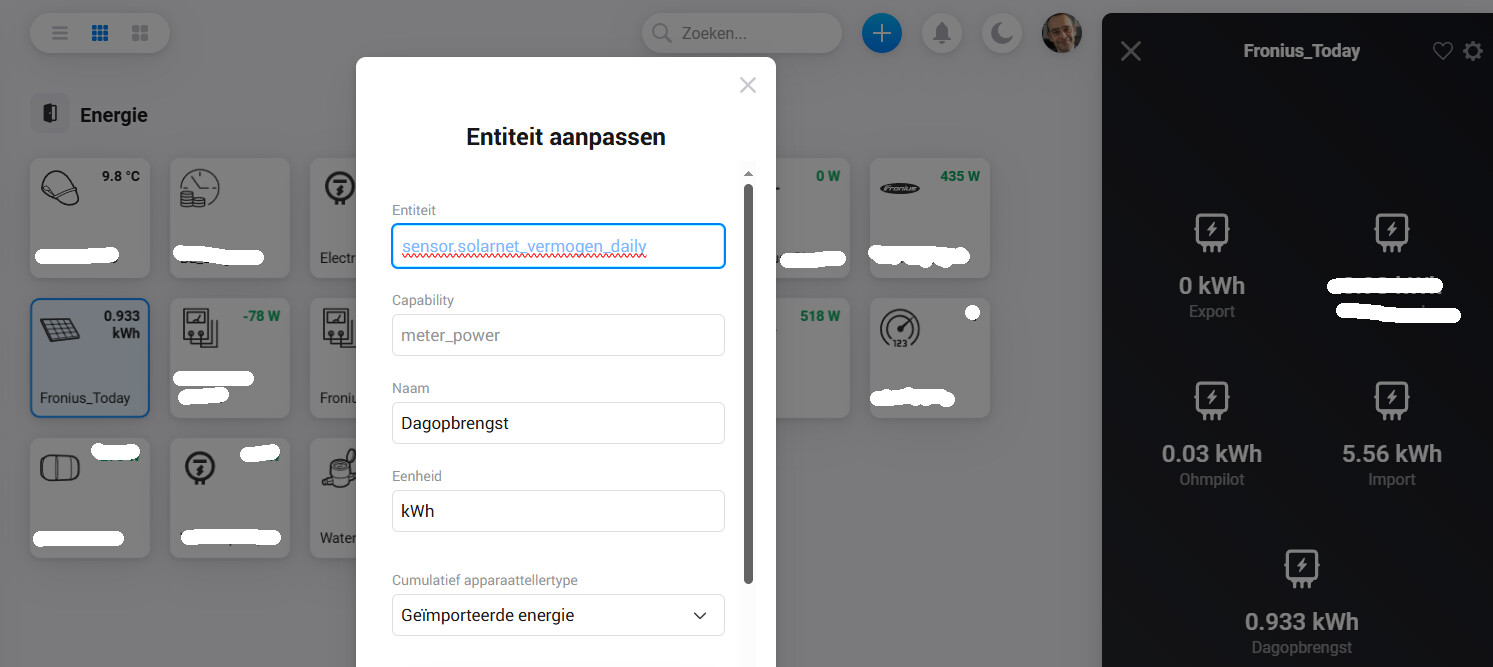
If your devices have a power meter, add it in repair view with capability meter_power.
Subcapabilities (like used in the app as suggestion) are not used by Homey. Only the main capability is read for HomeyEnergy.
You can not modify a capability ‐ it’s the primary key and all data is assigned to it (also insights). You can only remove it an add another capability. But you have to adapt the flows because there you also habe to use the capability ID.
Thanks for the excellent app. So far I had no issues, but now I’ve run into a bit of a problem that I can’t seem to find a solution for in this forum. I recently connected an Aqara Mini Button (lumi.remote.b1acn01) to Home Assistant. The device only has the battery entity, but fires a number of events when the button is pressed. But it seems I can’t listen to those events because the device isn’t exposed to Homey through the app - I can add the battery entity as a sensor, but nothing that would receive the button press events. Has anyone had a similar problem and solved it? It seems like all the examples I’ve seen assume that you can pair the device and it then has a couple of extra events to listen to, but being unable to pair it, I’m not sure how I would be able to use the button. I don’t want to start setting up automation in Home Assistant for it…
(for now I’ve worked around the problem with a simple automation in HA that sends a MQTT message, but it’s not the most elegant solution…)
Of the entity uses events, this is not done via entity. This are just events without any persistent data.
For auch events, there is a flow trigger card for the app (not device).
Add this card to a flow, of you don’t know which event is uses. Then write the event data to a log or timeline.
Then set event name etc. into the flow card to filter events to process only your button events.
Hmm, I had tried exactly that earlier, but never got any events reported in my log (or sent through my notification tool). That’s what led me to the conclusion that I still need to have a device paired to see events…
Will try that again later…
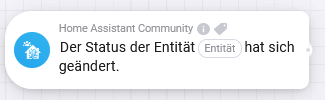
Thanks for your detailed answer. I think I get what you mean. Since I can’t add the remote as device within Homey I use the the changed entity state as shown below:
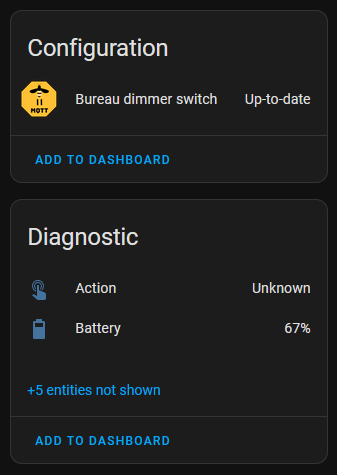
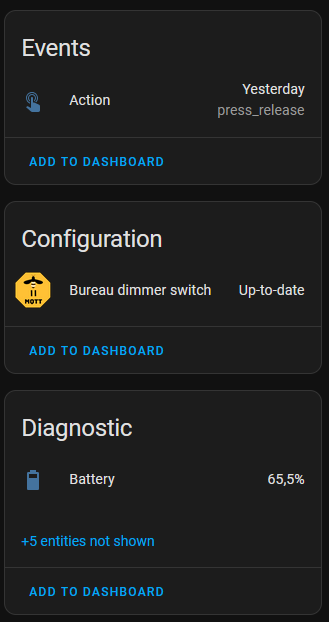
This works great with the current version of Zigbee2MQTT in combination with Home Assistant, but only if I turn on “Home Assistant Legacy Triggers” withing Zigbee2MQTT. If I turn this function off, the there is no entity change. With the upcomming update of Zigbee2MQTT, this option is about te be depricated. They now advice to use the current experimental option: “Home Assistant experimental entities”. When I use this option, my Philips Hue Dimmer Switch changes as follows in HA:
If I now press any button on my remote, it doesn’t send out any data at all while using the entity has changed option or the old The event named [name] has been triggerd for entity [entity]. I also tried these flow cards to send some info to my timeline, to see if I can extract data from there, but no data is send when using either of these cards while the experimental option is turned on.
Is there another way to still use this remotes like tese with the upcomming Zigbee2MQTT update?
The old setting (legacy trigger) added an entity state/attribute that’s changed on every button press. This way you was able to add your entity as sensor device with a capability. The capability changed for a millisecond and a flow trigger could be started.
The new seeting (event) doesn’t add an entity state/attribute. The button has no state like on/off.
You don’t have a state change and you don’t have a capability in your homey device.
HA only sends an event.
You need the app trigger card shown in previous post to catch an event and to trigger a flow.
And yolu should see an event in HA developer tools. Open tab “events”, click the “start listening” button. Then click your remote button and an event should show up. This ebent also should trigger the event flow card in Homey.
Haven’t had a chance to try again yet, but it’s a great app and I was going to send a donation either way. I’ll send an update once I’ve had another go - with everything that’s going on it might be a few days
I need some help here.
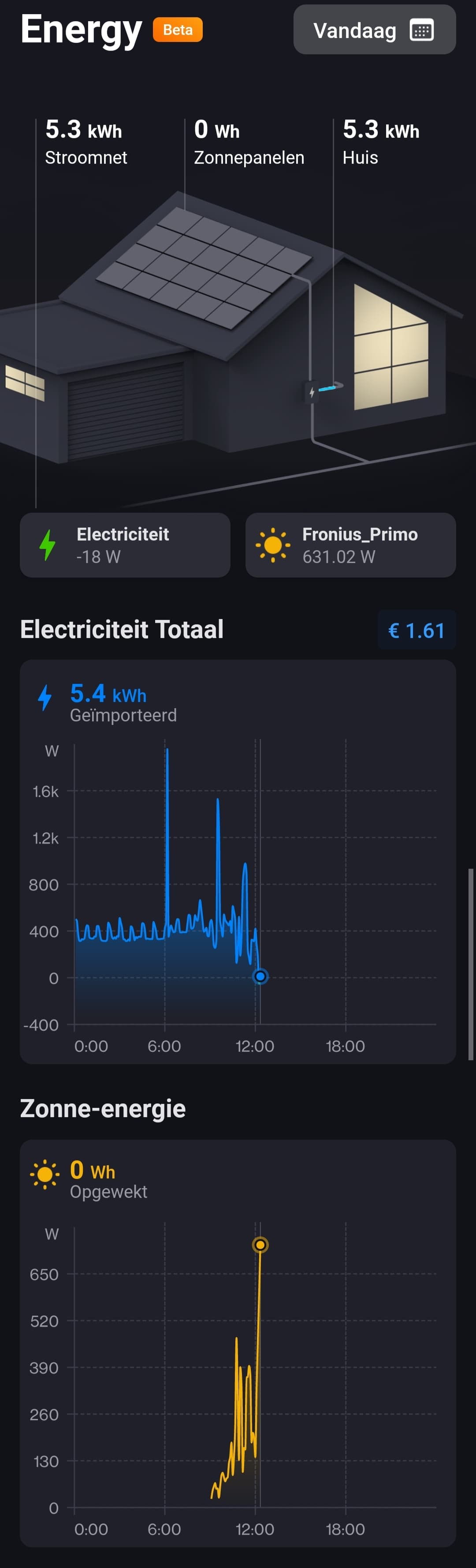
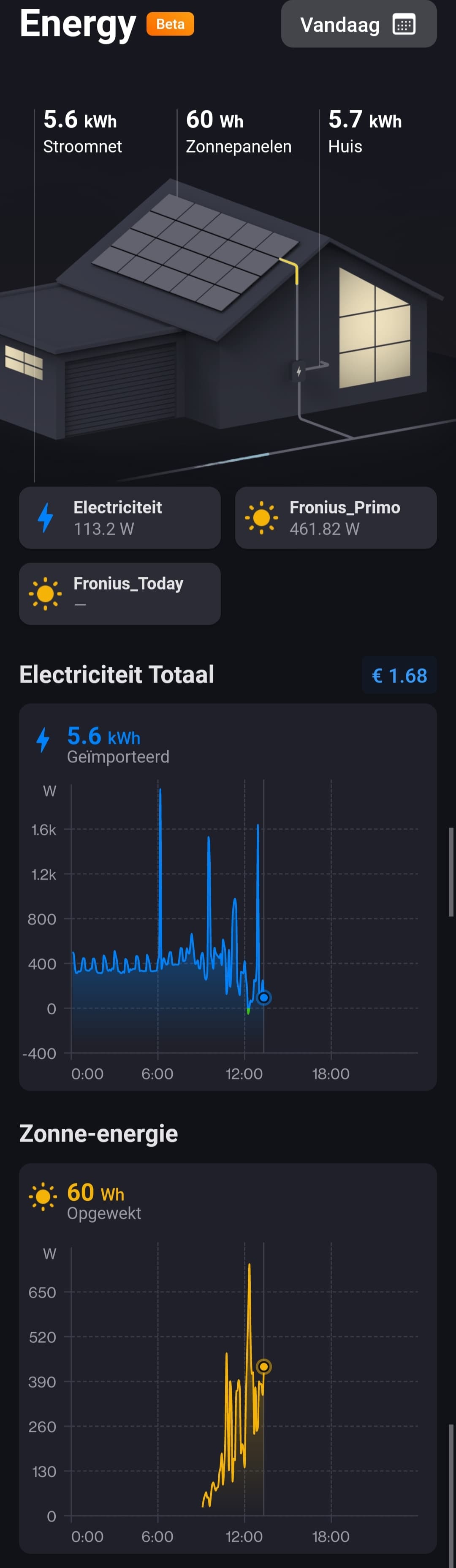
My imported energy is working just fine, so is my exported energy.
However, the generated power by the solare panels is shown on the yellow graph, but the generated power remains at zeroWh. The power generated is consumed directly, therefor not exported. So, it should not be taken into account in the overall power balance, but shouldn’t this show a value?
Anything I can do about this?
What would be the capability of this generated power entity?
Your solar panels must be a device with device class ‘solarpanel’ and a measure_power capability for solar chart. Seems like that it correct. And I think also a meter_power for daily sum. That seems to be missing.
It’s acting like a consumer, but energy is counted negative as production.
And this all is covered in your house. The smart meter will only see the way from/to the grid.
Your device is using state_changed event. Is it still using your “old” events with an entity state?
That’s a bit ugly, because such events should represent an state update for an entity - a real device.
This entity is event.bureau_dimmer_switch_action. I don’ think it’s visible in HA as a real state?
These events are not passed to the event trigger card, but to the state changed flow trigger instead.
You have these possibilities:
Use this trigger card (app trigger) for state change (“State of entity changed”):
Then enter your entity ID event.bureau_dimmer_switch_action.
Add a custom device. Then add the entity in repair view.
Then you should see a sensor inside your device. The sensor chould change (for a msec or so). But it should be possible to use a device trigger for (“Value of capability changed”):
I first thought that the Home Assistant entity was triggering double, but that’s not the case as you can see in both the Homey and Home Assistant logs. It only shows one on and off event:







 ) to apply
 ) to clear the entered PIN


