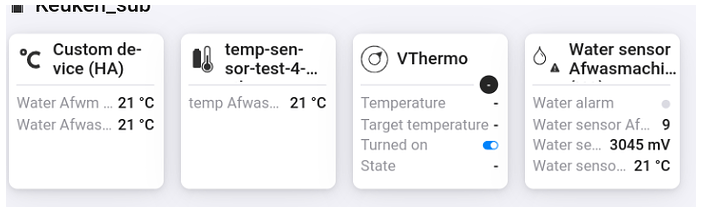
I was waiting for this question
I have no plans to add this to compound device. The compound was created by the previous developer to group entities into one device. Simple entities (bunbers, chars) are ok. But not the more complex entities that need a soecial handling in HA (services, conversions) or Homey capabilities, GUI controls). That’s why Homey has devices for every HA domain and its entities.
That would end up in duplicated code and functionality.
Adding cameras as device and the. add entities to this device is rhe best way. HA entities from camera device can also be added in one step in device settings. I dependent entities in repair view.
As benefit you can rename and customize the device/capabilities o. the fly withaout HA restarts.
Fixed device availability check.
The device availability was not shown correctly in all cases. Now the device should act likt this:
Entity got deleted in HA:
Entity has state “unavailable”
This check affects only the main entity of a device (e.g. the climate entity of a climate Homey device).
Custom devices won’t be unavailable because these devices are just a group of independent entities. If such an entity is unavailable, the capability value is not set.
@RonnyW Is it true that number values get rounded to 1 decimal?
I have a number value in HA, for example 48.36, but when I display it in Homey it shows up as 48.4. The numbers represent money in this case, so I would like to display the full amount, instead of the rounded variant.
I think it depe ds on the used capability and how it’s defined (decimal places).
Can you please check your device in Homey developer page (capability and there shown value), to check if the original value is saved.
Just fyi (or if you share it with Athom devs):
The capability has do decimal definition. So it should all decimals set as value (I would assume).
Perhaps WebApp is using decimal as default if nothing is defined in capability and mobil eapp is showign the full length.
Add scenes and scripts as button in repair view.
When selecting a screne or script entity, the button capability is preset and a button is added to your device. A click activates the scene/script.
Flow card ‘call entity service’ adjusted. The data field is optional now. You don’t need to insert an empty JSON { } if the service doesn’t need additional data.
Accept line breaks in service flow card:
Line breaks in JSON text caused a service error. Now also linebreaks should work without issues. So you can copy&paste the data part.
Added device flow cards for dynamic scenes.
HA offers the possibility to create a dynamic scene and store the entity states in this scene. This scene is temporary and is discarded on new configuration load in HA.
This scene can be applied to restore the entity states.
This way you can make a “snapshot” for several entities and reload them later. That’s similar to zone memory app, but managed inside HA.
For standard devices, the main entity is used. For custom and compound devices, all assigned entities are used. You can collect several entities (also lights etc.) in on compound device (e.g. as sensor showing the state) to build a group and use this custom device to store end reload the states of all included entities (e.g. all lights in a room).
I got my raspberry yesterday, with HA pre-installed. I managed to get a lot of devices up and running in HA and also there are already many devices bi-directionally active betwee HA and Homey.
Now, I am trying to configure “compound devices”. And I’m stuck. Stuck at the screen below.
I am in a sort of HA CLI-modus and I do not know how to copy files.
Can anyone point me toward the solution here?
You don’t need compound devices. It was the old way to set up entity groups in yaml to import them as device into homey.
Just add entities to imported devices or create an empty custom device in Homey. Then add your entities you want to see in that device.
That’s much easier with autocomplete lists.
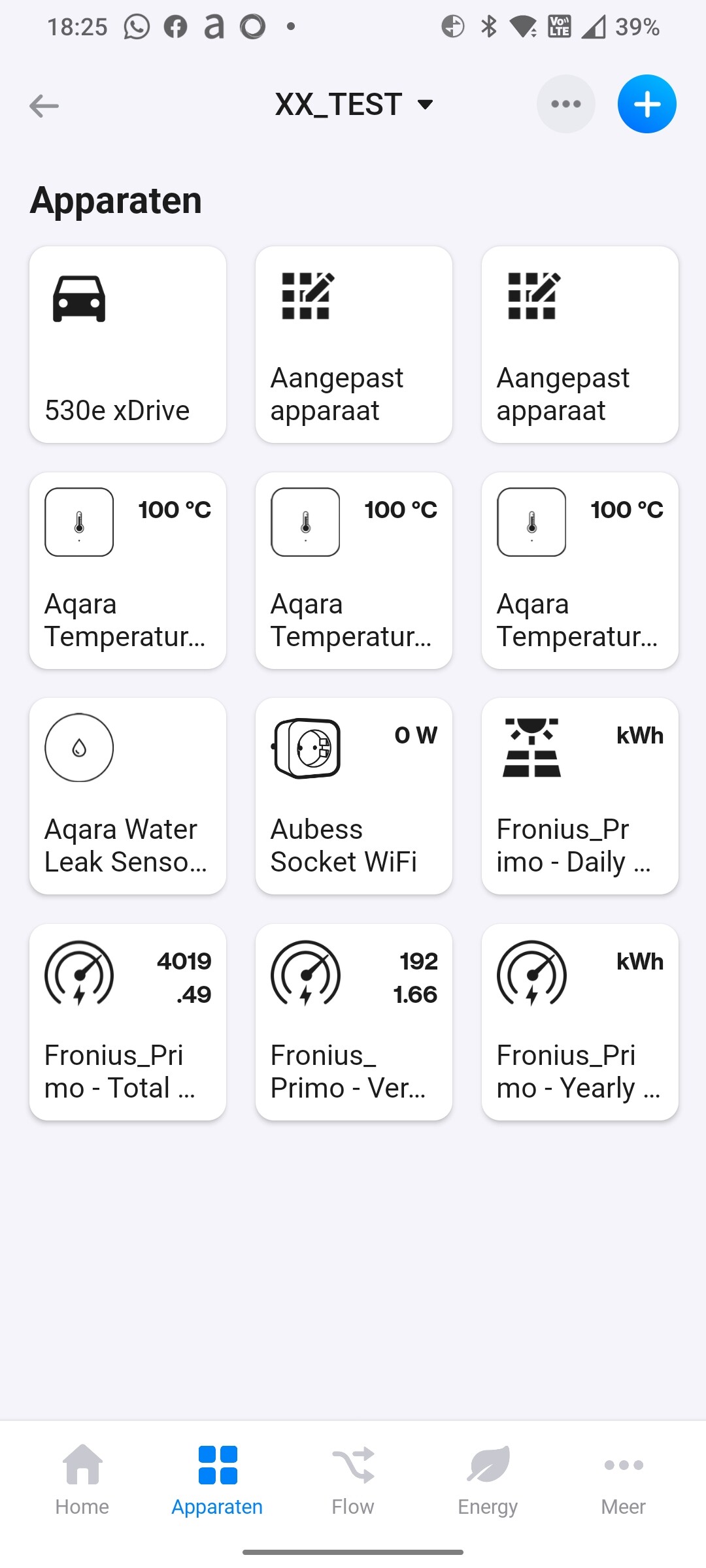
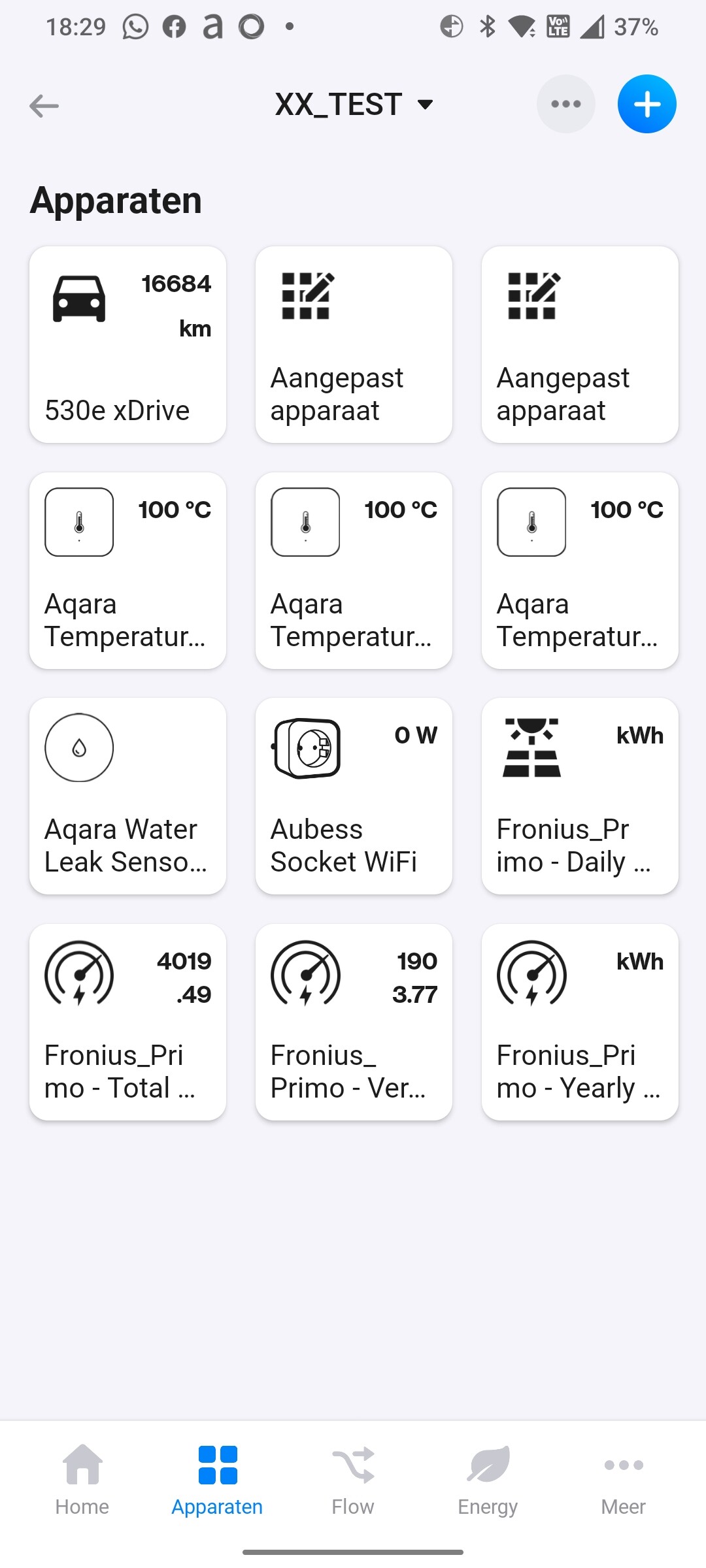
I do not understand why I can’t get the two variable to show in the tile itself. they are only visible when I open the tile. Once in the tile, I can choose which one (of the two) I want to see in the tile. How do I go about to create a tile with 2+ variables?
I have tried this for both my car and for my solar inverter. No luck :-/
What am I doing wrong? Can anyone point me in the right direction please?