Hi all,
I’ve created a Homey app for the Fronius Wattpilot EV charger  . It connects directly to your Wattpilot over your local network —
no cloud, no external services. Real-time monitoring, charging control, and solar power tracking, all from Homey.
 App current version: v1.0.9 (live) - v1.0.11 (test)
https://homey.app/a/app/com.wattpilot/Fronius-Wattpilot/ Fronius Wattpilot | Homey
Local EV charger control with solar power tracking
What does it do?
This app connects to your Fronius Wattpilot (Home, Go, or any charger with Wattpilot firmware) via a local WebSocket connection. It
gives you:
-
Real-time power, current, and voltage monitoring
-
Charging control (current, mode, phases, force start/stop)
-
PV surplus and grid power tracking
-
Session energy tracking with configurable energy limits
-
Error detection and reporting
-
No cloud dependency — communication stays on your local network.
 Features
-
12 device capabilities — power, current, voltage, energy, car state, charge mode, phase mode, PV power, grid power, session energy
-
8 flow triggers — car connected/disconnected, charging started/stopped/complete, error occurred/cleared, power changed
-
5 flow conditions — is charging, car connected, charge mode check, power threshold, has error
-
6 flow actions — set current (6–32A), set charge mode (Default/Eco/Next Trip), force start/stop, set phase mode, set energy limit
-
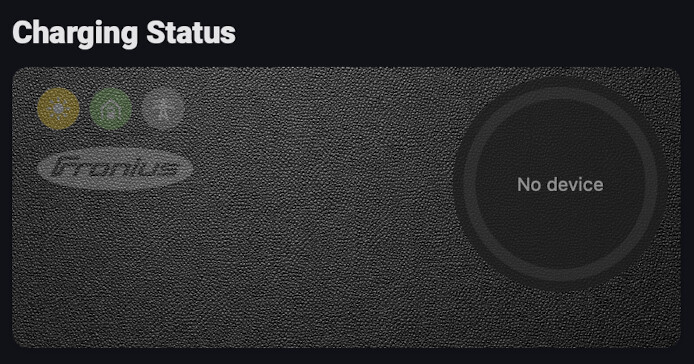
Charging status widget — Fronius-style donut ring showing charge state with power source breakdown (solar/battery/grid), session
-
timer, remaining time estimate, and error indicators. Dark and light theme.
-
10 languages — EN, NL, DE, FR, IT, SV, NO, ES, DA, PL
-
Secure local connection — PBKDF2 authentication with HMAC-SHA256 signed writes
-
Zero npm dependencies — pure Node.js implementation
 Supported hardware
-
Fronius Wattpilot Home
-
Fronius Wattpilot Go
-
Other Fronius chargers with Wattpilot firmware
-
Must be on the same local network as Homey
 Changelog
 Releases
- v1.0.11 Fix: changing charge mode, current or force on/off on a Wattpilot Flex (firmware 42+, including Nordic Laddbox models) silently failed — the charger was rejecting every write. Message format corrected. Older Wattpilots unaffected.
 Feedback
I’d love to hear your feedback:
-
Does it connect and authenticate correctly?
-
Are power readings accurate?
-
Any issues with charging control?
-
Feature requests
-
Flow use-cases
If you run into issues, please share your Wattpilot model and firmware version.
This app is a hobby project, built with a lot of curiosity, coffee, and late-night tinkering 
I’m creating and maintaining it in my spare time, mainly because I enjoy it and love sharing it with the Homey community.
If you like the app and it makes your day a little easier, consider supporting the project with a small donation. It’s absolutely
not required, but always appreciated — and it definitely fuels future ideas and improvements 
Thanks for using the app and being part of the community! 
Hello,
great thx for your app!!! I will test it in the next days and give you feedback.
Hello Remco,
Thank you for your efforts. I installed your app, but the Wattpilot is not found and no data is shown. I also did not find any settings for the IP or something like that.
The Wattpilot and the Homey are on the same network.
My Wattpilot hat Firmware 42.5 and is A Wattpilot Home.
Dear Pascal,
Thank you for your message en helping out in testing. When you add a new wattpilot device this dialog should appear:
Where the IP address could be entered. Is that not working on your side?
Best regards, Remco
Hi Remco,
I tried again and yes that works now (don’t know why it did not work yesterday).
But I can not connect to the Wallbox and get an error “Invalid password”. I double checked and it’s the password of the app. Naturally it is the user password, not the technician password that I ignore (only the installer has it).
Best regards,
Pascal
Hi Pascal,
that is unfortunate. The password to be used is not the Fronius Account login. Are you using the password from:
Solar.wattpilot → select his Wattpilot → Internet → Password
Also I have uploaded a newer version for testing, with auto discovery of the device. Could you see if that works as well. Also there is an improvement on password handling, where trailing whitespaces are no problem anymore.
I hope this works. Unfortunately I don’t have the physical device.
Best regards,
Remco
Hello Remco,
Auto discovery does not work for me. That may, or may not, have to do with my network settings.
I have no password setting under wattpilot.solar → Internet. But I have “Password” under wattpilot.solar → Settings. There under the title “Security”.
I tried to enter a wrong password as actual password and the actual password under new password. On saving the app told me the the actual password is false. I then tried with the actual password and the same for the new password and that worked without an error. So I’m sure my password is the one I have in my head.
But your app still returns “Invalid password”.
Unfortunately my app is in german, but I think you see what I mean in the screenshot of my iPhone.
Hi Pascal,
No worries, although my writing is in English, I do understand German (Me writing in German is a bit embarrassing, sorry for that).
I think I have found a potential bug regarding the password authentication. I have uploaded a new version of the app for testing v0.0.109, could you try this one please?
Thank you.
Best regards, Remco
Hi Remco,
Unfortunately, I still get the same message “Invalid password”.
Maybe you should output in a temporary version a more complete error message that I could send back to you. I suppose that the “Invalid password” comes from you when the connections fails and is not a full reply from the wattpilot ?
I know that it is very complicated to debug if you don’t have the device. I do not see a way Homey gives us to see log messages on the user side.
A diagnostics report sends the log to the developer
What the developer receives:
Hi Pascal,
I have uploaded a new version with a debug window in the settings dialog. If you would be able to copy and send me the information after trying to connect it, that might give some insight.
Your password is not shown in the debug window, so that is safe. But to feel really safe, please use a temporary password.
Best regards,
Remco
Thanks also to @smarthomesven for pointing out the diagnostics report
Hi Remco,
Tried the new version. Same error, but no log in the settings.
I created a report and I’ll send you the code by private message.
YES!
With your latest build I was able to connect to the device. Some icons are missing, but I suppose that you did not yet define icons for non standard capabilities. I look forward to your development. The app could be a perfect partner for my own Fronius GEN24 app.
Hi Pascal,
Thank you again for your help. I have added the icons. The flows and control should already have worked. This app is ready for release. Do you have any additional requests or remarks? I think you can start using it.
Hi Remco,
Yes, I can see the new icons. Unfortunately, I haven’t had the time yet to test the flows or even the app itself, simply because I haven’t charged my car since then. I’ll most likely have a look at it tomorrow.
I don’t really have any special requests right now. I assume all your capabilities are exposed as tags, but I haven’t checked that yet either. If I’m able to integrate your data together with the data from my own Fronius GEN24 app into my other app, Widget Forge, I’ll already be very happy. My dashboard would then be able to show data from all of my Fronius devices in one place.
And really, no need to thank me — it was a pleasure. Community developers supporting each other is exactly what a community should be about 
Hi Remco,
Here is the outcome of my first live test.
The device works, but solar and grid power are both not reported correctly as I load with solar power.
Integrating the values in my Widget Forge Dashboard works:
Hi Pascal,
I was celebrating too soon. Please find a newer version (v1.0.2); There might be a firmware compatibility issue, I wasn’t taken into account.
could you see if that one works better please?
Best regards,
Remco
Hi Remco,
Yes, now it shows values, but in my mind I thought that it shows other values. The values it shows are the actual solar power, grid and battery power of the system, not the part of solar power, grid power and battery power it uses to charge the car as the Fronius app does.
I just installed this app as well. I do also get the password invalid message. V1.0.2.
Hi, that is very unfortunate.
could you collect the debug information for me please? In the app settings when you scroll down, you can find the debug log. Press copy and paste it in a message to me please. Thank you for helping out!
best regards,
Remco