I will test that, thanks.
Update: this works fine 
I will test that, thanks.
Update: this works fine
@martijnpoppen is possible to add (!) on icon when motion, like this one:
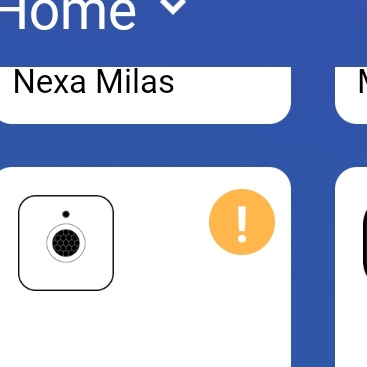
And with this settings I get motion in homey without recording 
@Tb1 , no that’s only possible for devices with the type sensor. This has a type of camera as it also includes an image. But it does set the zone active.
Nice!
Hey @martijnpoppen ,
Thanks for the big update! The sync between the keypad and Homey is really handy, because not everyone used Homey here so I had to make extra flows to sync a variable in Homey.
However, I am missing the ‘Quick response’-card in a flow from the doorbell. Is this intended behaviour or a bug? 
Ok, the icon doesn’t really matter, it’s that the zone becomes active
This must be the best homey app 
hey,
im trying to integrate eufy in to my homey system.
What i would like to achieve is to set homey in away mode (using a variable) with the Eufy keypad.
Ive been able to add mu homebase 1 (the original one from kickstarter) but i dont seem to be able to add the keypad. I keep on getting "keypad has no functionality right now. Use homebase 2 to change security modes.
I also tried without adding the keypad with a flow but it does not seem to be working.
Thanks,
Floris
Hi Floris,
This is possible, you have to add a ‘and’ card to validate the security mode.
Here is an example flow, I have a homebase 2 and keypad. But this should also work with the original homebase.
The keypad is just a physical device where you can set the eufy security mode with. So it does not really has own functionality.
@martijnpoppen added it as device to indicate that it’s supported. But what it does is changing the homebase security modes. So it’s just getting to use to that. That we need the homebase as action card in our flows.
@RobbertV
Thanks will test this later today.
Yes the latest version. I’m using the battery powered 2k version of the doorbell
Same here. I have the battery doorbell.
@martijnpoppen So not sure why it isn’t showing up.
DM-ed you @Yeebo
Hi! First of all this looks awesome. Only thing I’m still looking for is away to have Homey react to alarms from Eufy. Is there a way to have this implemented so that I can for example turn on an extra zWave siren from my old alarm system?
@Darthkatzs yes, you can detect on motion/person detection etc
Will implement the alarm from the homebase later
Yeah, thanks for the quick reply!
Hi Martijn,
Very nice update!! Keep up the good work!
Any news on changing settings like HDR and Night vision through Homey?
Also a question about the stream card, If I choose to send it to a chromecast, nothing gets through, I’m using the version without Homebase, does that make a difference?
Hey @Crashy ,
Thank you!
No that’s on the list. Together with the battery status en sending alarm to the Homebase.
So Will cover that in a next update.
No streaming card is only to retrieve the stream URL. So you can use it in a dashboard or something like that. Homey/Google cannot process RTSP. 
Thanks for the quick reply as always.
So I can’t use the Stream card like this:
https://homey.app/f/BaE6dy


