I’ve made the correction—could you test it and let me know?

Could you please try again and let me know the result?
Insight does not show up with .151 either.
But I think something has broken, I noticed now that the weight sensor had not updated for two days. I reverted back to .146, now it updates. And if I switch back to .151, it does not update again.
V.1.0.152
Now Weight shows up as Insight, great! But I still have this problem with Weight not updating it’ s value.
V.1.0.153
.153 not updating either
V.1.0.154

Ugur, I have everything working well with my Konnected Alarm Panel Pro and GDO’s. One feature that would be very helpful (at least to me) would be the ability to control the GDO remote lock setting via a Homey Flow. I’d like the ability to engage the remote lock during sleeping hours or if away from home for an extended time and disable it during the day. Thought it was worth asking about. Thanks for all your hard work.
Hello, thank you very much for your support and donation. Actually, I’ve developed a separate app for Konnected; I’d really love for you to try it out and provide feedback. To be honest, since I don’t have a Konnected alarm panel or GMO card myself, I was only able to provide support based on @MarcM feedback. The app I developed for Konnected is almost identical to Esphome, but it offers more support for the Konnected alarm panel.
Are you managing all of these with a single ESP board? If you send me your YAML code, I’ll take a look and be happy to help.
Thanks Ugur. I installed the new app but it doesn’t include the GDO remote lock feature either on settings or as a Then card. I’m hesitant to change the current ESPHome app you developed for my alarm panel as it is currently working perfectly with Door and Window sensors and using Ring KeyPad interfacing with Heimdall security app. Is there any compelling reason to change to the new app for that environment? I have been using the Konnected app from Tim BelletteCommunity for the GDO as it was developed specifically for the Konnected GDOs. Just FYI, I’ve include a couple of screenshots of it’s setting page which shows a selection for the remote lock. I can lock/unlock manually from Homey but it doesn’t include a Then card for controlling the remote lock either. I really appreciate your responsiveness and it’s amazing how you’re able to support the devices when you don’t have them to directly test. Thanks, Howard.


I’ll be traveling for about a week, and during that time—or upon my return—I’ll make a correction to the card.
This is all setup in a single ESP32 board with the LD2410 mmWave sensor.
Hereby the YAML as I use it in Homw Assistant:
sphome:
  name: radar
  friendly_name: Radar

esp32:
  board: esp32-c3-devkitm-1
  variant: esp32c3
  framework:
    type: arduino

# Enable logging
logger:

# Enable Home Assistant API
api:
  encryption:
    key: "SECRET"

ota:
  platform: esphome
  password: "SECRET"

wifi:
  ssid: SSID
  password: "SECRET"
  min_auth_mode: WPA2
  power_save_mode: none

  # Enable fallback hotspot (captive portal) in case wifi connection fails
  ap:
    ssid: "Radar Hotspot"
    password: "SECRET"

captive_portal:

web_server:
  port: 80
  include_internal: true

# ---------------------------------------------------------------------------------

uart:
  id: uart_bus
  tx_pin: GPIO21    # Adjust pins depending on your ESP32-C3 board
  rx_pin: GPIO20
  baud_rate: 256000
  parity: NONE
  stop_bits: 1

ld2410:
  uart_id: uart_bus
  id: ld2410_comp

select:
  - platform: ld2410
    distance_resolution:
      name: distance resolution
    baud_rate:
      name: baud rate
    light_function:
      name: light function
    out_pin_level:
      name: out pin level

button:
  - platform: ld2410
    factory_reset:
      name: "factory reset"
    restart:
      name: "restart"
    query_params:
      name: query params

number:
  - platform: ld2410
    timeout:
      name: timeout
    max_move_distance_gate:
      name: max move distance gate
    max_still_distance_gate:
      name: max still distance gate
    g0:
      move_threshold:
        name: g0 move threshold
      still_threshold:
        name: g0 still threshold
    g1:
      move_threshold:
        name: g1 move threshold
      still_threshold:
        name: g1 still threshold
    g2:
      move_threshold:
        name: g2 move threshold
      still_threshold:
        name: g2 still threshold
    g3:
      move_threshold:
        name: g3 move threshold
      still_threshold:
        name: g3 still threshold
    g4:
      move_threshold:
        name: g4 move threshold
      still_threshold:
        name: g4 still threshold
    g5:
      move_threshold:
        name: g5 move threshold
      still_threshold:
        name: g5 still threshold
    g6:
      move_threshold:
        name: g6 move threshold
      still_threshold:
        name: g6 still threshold
    g7:
      move_threshold:
        name: g7 move threshold
      still_threshold:
        name: g7 still threshold
    g8:
      move_threshold:
        name: g8 move threshold
      still_threshold:
        name: g8 still threshold
    light_threshold:
      name: light threshold

text_sensor:
  - platform: ld2410
    version:
      name: "presenece sensor version"
    mac_address:
      name: "presenece sensor mac address"

switch:
  - platform: ld2410
    engineering_mode:
      name: "engineering mode"
    bluetooth:
      name: control Bluetooth

sensor:
  - platform: internal_temperature
    name: "Internal Temperature"

  - platform: ld2410
    moving_distance:
      name: "Moving distance (cm)"
      filters:
        - throttle: 1s
    still_distance:
      name: "Still Distance (cm)"
    moving_energy:
      name: "Move Energy (%)"
    still_energy:
      name: "Still Energy (%)"
    detection_distance:
      name: "Distance Detection (cm)"
    g0:
      move_energy:
        name: g0 move energy
      still_energy:
        name: g0 still energy
    g1:
      move_energy:
        name: g1 move energy
      still_energy:
        name: g1 still energy
    g2:
      move_energy:
        name: g2 move energy
      still_energy:
        name: g2 still energy
    g3:
      move_energy:
        name: g3 move energy
      still_energy:
        name: g3 still energy
    g4:
      move_energy:
        name: g4 move energy
      still_energy:
        name: g4 still energy
    g5:
      move_energy:
        name: g5 move energy
      still_energy:
        name: g5 still energy
    g6:
      move_energy:
        name: g6 move energy
      still_energy:
        name: g6 still energy
    g7:
      move_energy:
        name: g7 move energy
      still_energy:
        name: g7 still energy
    g8:
      move_energy:
        name: g8 move energy
      still_energy:
        name: g8 still energy
    light:
      name: light

binary_sensor:

  - platform: ld2410
    has_target:
      name: Presence
    has_moving_target:
      name: Moving Target
    has_still_target:
      name: Still Target
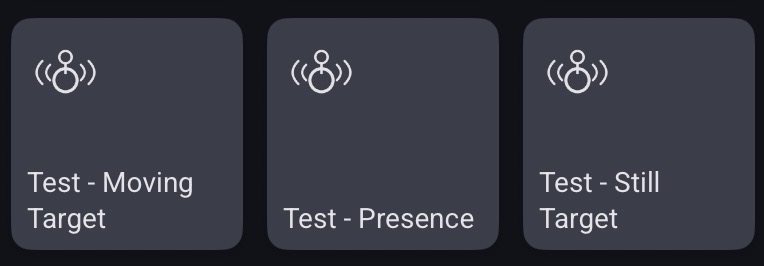
It would be nice to have these values in a single device:

Thanks Ugur!


That worked for me.
Thank you.
