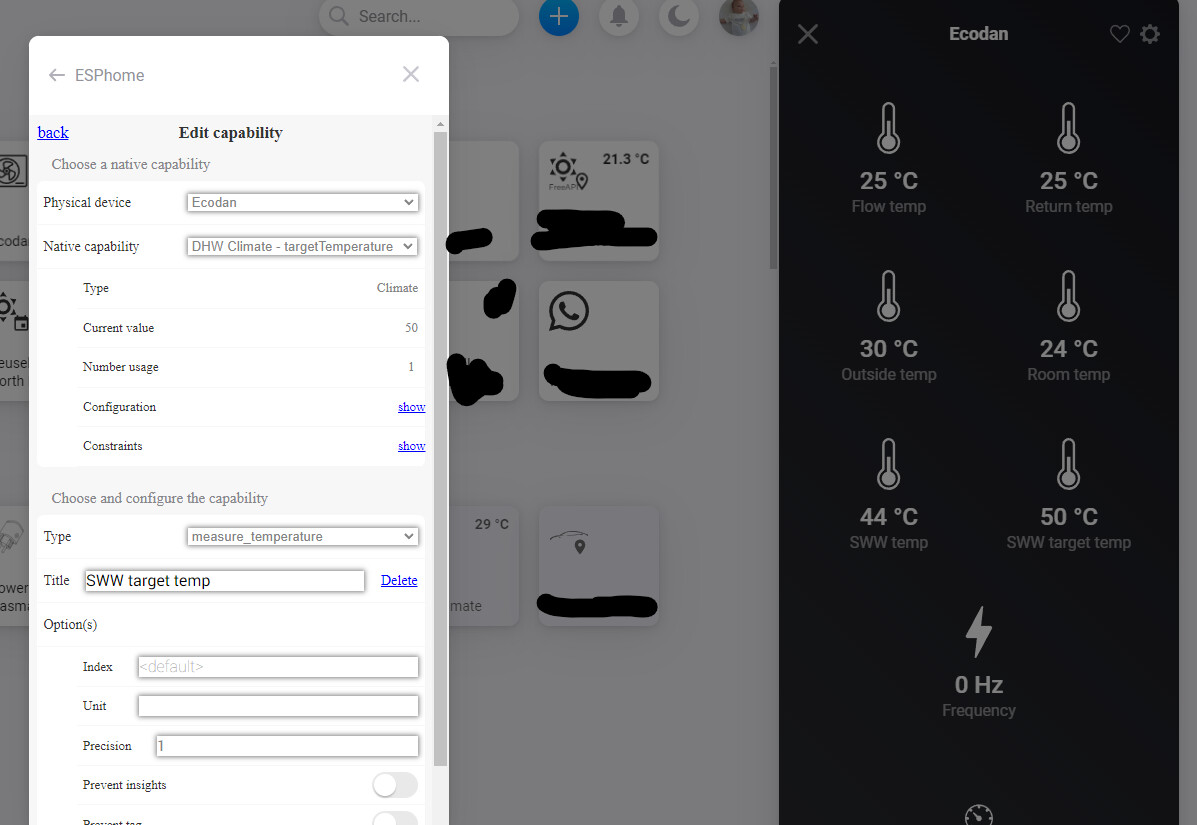
@flowerpiece Sander, I think it should match with the capability “Valve - Position” →
Position is a percentage value.
The capability types you try to select, are measurement values.
“Dim” (0-100%) seems to be the only type matching “Valve Position” capability. Try to select that one.
It gives back the opening-percentage of the valve, WiFi connection strength, and when I connect a sensor it shows CO2 and humidity. Is it possible to show these values in the device(tile) on homey?
I think it was a bug that I could not select a capability type. I’ve tried it again and it seems to work :). Thanks for your help! There is not really a type that fits (percentage of how far a valve is opened), but I use humidity which shows a percentage sign, so that’s works
Question when a device looses the Wi-Fi connection, after reconnection I have to restart the ESPhome App to get the device working again.
Is this normal behavior?
At my setup, app restart is only needed when the IP address of an ESPhome device got changed, after the connection has been reestablished.
So, make sure to reserve IP addresses for those devices, to ensure IP addresses can’t change after a network issue.
@Baldhor New to ESP, but love the concept. Thanks for creating this app.
Instead of using Melcloud i’m controlling my Mitsubishi Heatpump via a ESP32 controller which I also integrated to Home Assistent. However I’m running that on the side and want to control everything via Homey.
I have some questions and a problem:
Q: Can I also create different tabs with different functions? Like selection of different modes? Or will this happen automaticly? Screenshot from my melcloud app to show what i’m talking about.
Problem:
I’m putting all data points from Homey in Influx (InfluxDb App voor Homey | Homey) and visualize everything with Grafana in Home Assistent which looks like this:
However in InfluxDB they show up with their ‘technical label’ based on the type of capablity. So now the SWW Target Temp is called measure_temperature.4, etc. With over 50 different data points (not all useful, still would like to store them) from the ESP32 it will be very difficult to guess / find the right label and relabel it in Grafana (screenshot below).
Does this app perhaps have 2 different type of labels for each datapoint? One called SWW Target Temp" and the other one called “measure_temperature.4” and would it be possible to all rename them to the readable label so it gets passed like that to InfluxDB as well? Would save me an enourmous amount of time and all other apps data show up with readable labels in Influx. Thanks.
Thanks @Paul_Hemels. However I don’t get it to work. When I select Force DHW which can have a false and true state and I select on/off it makes a button in a new tab which looks to disable the whole device, while it is just a function (forceer SWW water verwarmen) similar to your swing options. When I select holiday home (again false or true) it even doesn’t show the on/off type, only alarm types. I’m creating all of these in the same virtual device as where I defined the temperatures.
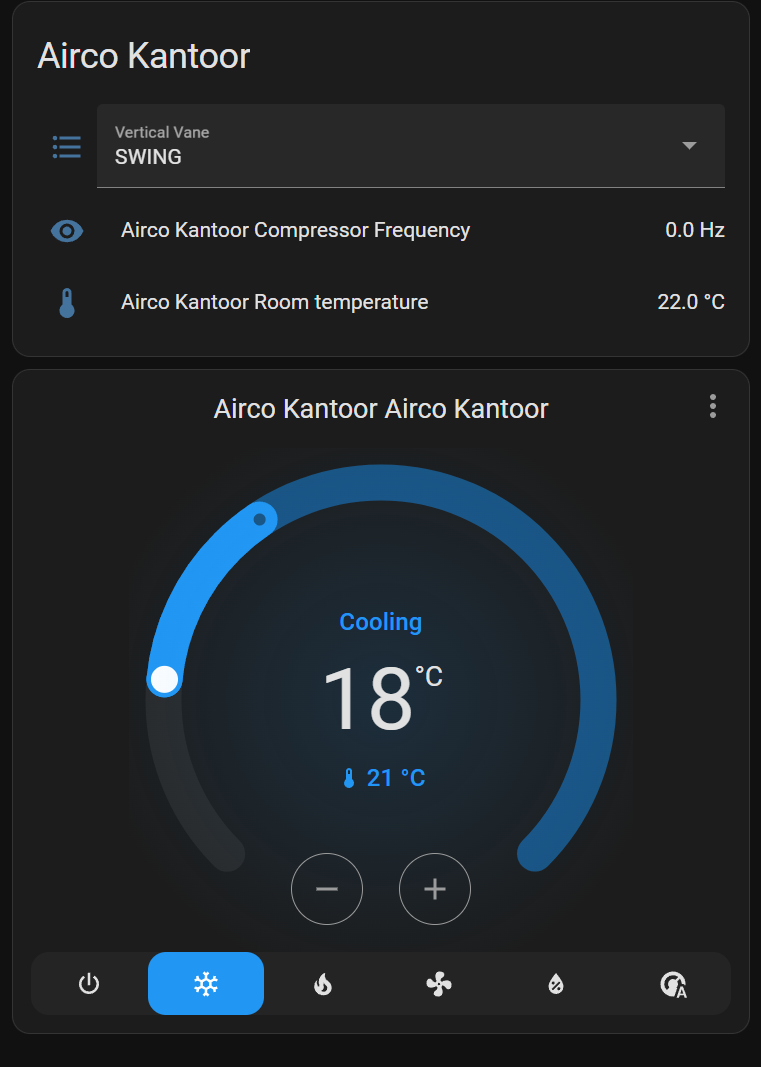
The screenshots in HA show the posiblities. For example I can set the Target Temp and I can select the mode (cooling, heating, off, etc). In HA all work fine.
So here I can select the fan modes, all work except for quiet. You will see that in the values of ESPHome on Homey Quiet is not reported, only the other modes which work. However how can I get quite working? and showing up in the list of values? (see last screenshot)
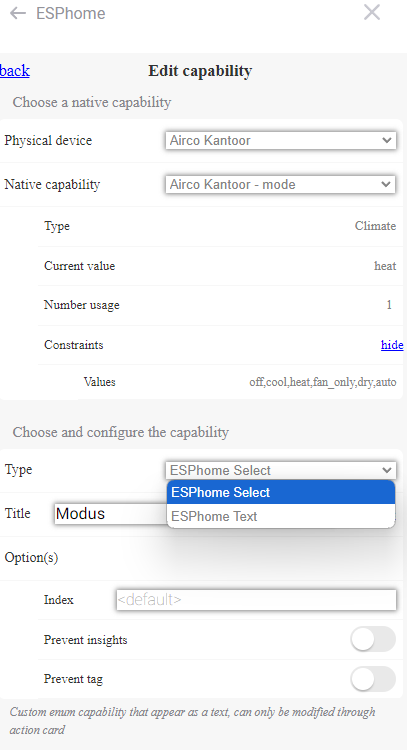
Modus is the mode the airconditing works in, like off, cooling, heating. This overview show the status which if fine.
However when I go to advanced flows…
For the when/and/than cards the value for Modus is empty. when I type one of the contraints values like ‘cool’ I can trigger that one in a flow. But shoudn’t this be a dropdown menu with the options?
Here you see that quiet isn’t in the values of contraints, probably the reason it doens’t work. How to get this option here?
Also you see that Modus only has the option of text and select. The only difference is text is readonly and select can be controlled by flows as well. I’m missing the option custom enum which seems to create a menu where I can select the mode (heat/cool/off) I want.
Would you be able to add the “fan” component to the app? I have a open air mini for DUCO controller, which uses the fan component to control the fan RPM (the speed template). Hope this would be possible.
Any plans to integrate the new Homey capabilities and device classes? I would love to switch the ESPHome device connected to my intercom to use the alarm_door_fault capability instead of the alarm_generic
I seems to have to restart the app almost daily as it loses connection to my ESP device. The ip is fixed. I’ve now also tried fixing the AP that my device is on so that it wouldn’t roam to another one. I’ll see if that makes any difference. Cause once restarted it just works fine for a day.