Baldhor
February 18, 2024, 2:44pm
62
I will need much more info to work on your issue.[BUG] physical device not online (The reconnection feature) · Issue #88 · Baldhor/Homey-ESPhome-Enhanced · GitHub
Enable console.re and provide me event more logs:
=> and preferably the link to your console.re session so I can look there myself
so great @Baldhor
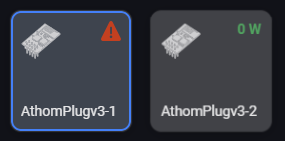
now it looks so:
and I will test asap
for sure I will send you a beer
and YEEEEEEESSSSSSSSSS IT WOOOOOORKS
@Baldhor but I cannot see the power consumption anymore… (consumer plugged in)
(but I checked this with the “old” firmware - I cannot see the power consumption there, too)
Can you change the entry in the yaml config, to report every value over 0.9 watt, please?
And what I see are connection issues… but the device is connected to wifi with a good connection… ping is fine, too
(I switched to the test version of the esphome app now - the connection looks better now)
Baldhor
February 19, 2024, 6:41pm
64
done
So you got some random connection issue too …
First things first - I donated
The disconnects are gone after installing the test version of the esphome homey app
Baldhor
February 19, 2024, 7:20pm
66
ok I will publish it then. But apparently it doesn’t solve the issue of @Patrick_85
Not yet but work in progress maybe the problem is somewhere else
thx for reconfiguring the firmware again
I donated again
Baldhor
February 23, 2024, 10:57am
69
Yesterday I pushed live a new version that seems to solve:
The reconnection issue of @Patrick_85
Resolve some random crash
It looks much more stable than ever …
@Baldhor Great App, I trying to configure my MHI Airco, I have this ESP8266 installed in the unit.
This is the project: GitHub - ginkage/MHI-AC-Ctrl-ESPHome: ESPHome integration for MHI-AC-Ctrl project
oh misread … let me read again
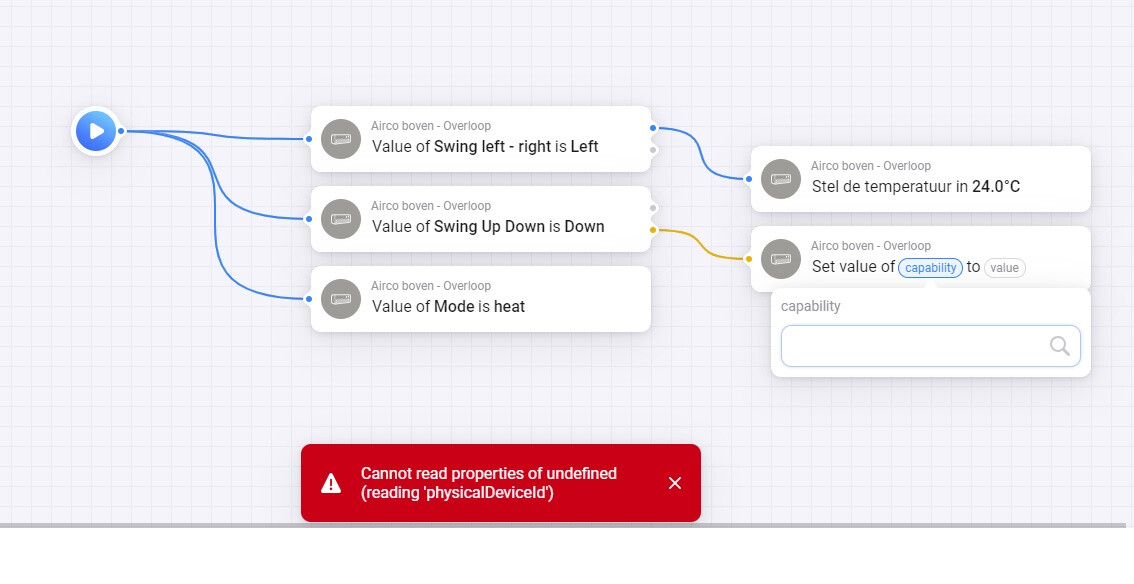
edit: obviously, there are a crash in the code (red means bad
I published a test version: ESPhome App for Homey | Homey
It will trace a log when the “issue” is met, but continue …
Thank you, see e76f86a3-480d-44e3-b28f-3ab1a1b6153d
With test version it works ok
Baldhor:
console.re
I will try tommorow, I’m new to this
The console is running, I sent a PM with the channel name
Hi,
Any plans to get esphome esp32cam module working?
If you’re willing to implement it - what can I contribute?
Or maybe someone knows a better way to get a generic mjpeg camera added to Homey?
Not sure what you have in mind, but unfortunately Homey is not able to stream video.
Snapshots is enough to get - and those cameras expose a webserver so an embedded browser view for the details if possible.
ESP32 Camera Component - ESPHome - Smart Home Made Simple exposed with ESP32 Camera Web Server Component - ESPHome - Smart Home Made Simple
Hello everyone.
I am a newbie in this area and therefore need to ask some experienced people
I geek out a bit with Arduino and other boards, and have done some beginner programming, so I’m only at this beginner level.
I’ve tried my hand at coding and trying to connect a NodeMCU ESP8266 to the Homey, but no luck. I either get errors in my code or I can’t connect to Homeyduino. So I’m losing the mod a bit
I have tried various things. Codes from e.g. Github, but also without success.
Is it necessary to connect to Homey that I have installed ESPHome and have experience with this to get things working?
If there is a kind soul who will take a few minutes to help me or share a code that works to connect to Homey I would be really happy so I can take a step forward in this exciting world.
Sorry if I ended up in the wrong group here on Homey Community.
Sincerely, Michael
Hi Michael,
You need to install and run ESPhome indeed, to be able to program your boards. When programmed, and connected to wifi, you’d be able to add them to Homey
https://esphome.io/guides/installing_esphome.html
Here’s my code of a presence sensor
Clickme
# Replace all "esp8266-template ..." entries with your sensor name
#
esphome:
  name: "esp8266-template"
  friendly_name: "esp8266-template"
  includes:
    - uart_read_line_sensor_ld2410v3.h
  on_boot:
    priority: -100
    then:
      - script.execute: get_config

esp8266:
  board: esp01_1m

# Enable logging
logger:
  baud_rate: 0

# Enable Home Assistant API
api:
  encryption:
    key: "the_generated_key_goes_here"

ota:
  password: !secret ota

### https://esphome.io/components/wifi.html#manual-ips
wifi:
  ssid: !secret wifi_ssid
  password: !secret wifi_password
  ### when board got new IP, but doesn't
  ### connect, uncomment the line below, and enter the board's previous IP:
  #use_address: 192.168.xx.xx

  ### set static IP when DHCP fails,
  ### edit and uncomment the 4 lines below:
  #manual_ip:
    #static_ip: 192.168.1.23
    #gateway: 192.168.1.1
    #subnet: 255.255.255.0

  # Enable fallback hotspot (captive portal) in case wifi connection fails
  ap:
    ssid: "esp8266-template HotSpot"
    password: "abcde12345"

web_server:
  port: 80
  version: 2
  include_internal: true
  ota: false

captive_portal:

uart:
 id: uart_bus
 tx_pin:
   number: TX
 rx_pin:
   number: RX
 baud_rate: 256000
 parity: NONE
 stop_bits: 1

switch:
  - platform: safe_mode
    name: "Use safe mode"
    id: use_safemode

  - platform: template
    name: "Config mode"
    id: configmode
    optimistic: true
    # assumed_state: false
    turn_on_action:
      # - switch.turn_off: engineering_mode
      - lambda: 'static_cast<LD2410 *>(ld2410)->setConfigMode(true);'
      - delay: 100ms
      - script.execute: clear_targets
    turn_off_action:
      - lambda: 'static_cast<LD2410 *>(ld2410)->setConfigMode(false);'

  - platform: template
    name: show_target_stats
    id: show_stats
    optimistic: true
    internal: true
    turn_off_action:
      - script.execute: clear_targets

text_sensor:
  - platform: template
    name: "Uptime human"
    id: uptime_human_readable
    icon: mdi:clock-start
    update_interval: 60s

sensor:
  - platform: uptime
    name: "Uptime sensor"
    id: uptime_sensor
    update_interval: 60s
    internal: true
    on_raw_value:
      then:
        - text_sensor.template.publish:
            id: uptime_human_readable
            state: !lambda |-
                      int seconds = round(id(uptime_sensor).raw_state);
                      int days = seconds / (24 * 3600);
                      seconds = seconds % (24 * 3600);
                      int hours = seconds / 3600;
                      seconds = seconds % 3600;
                      int minutes = seconds /  60;
                      seconds = seconds % 60;
                      return (
                        (days ? to_string(days)+":" : "00:") +
                        (hours ? to_string(hours)+":" : "00:") +
                        (minutes ? to_string(minutes)+":" : "00:") +
                        (to_string(seconds))
                      ).c_str();

  - platform: custom # currently crashes ESP32
    lambda: |-
      auto uart_component = static_cast<LD2410 *>(ld2410);
      //return {uart_component->movingTargetDistance,uart_component->movingTargetEnergy,uart_component->stillTargetDistance,uart_component->stillTargetEnergy,uart_component->detectDistance};
      return {};
    sensors:

  - platform: template
    name: movingTargetDistance
    id: movingTargetDistance
    unit_of_measurement: "cm"
    accuracy_decimals: 0
    internal: true

  - platform: template
    name: movingTargetEnergy
    id: movingTargetEnergy
    unit_of_measurement: "%"
    accuracy_decimals: 0
    internal: true

  - platform: template
    name: stillTargetDistance
    id: stillTargetDistance
    unit_of_measurement: "cm"
    accuracy_decimals: 0
    internal: true

  - platform: template
    name: stillTargetEnergy
    id: stillTargetEnergy
    unit_of_measurement: "%"
    accuracy_decimals: 0
    internal: true

  - platform: template
    name: detectDistance
    id: detectDistance
    unit_of_measurement: "cm"
    accuracy_decimals: 0
    internal: true

  - platform: dht
    pin: GPIO4
    # pedw: ESP8266 SDA (GPIO4 / D2) (send/receive data)
    temperature:
      name: "Temperature"
      id: temperature
      filters:
        - offset: -1.0
        - sliding_window_moving_average:
            window_size: 10
            send_every: 10
    humidity:
      name: "Humidity"
      id: humidity
      filters:
        - sliding_window_moving_average:
            window_size: 10
            send_every: 10
    update_interval: 60s
    model: DHT11

### NOTE >>>>>>>> Only GPIO17 is analog-capable on ESP8266.
###      BUT GPIO17 lacks on the D1mini Wemos board <<<<<<<<<
###  - platform: adc
###    pin: GPIO3
###    name: "Illuminance"
###    id: illuminance
###    update_interval: '30s'
###    unit_of_measurement: lux
###    filters:
###      - lambda: |-
###          return ((x / 10000.0) * -20000000.0) + 1635;

custom_component:
  - lambda: |-
      return {new LD2410(id(uart_bus))};
    components:
      - id: ld2410

binary_sensor:
  - platform: gpio
    name: "Occupancy"
    id: mmwave_presence_ld2410
    pin: GPIO13 # = D7
    device_class: motion
    on_state:
      then:
        - if:
            condition:
              - binary_sensor.is_off: mmwave_presence_ld2410
            then:
              - delay: 150ms
              - script.execute: clear_targets

number:
  - platform: template
    name: "Max distance"
    id: maxconfigDistance
    unit_of_measurement: "m"
    min_value: 0.75
    max_value: 6
    step: 0.75
    #mode: box #default: slider
    update_interval: never
    optimistic: true
    set_action:
      - switch.turn_on: configmode
      - delay: 50ms
      - lambda: |-
          auto uart_component = static_cast<LD2410 *>(ld2410);
          uart_component->setMaxDistancesAndNoneDuration(x/0.75,x/0.75,id(noneDuration).state);
      - delay: 50ms
      - lambda: 'static_cast<LD2410 *>(ld2410)->queryParameters();'
      - delay: 50ms
      - switch.turn_off: configmode

  - platform: template
    name: "Sensitivity T.hold"
    id: allSensitivity
    unit_of_measurement: "%"
    min_value: 10
    max_value: 100
    step: 2 #5
    #mode: box # default: slider
    update_interval: never
    optimistic: true
    set_action:
      - switch.turn_on: configmode
      - delay: 50ms
      - lambda: |-
          auto uart_component = static_cast<LD2410 *>(ld2410);
          uart_component->setAllSensitivity(x);
      - delay: 50ms
      - lambda: 'static_cast<LD2410 *>(ld2410)->queryParameters();'
      - delay: 50ms
      - switch.turn_off: configmode

  - platform: template
    name: "Motion hold"
    id: noneDuration
    min_value: 0
    # max_value: 32767
    max_value: 200
    unit_of_measurement: "s"
    step: 2
    #mode: box
    update_interval: never
    optimistic: true
    set_action:
      - switch.turn_on: configmode
      - delay: 50ms
      - lambda: |-
          auto uart_component = static_cast<LD2410 *>(ld2410);
          uart_component->setMaxDistancesAndNoneDuration(id(maxconfigDistance).state, id(maxconfigDistance).state, x);
      - delay: 50ms
      - lambda: 'static_cast<LD2410 *>(ld2410)->queryParameters();'
      - delay: 50ms
      - switch.turn_off: configmode

button:
  - platform: restart
    name: "Restart ESP"
    id: restart_esp
    entity_category: diagnostic
    on_press:
      - switch.turn_on: configmode
      - delay: 50ms
      - lambda: 'static_cast<LD2410 *>(ld2410)->factoryReset();'
      - delay: 150ms
      - lambda: 'static_cast<LD2410 *>(ld2410)->reboot();'
      - delay: 150ms

script:
  - id: get_config
    then:
      - switch.turn_on: configmode
      - delay: 500ms
      - lambda: 'static_cast<LD2410 *>(ld2410)->queryParameters();'
      - delay: 500ms
      - switch.turn_off: configmode

  - id: clear_targets
    then:
      - lambda: |-
          //id(hasTarget).publish_state(0);
          //id(hasMovingTarget).publish_state(0);
          //id(hasStillTarget).publish_state(0);
          id(movingTargetDistance).publish_state(0);
          id(movingTargetEnergy).publish_state(0);
          id(stillTargetDistance).publish_state(0);
          id(stillTargetEnergy).publish_state(0);
          id(detectDistance).publish_state(0);