I have reported it to Athom and it is being investigated, so hopefully they will find a solution.
1 Like
Well, as an Android user and therefore one of the users that this problem concerns. You don’t have to remove the app on my account. You could just add a disclaimer about the issues for Android users.
But aren’t there other ways to avoid the slider? Could you for instance add up/down arrows to adjust values where you have sliders today?
This is not on you of course but I do find it strange that Athom won’t prioritize this. The way I see it, this will enormously limit the possibilities of the dashboards potential functionality. If Android users can’t operate anything on the dashboard except for short and long presses that is a huge issue. Two apps for widgets has been released so far, and both have the exact same issue.
I appreciate your feedback and maybe having buttons to increment / decrement the values would be a good workaround. Unfortunately, even buttons aren’t immune from the issue as if your finger slips vertically, between pressing and releasing the button, it effectively cancels the action, but it is less likely to be an issue. The buttons would also not provide the resolution of the slider as you wouldn’t want to press it 100 time to go from 0 to 100%. Maybe there could be 4 buttons for -1, -10, +10 and +1.
I think 4 buttons would look cluttered, but I also agree that hitting a button 100 times to dim the light from 0-100% is not great. Ability to define the number of steps for the buttons in the settings could possibly work?
To be honest. As long as sliders are unusable I won’t be using this feature. Athom has said that they are working on light and thermostat widgets. So I wonder how they will solve this.
I use it on Android as well and although I see the problem, I don’t think the slider is completely unusable.
So I would opt for a clear disclaimer on this part and keep it in the Store.
Hopefully an option to select what options you want to see/use on a widget becomes available so you can leave the sliders out if you want to.
@Adrian_Rockall Until then, perhaps a second widget is possible without sliders?
2 Likes
Athoms widgets are native, so don’t use the webkit that hosts community widgets, therefore they won’t have the same problem.
I see.
Here’s my first attempt of intergrating a SharpTools dashboard into the Homey dashboard. Sliders work just fine in this case 

1 Like
Is that on Android?
Yes
Care to share?
It’s this one:
With only a few minor adjustmenst
2 Likes
Just out of interest, if you add more widgets so the dashboard has to scroll vertically, do the sliders still work?
No, the same problem occurs then.
OK, I was hopeful you had found a solution.
Well, the solution works for me. I set up my dashboards without the need for scrolling in any direction, and the sliders from SharpTools work perfectly in that situation.
1 Like
I have published a new version that re-enables the slider tap to set the position. To work around the issue where moving the finger up / down after touching the slider leaves it out of sync, I have added a timer to reposition if the change event is not triggered. This should help Android users to use the slider while the Widget bug exists.
I have also add a log feature in the app settings page. The default is to log only errors, but it can be changed to a more detailed log if required. However it is not recommended to keep this switched on as it will consume memory.
My next objective is to add a method to select which capabilities you want to show in the widget.
1 Like
Hi @Adrian_Rockall ,
Running your latest test. Really, I do not have big issues using the slider in this version. I have another question, why can i not see the last 4 buttons in this device (I can see only the top of next button)?
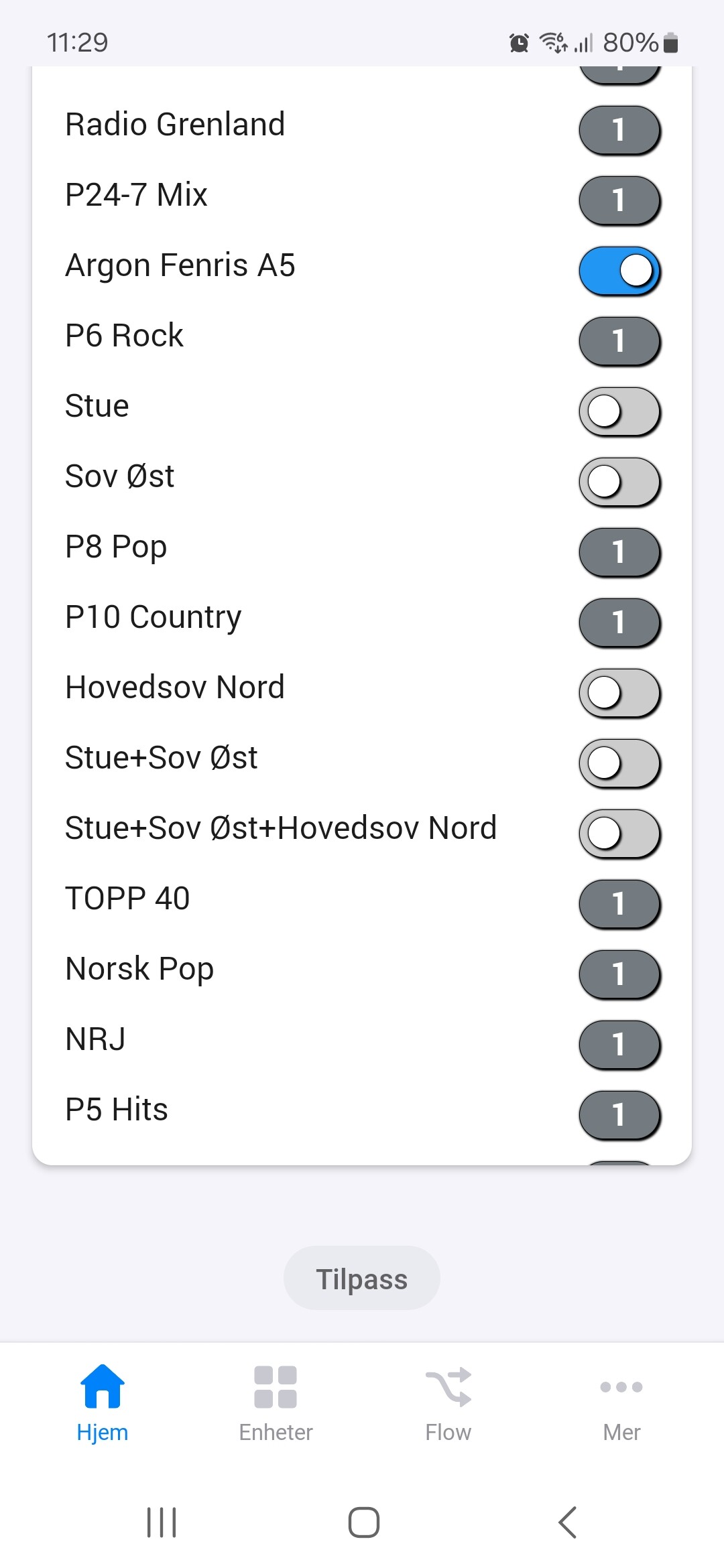
Is it a limit of the maximum widget height?
It could be my calculation for the height is not giving enough space for each line. I will try adding a bit more for the next update.
I have published a new test version that has the option to hide capabilities.
First, you need to set the new ‘Enable run time configuration’ in the setup to Yes.

Then when you exit from the setup mode, you will have an Edit checkbox in the widgets header area. If you enable that, widget will refresh and show checkboxes at the start of each capability row.

Switch off the check box to hide the row when Edit mode is switched off.
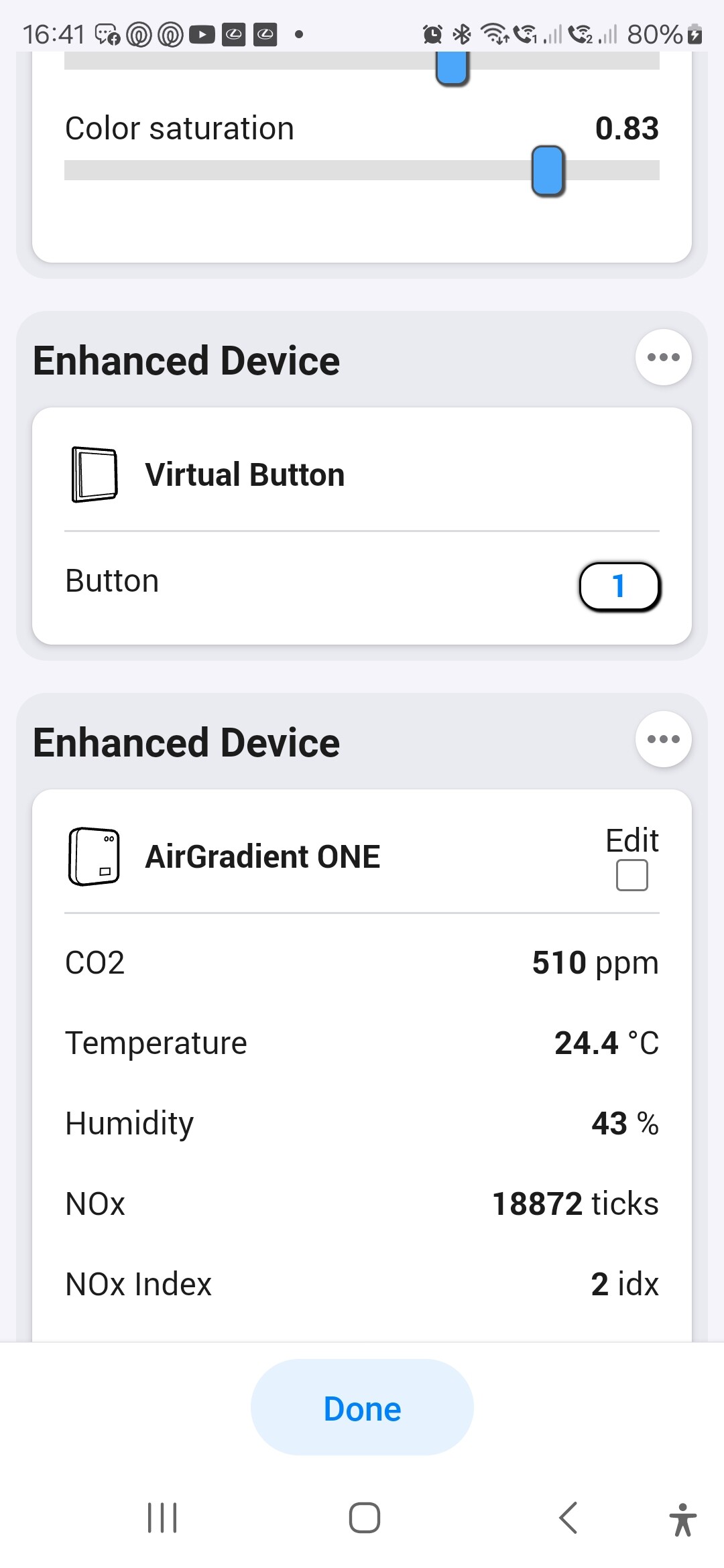
You can then go back to the widget settings and turn off the ‘Enable run time configuration’ to hide the Edit checkbox if you want to.
7 Likes
Works really well. The height of the widget is also corrected. Thank you!
1 Like
