Wow, did we already mention you are a genius?
You are.
Selecting capabilities to show is awesome… Thx!
3 Likes
Very nice addition, works for most of my devices, thanks!
I have added the KNMI “device” , but that has even for this solution too much capabilities, i cannot scroll to the end to disable them.
I guess Athom must have a hard limit on the size or I still haven’t allowed enough space per row. How many items are there?
I think in total 48
I will have a play and simulate that number of items to see what happens.
1 Like
Hmm, I have created one on the Home screen with 55 lines (I repeated the list of 11 items 5 times)

Could you share yours so I can see if it is a particular capability type that requires more space?
And this one has 70 items (10 repeats off 7 entries)


Ah, OK, I see that some of titles are very long and cause the row to wrap onto the next line.
I believe that is the issue, so I will look into that.
Thanks for the picture and reporting it.
1 Like
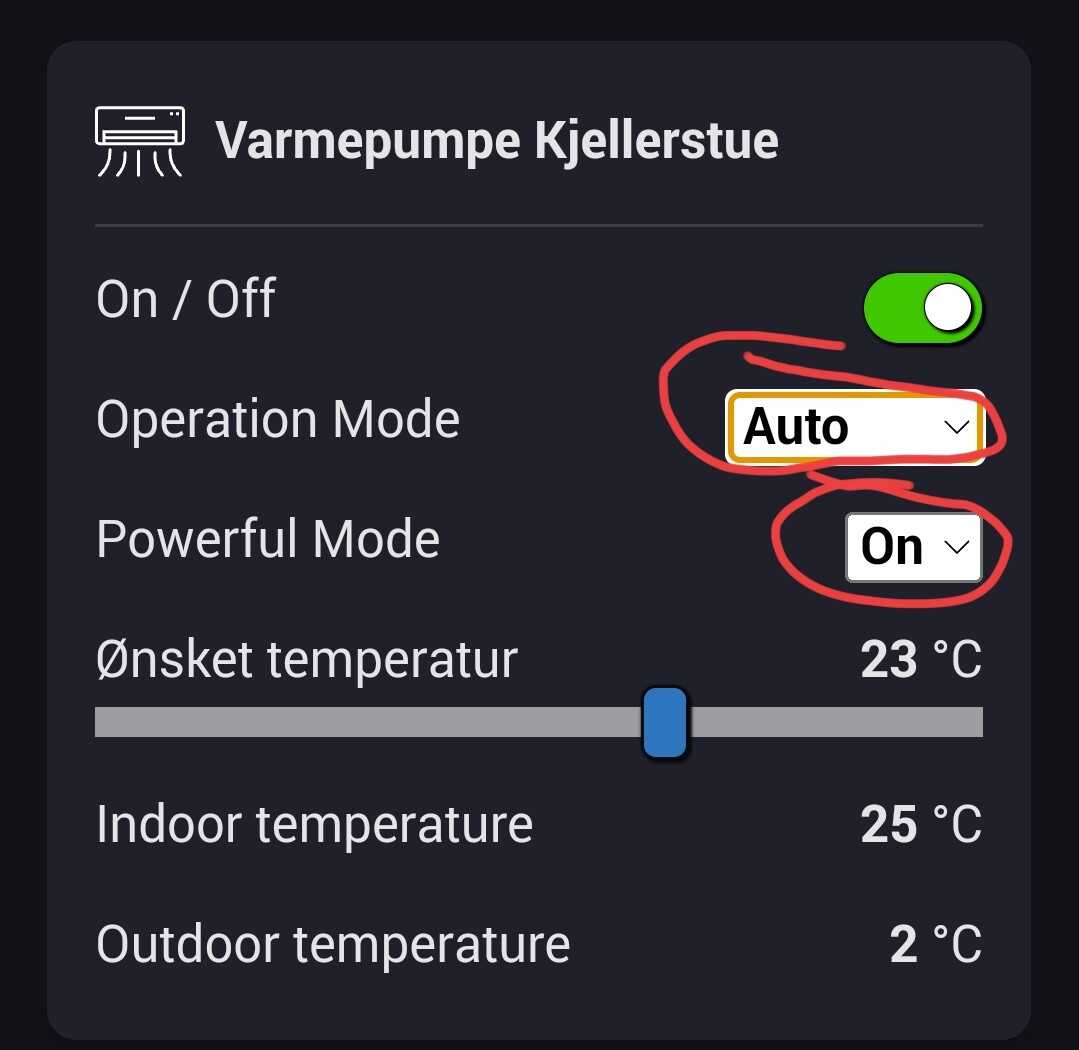
On the dropdown menus it seems that the widget shows the top alternative rather than the active alternative.
Selecting something from the menu works fine, but when exiting and re-entering the dashboard it goes back to displaying the top alternative.
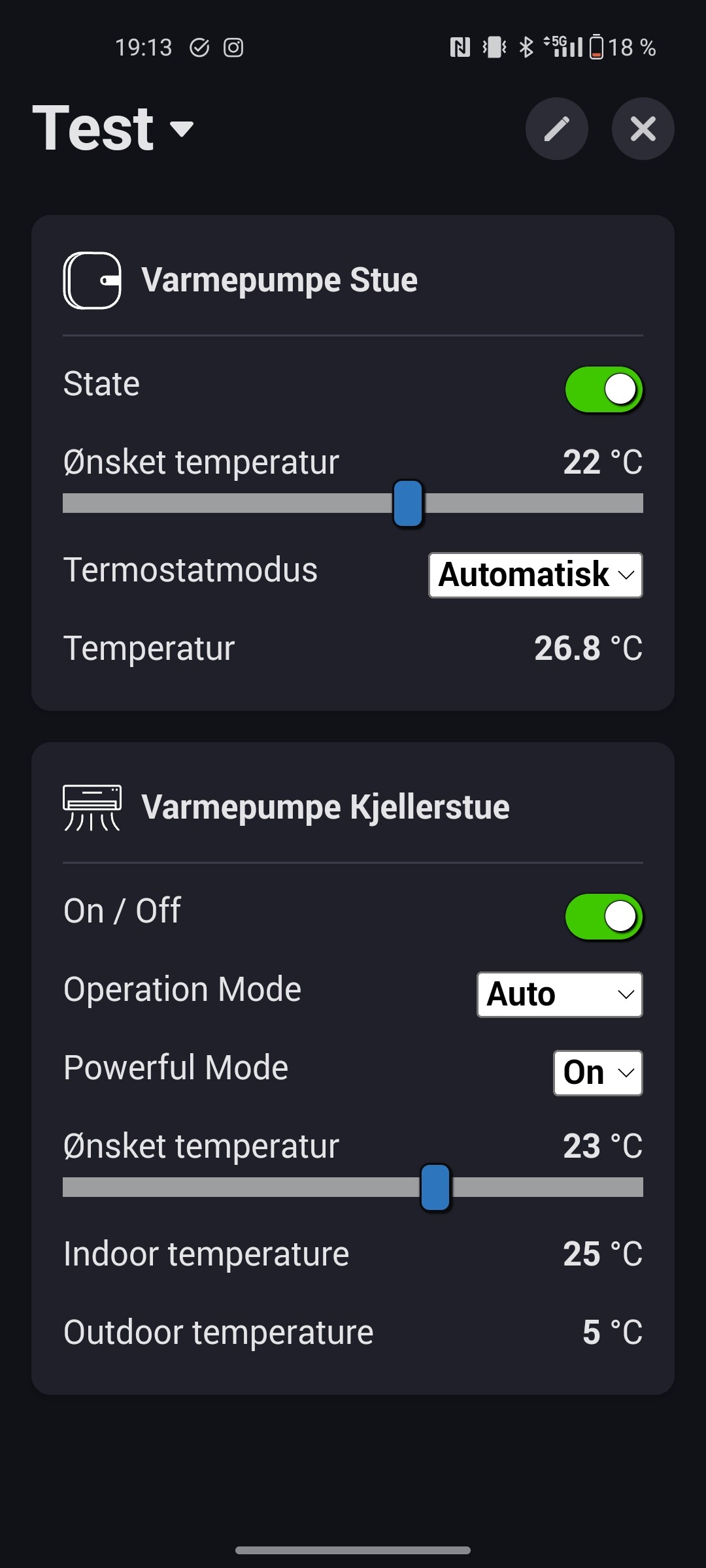
What is a “Active alternative”? What is a “Top alternative” ? I do experience that this app reads the capabilities in the order that is defined in “developer tools”, and it does not rearrange. It does rearrange if I use the “edit” function, but it stays that way. Using Android.
Very neat widget Andy!
One thing I noticed,
“Enable run-time configuration” is too technical for many users, in my humble opinion.
Can I suggest to name it
“Enable capability edit mode” ? Or “Enable selection mode” ?
Oh, and is it possible to have only some options enabled by default?
As the “Title” part is always enabled, which I don’t want, and I like the run-time & dense options always to be enabled;
So, when I add a new Enhanced Device Widget, the screen looks already like this:
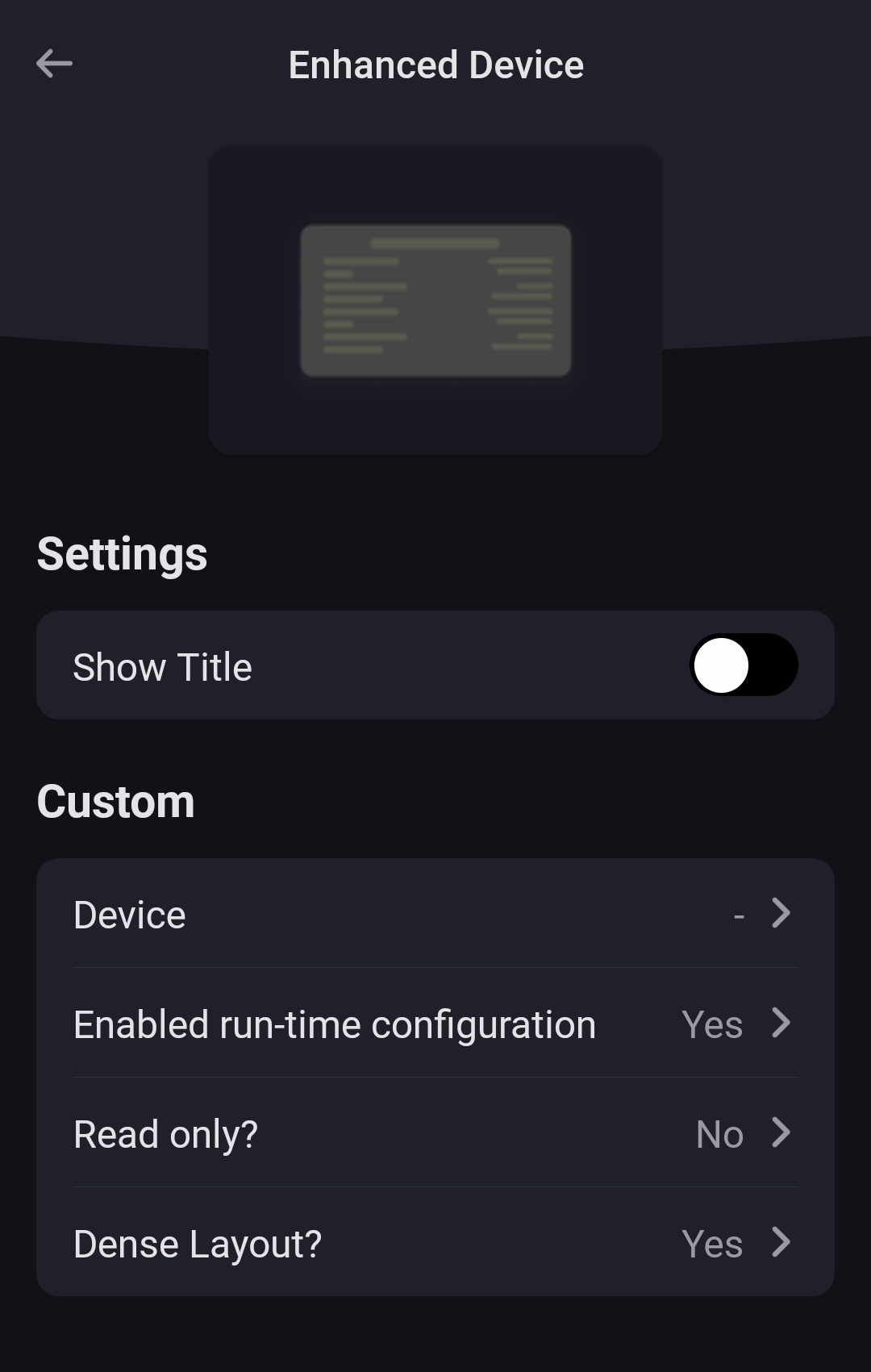
Or should I inform with Athom about this?
Combine capabilities: Use the app to combine devices then use the created group in the widget. Might work but I haven’t tested
I can’t set the default for the Title as that is an option provided by Athom. I can change the defaults for the other options.
1 Like
Perhaps it was an unclear way to describe it.
The picture below is the device as shown in the Homey device:
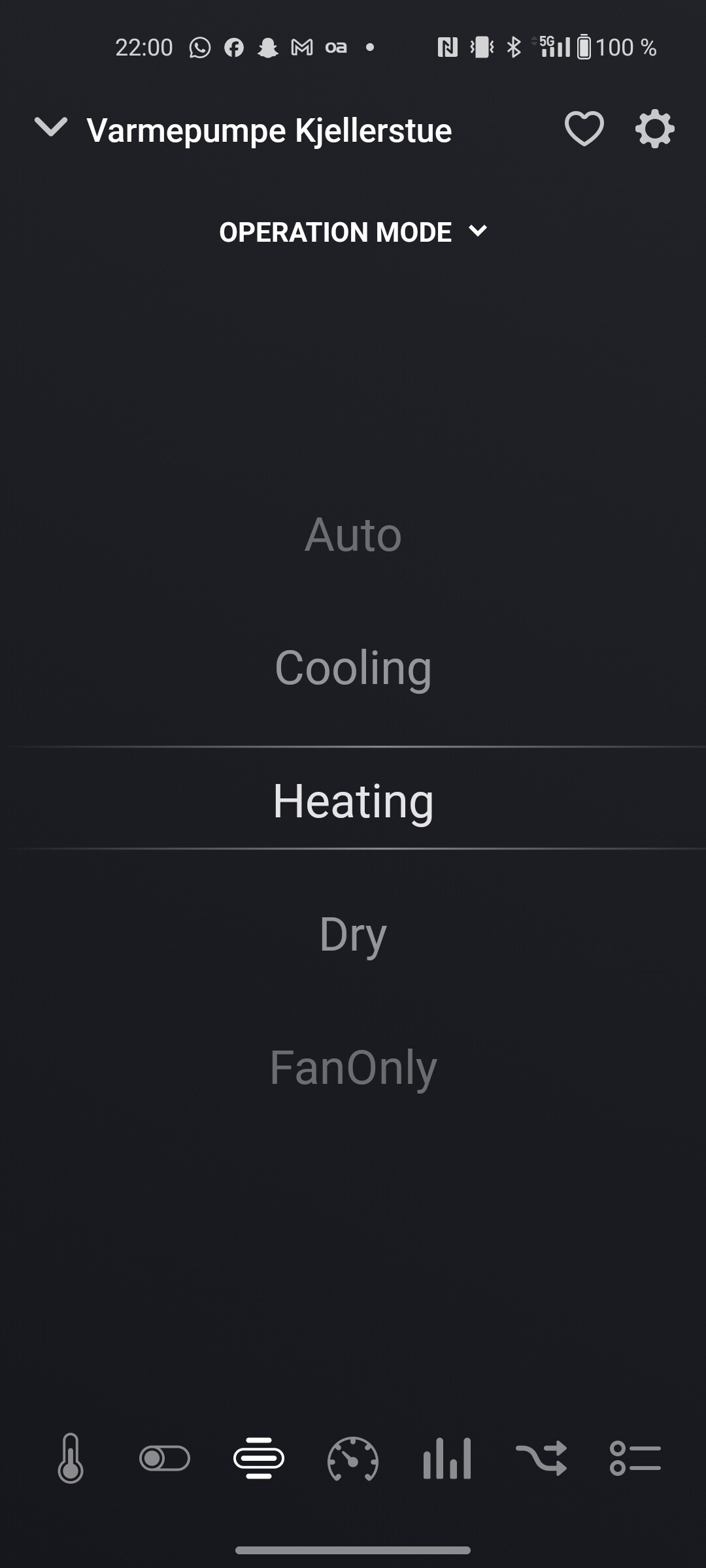
As you can see, “Heating” is selected.
The widget however, displays the top alternative, “Auto”.
The widget should, in my opinion, display the mode that is actually being used.
Why? The capabilities is “Auto, Cooling, Heating, Dry, FanOnly” , not in any other order. You can not difference about what is “active”. In my “radio” unit, sounds like a “last pushed/activated”. Then I would have a re arranging every time I change a radio station, that is not a good idea. That is why I have a String value that displays what is running. If I change the volume, that would be on the top. That would be misleading?
Well, the original device clearly shows what mode is currently active. You can see this in the picture I posted. I’m not asking to change the order of the list. I want the selected mode to be the one that is displayed before you open the drop-down menu and when you open it.
When I open the menu in the widget now it looks like this:
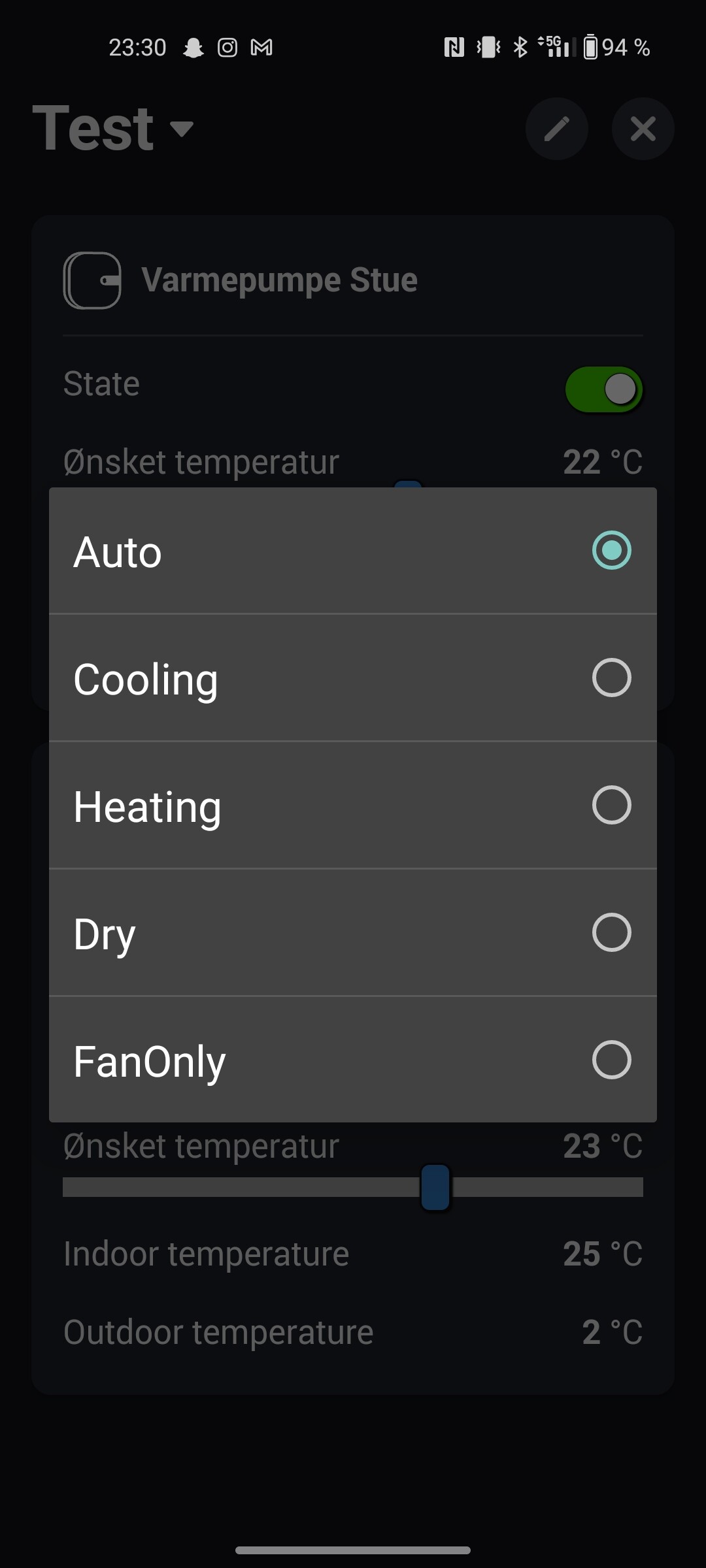
Even though Heating is the mode actually selected, the widget now clearly shows Auto as the selected mode.
I’m not asking for Heating (or what ever mode I want to select) to move to the top of the list.
I think you’re misunderstanding what I’m talking about. I’m talking about the content of the menus that I have marked in this screenshot:
1 Like
I understand what you mean and it should show the active value in the widget. I wonder if it’s a translation issue as ENUM capabilities have an id and a name. The id is always the same, regardless of language, but the name is translated. Maybe I have used the wrong part to select the active item, but I will take a look and try to fix it.
Hopefully fixed in the ne test version. It seems I was using the value to compare to the title instead of the id. It just happened that on the device is selected to test with they were the same, so it appeared to work for me. I choses a different device and I could see the same problem as you, so I changed the code and it now works for all my devices, so fingers crossed.
I have now changed it to Enable Edit Mode, plus I have set hint text for the settings to provide more details.
The Enable Edit Mode will also be on when a new widget is added.
I have left the Dense Mode off by default because I prefer that view 
1 Like
I have a unit that have to strings (variables that changes every day), and a summarizing field with how many “non-responsive-devices” there are, and a manual refresh push-button.


It shows like this:
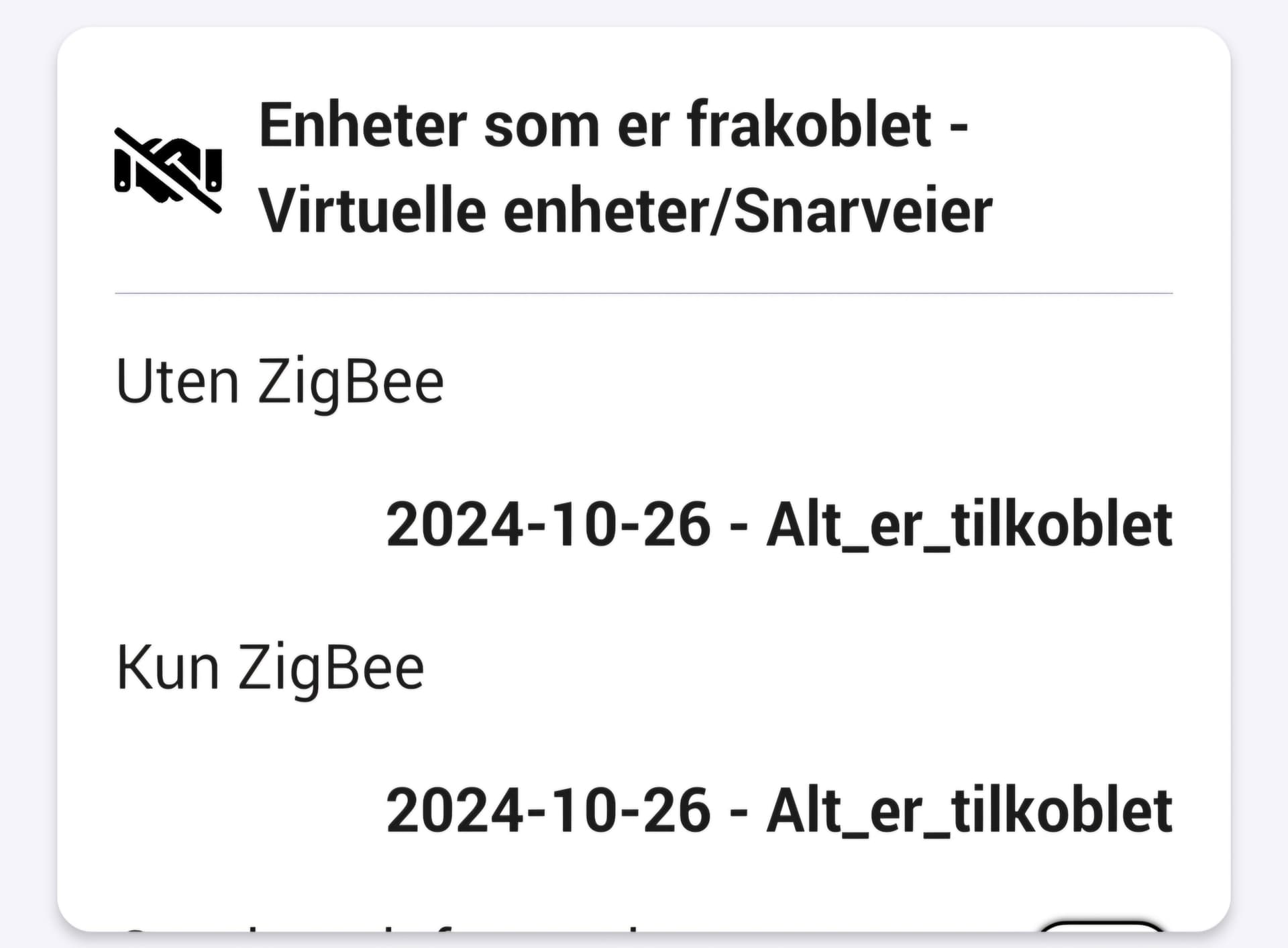
Seems like it is not enough height in the widget, because of the string-variables. I can see a little bit of the push-button, the summarizing field I can not see at all.
Running latest v.1.1.1 .
It’s because the text is too long so wraps around and the app is not able to detect that.
I need to have a think about how to handle that.
