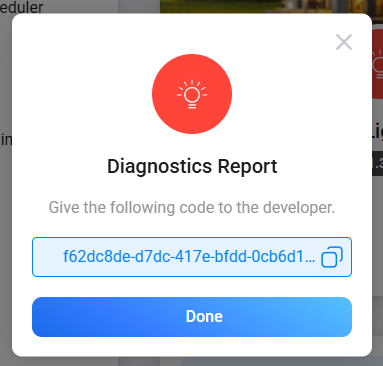
We currently don’t have this specific device on hand to reproduce the issue on the Homey side. If possible, could you please try again to add the device into Homey, and after the attempt fails, generate a diagnostics report and send it to us. Here are the steps:
Open the Homey mobile app or access Homey via web.
Navigate to More → Apps → select the “EasyLighting App / driver” for your device.
Tap the gear icon (Settings) next to the App.
In the settings, select “Create Diagnostics Report”.
The system will package the Homey logs + EasyLighting App logs into a report file. Please send that file or the report ID back to us.
Additional configuration options you can also try:
If you’re comfortable with making adjustments, you could try the following two alternative configurations:
I’ve added it to homey, and your app recognised it as SR-ZG9030A-MW, light sensing and motion alert data comes like a charm. You can rename the supported device to MW/PIR
Could you please integrate SR-ZG2833PAC. There is no any other Zigbee based input modul on the market. It would be a game changer. Single, double and long press features all be needed for the community.
For ZG9030A-PIR, I don’t have the actual device, so the Product ID might not be correct. If pairing fails, could you check the Product ID in: Settings → Device → Advanced Settings → Zigbee Device Information → Product ID
Hi @Easy_Home@niracler , I’ve made SR-ZG2833PAC listed in the local smart home distribution, first shipment will arrive in a few months. I hope till then you can integrate it into the EasyLighting app. As I wrote above, single, double and long press features all would be needed. I hope you can squeeze it into that time frame.
I’ve looked into the SR-ZG2833PAC and unfortunately it’s a Zigbee Green Power (ZGP) device. Green Power is a special subset of the Zigbee protocol
designed for ultra-low-power and energy-harvesting devices (like batteryless switches).
The issue is that Homey does not support the Green Power protocol at the platform level. I contacted Homey official support about this previously, and
they confirmed:
The issue is that both ZG9030A-PIR and ZG9030A-MW share the same Zigbee product ID (HK-DIM), so the PIR driver from v1.3.8 can’t actually match your device.
Thanks for prompt response. Could you please check if SR-ZG9041P4 is a green power device or not? Seemengly it’s an input module too, but differs form the one we’ve dealt with.
We don’t have the SR-ZG9041P4 in our inventory yet. Could you share a photo of the device label? This will help us identify the exact variant and check if it’s a Green Power device.
Unfortunately, we don’t currently have a non-Green Power Zigbee input module in our product line. I’ll check with our team and let you know if there are any alternatives.
Hello. New to the Sunricher product line and purchased the SR-MT9042A module hoping it would work with Homey as it supports both Matter and Zigbee3. I tried to link it with your app using the SR-ZG version, but it doesn’t seem to work. Can you help?
Hi @Luc_Vander_Putten , SR-ZG9042A is supported (it appears as “ZG9040A-S/ZG9042A-D” due to its model ID), but we don’t have the Matter version SR-MT9042A on our side — could you confirm which one you have and share a screenshot of the pairing attempt?
I just wanted to start by saying a huge thank you for your amazing help in post 177 and around! The On/Off controls for both channels are working absolutely flawlessly now, and I really appreciate the effort you put into making that work.
Whenever you have some time over, I noticed that the power metering seems to be stuck at a constant 5W regardless of the load. I suspect the Zigbee metering cluster might just need a little mapping adjustment for this specific profile.
There is absolutely no rush at all, but if you’d like to look into it whenever it suits you, here are the device details from my advanced settings:
Device Type: Socket
Manufacturer: Sunricher
Product ID: ON/OFF(2CH)
Device ID (IEEE): 94:de:b8:ff:fe:87:5e:ed
Firmware: 2.9.2_r3
App Version: v1.3.9 (Test)
Thank you so much once again for your kindness and for keeping this app so well-maintained for all of us!